
Linking your SSO account to an existing username/password account
If you already have a DQC Platform account using an email and password, you can easily link it to your Microsoft SSO account for faster and more secure login.
When is account linking required?
You'll be prompted to link accounts if:
You already have a DQC Platform account with email/password
You try to log in via Sign in with Microsoft
The system recognizes that your Microsoft email matches an existing account
How to link your accounts
Video: How to link your accounts
Click Sign in with Microsoft on the login page
Complete the Microsoft login
A screen will appear prompting account linking
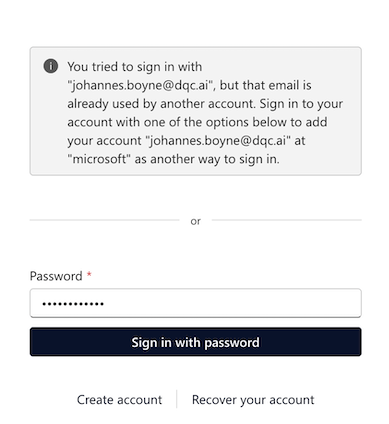
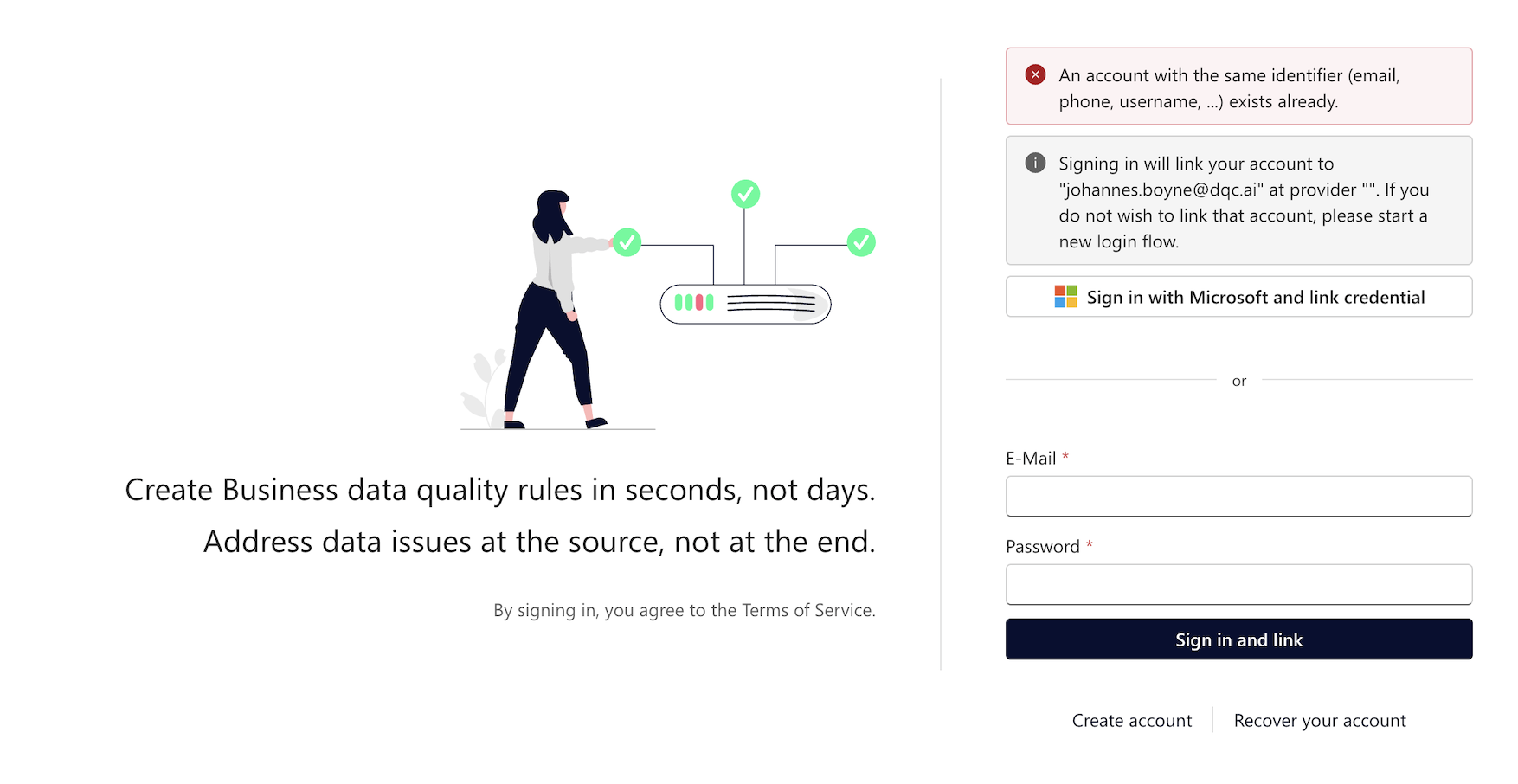
Confirm that the email address shown is correct
Enter your existing DQC Platform password
Click Sign in with password or Sign in and link
After linking
Once your accounts are linked:
You can log in using either method:
Email + password
Microsoft SSO
Your data, rules, and settings remain unchanged
 Notes
Notes
Linking does not overwrite or delete existing data
You can switch between login methods at any time
For help, contact support at info@dqc.ai
Learn more: Single-Sign-On (SSO) – Microsoft Login, User Management and Access Rights