
Adding a new tenant and users to the DQC Platform
When to create a new tenant
A new tenant should be created if:
You are onboarding a separate business unit, or function that should operate independently from other areas, with little to no expected collaboration on data quality rules and improvements
You need strict data separation for compliance reasons, such as unbundling in the energy sector, or because highly sensitive data is involved
You want users to see only the data assets relevant to their use case, without having to manage detailed object-level permissions
The DQC Platform uses tenant isolation to keep environments fully separated. Each tenant has its own connectors, tables, and rulesets, and users can only access data and configurations within their active tenant based on their assigned permissions.
How to create a new tenant
Optional: If you want to set up the new tenant under the same email, leave the current tenant:
Go to Settings → Profile → Delete AccountSign-up to the DQC Platform
→ This automatically creates a new empty tenant tied to your email
You can also write to support@dqc.ai to request an additional tenant.
How to invite users
Invite users to the new tenant:
Go to Settings → User, Groups → Invite userInvited users will receive an email and see a popup to join the tenant after registering their account and logging in
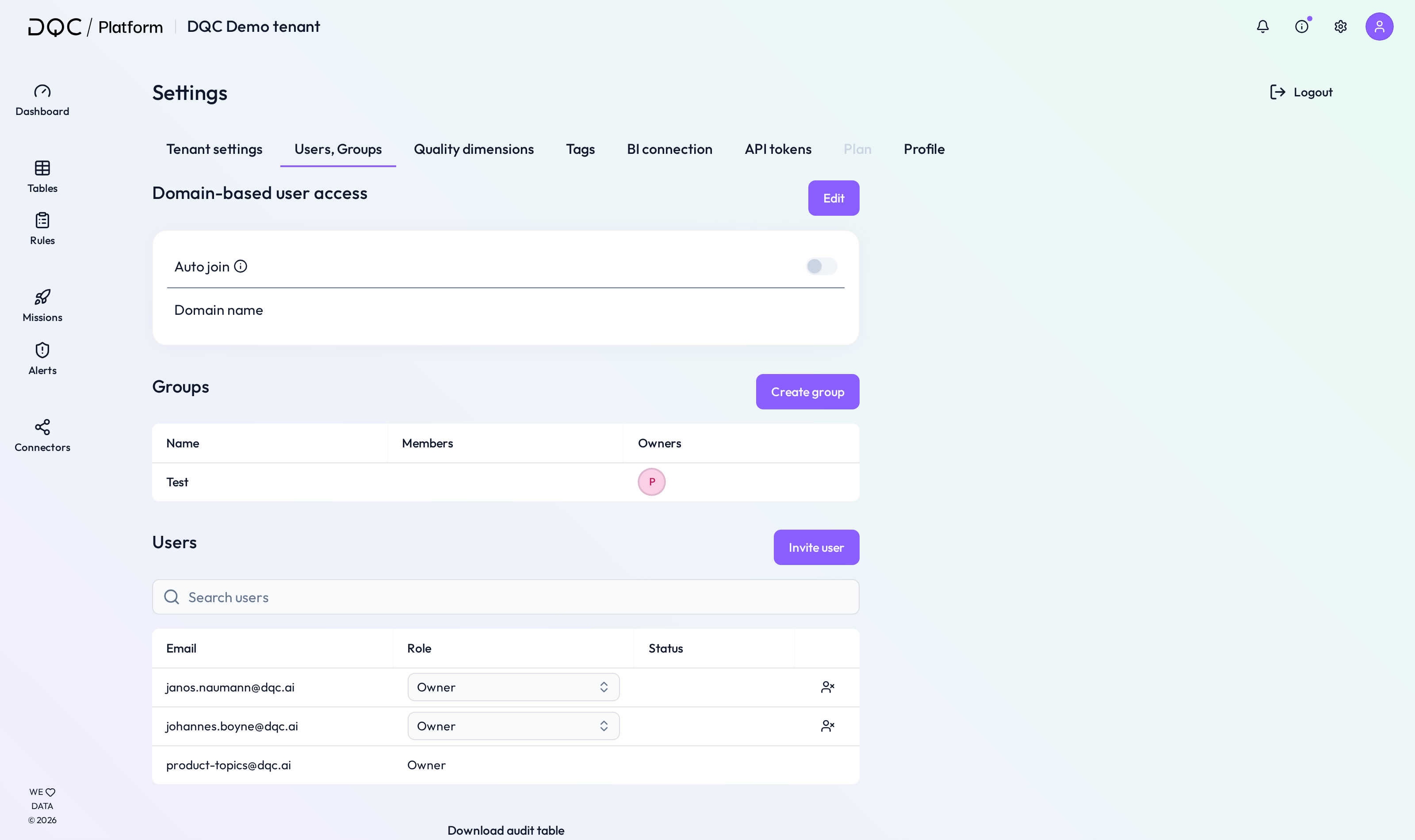 Users can be invited from Settings
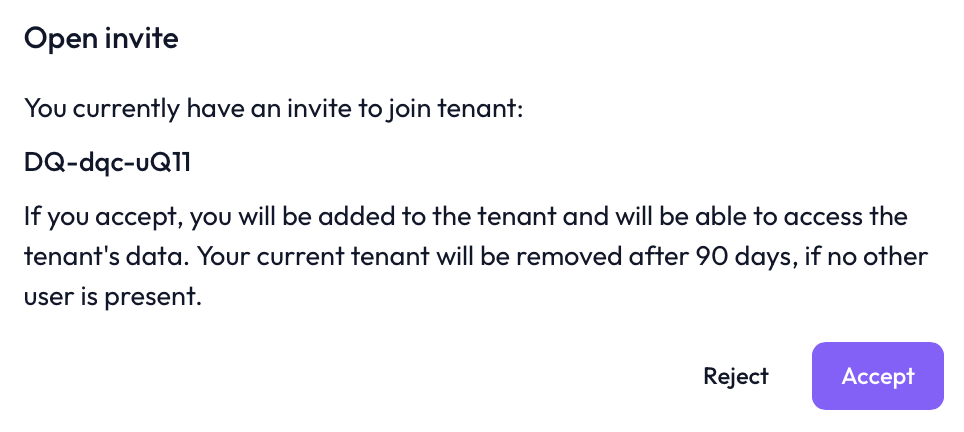 Invited users will see a prompt to join the tenant after being invited
Enable auto-join to simplify user onboarding
Auto-join lets users with a verified company email domain join a DQC Platform tenant without a manual invitation. This simplifies and speeds up internal onboarding.
How it works
Go to Settings → User, Groups → Domain based user access → Edit
Enable the toggle
Enter your email domain (e.g.,
@dqc.ai)New users registering with that domain will see a popup to join your tenant automatically
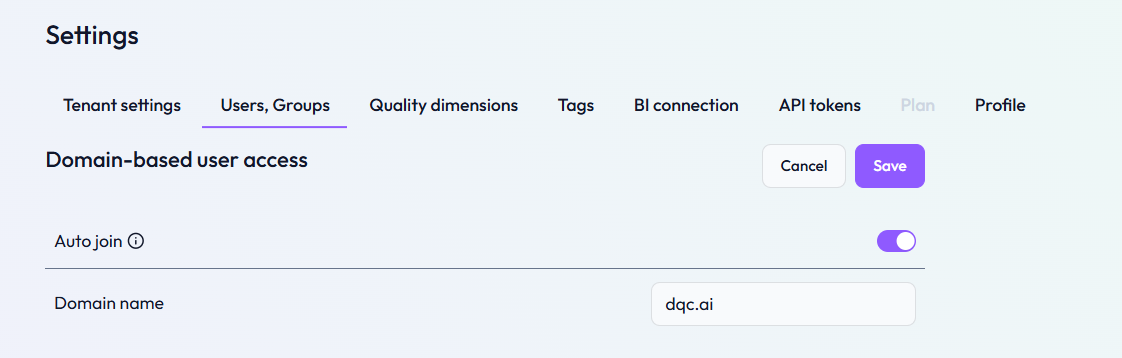 Set your organization’s domain to activate auto-join for all users with matching emails
Benefits
Immediate access for new team members
No need to send invitations manually
Domain verification ensures secure onboarding
Works well for internal onboarding at scale
 Notes
Notes
Deleting your account does not remove any previously created data or configurations
Invite team members early to ensure proper collaboration
If you use auto-join keep in mind that only verified domain emails are allowed (e.g.,
@dqc.ai)Learn more: User Management and Access Rights