
Rule prediction and how it works
Creating every data quality rule manually isn’t necessary. The DQ-AI rule prediction feature automatically suggests rules tailored to your table — both for single columns and relationships between columns. This saves time and ensures consistency across your data quality checks.
What is rule prediction?
Rule prediction analyzes:
Data types
Value distributions
Common column patterns
Profiling results (e.g. NULLs, outliers)
Based on this, the DQC Platform suggests a set of data quality rules such as:
“Not empty” for key fields
“No outlier” for numeric KPIs
“Before or equal” for related date columns
“Text pattern” checks for IDs or codes
These suggestions are created automatically and shown in the Rule overview — ready to be activated, edited, or removed.
When and where can you trigger prediction?
You can trigger rule prediction in two places:
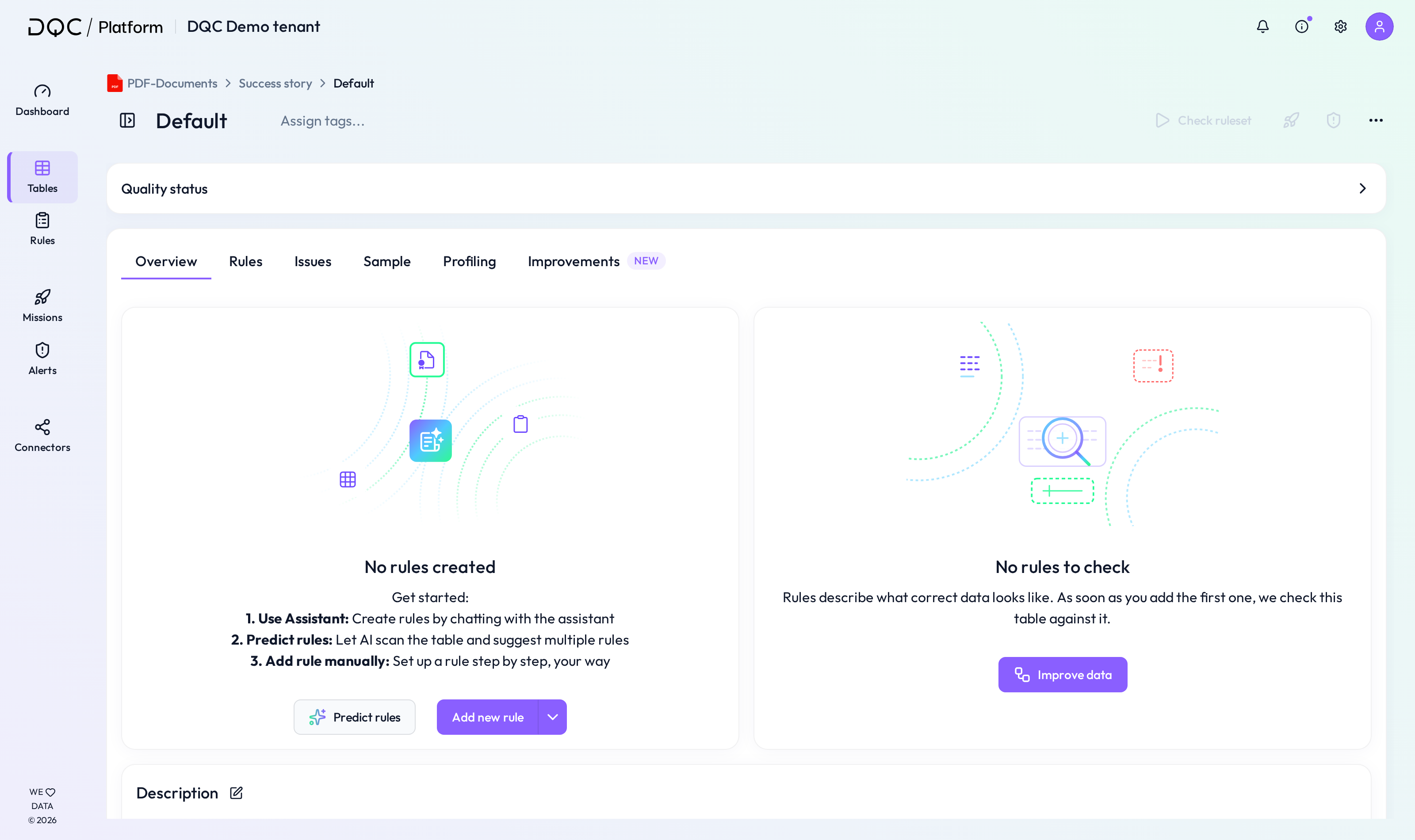
(1) From the rule overview screen (e.g. after first table connection)
Go to the Rules tab of the table
Click Predict rules
(Optional) Select one or more priority columns - this is highly recommended for most meaningful results!
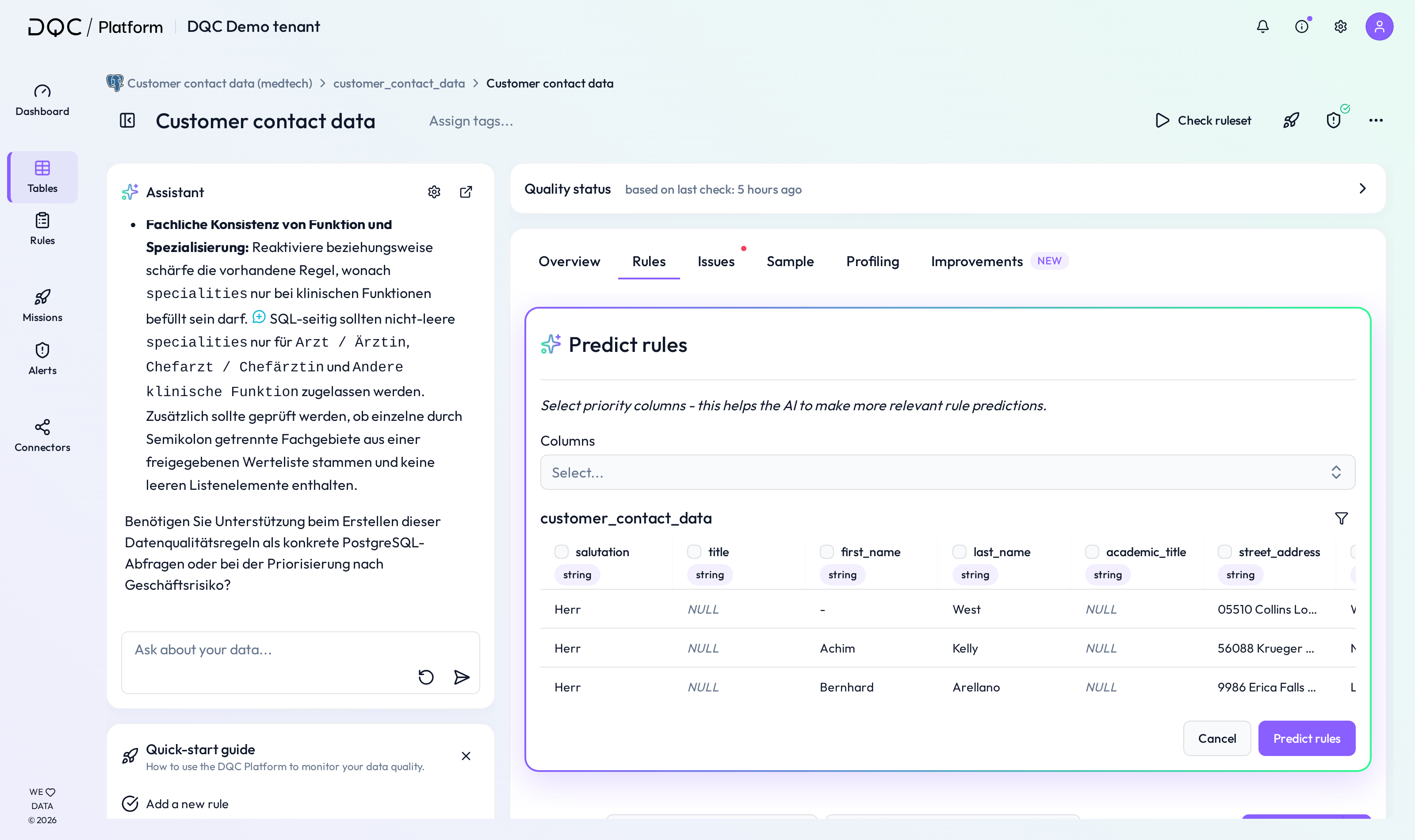
Click Predict rules again to confirm
(2) During the data check setup
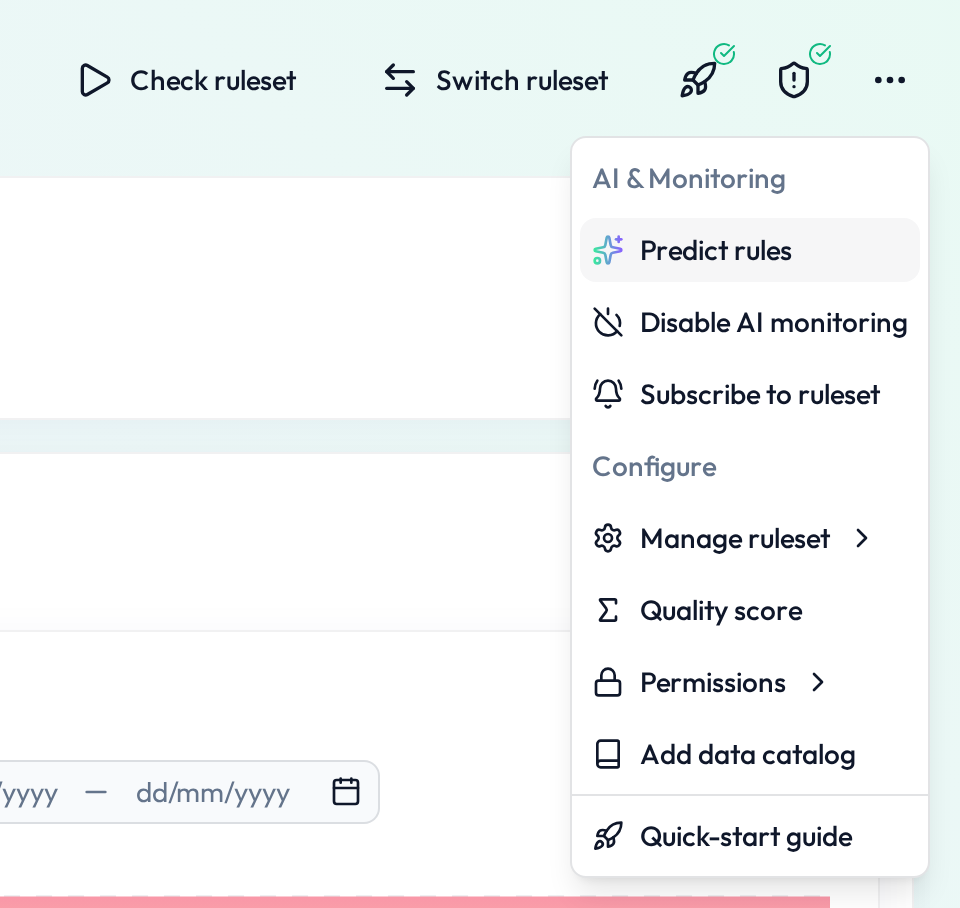
In the same Rules tab, click More → Predict rules
(Optional) Select specific columns
Confirm with Predict rules
Dropdown or SQL-based rule creation
The rule prediction engine will always try to use standard dropdown logic first.
However, more complex logic — such as value dependencies, nested conditions, or cross-column validations — will be generated as SQL-based rules.
These advanced rules are still fully editable and listed alongside manual rules.
What happens after prediction?
Rules appear in the Rule overview tab
You can:
Activate or deactivate them
Edit thresholds or logic
Adjust filters, segmentations, or names
Rules work like manually created ones — with full flexibility
 Notes
Notes
You can re-run prediction anytime — e.g. after schema changes
Complex rules will be suggested as SQL rules if dropdown logic isn’t sufficient
Existing rules will not be overwritten
Learn more: Overview of existing rules, Working with SQL rules, DQ-AI Assistant for rule creation