
v2.37
We enhanced the DQ-AI Assistant with smarter rule suggestions, faster responses, better formatting, and a new pop-out window, delivered about 50% faster loading times across tables and rule views, and added many smaller improvements throughout the platform.
 New Features
Improved DQ-AI Assistant features
We’ve made major enhancements to the DQ-AI Assistant to make working with data quality rules faster, easier, and more intuitive. For a short product video showing these new features, click here.
Rule suggestions
Smarter responses for generic requests such as “top 5 most important rules” or rule ideas for a specific column
Each suggested rule now includes a trigger icon – click it to instantly create the rule configuration in your overview, then just hit Save to finalize
2. Speed improvements
Assistant responses are now 2–3x faster compared to the previous version, providing a smoother user experience
3. Better formatting
Structured responses with headers for clearer navigation
Column and table names highlighted for improved readability
Tables inside the Assistant are now more neatly formatted
4. Pop-out window
New icon next to the reset button allows you to open the Assistant in a separate, resizable window
Expand to full screen for long chats or detailed responses
The conversation state is preserved when minimizing back into the side panel
Speed improvement for sample data table, rule overview, and rule detail
We improved the loading process for the sample data table, rule overview, and rule detail. You can now expect about 50% faster loading times when working with tables in the table overview. This makes navigating large datasets smoother and ensures that opening rule details is much quicker, reducing waiting time across the platform.
Permission update for rule overview
When a user does not have access to certain tables, the underlying rules are now also hidden in the rule overview. Previously, rules remained visible even if the user could not access them.
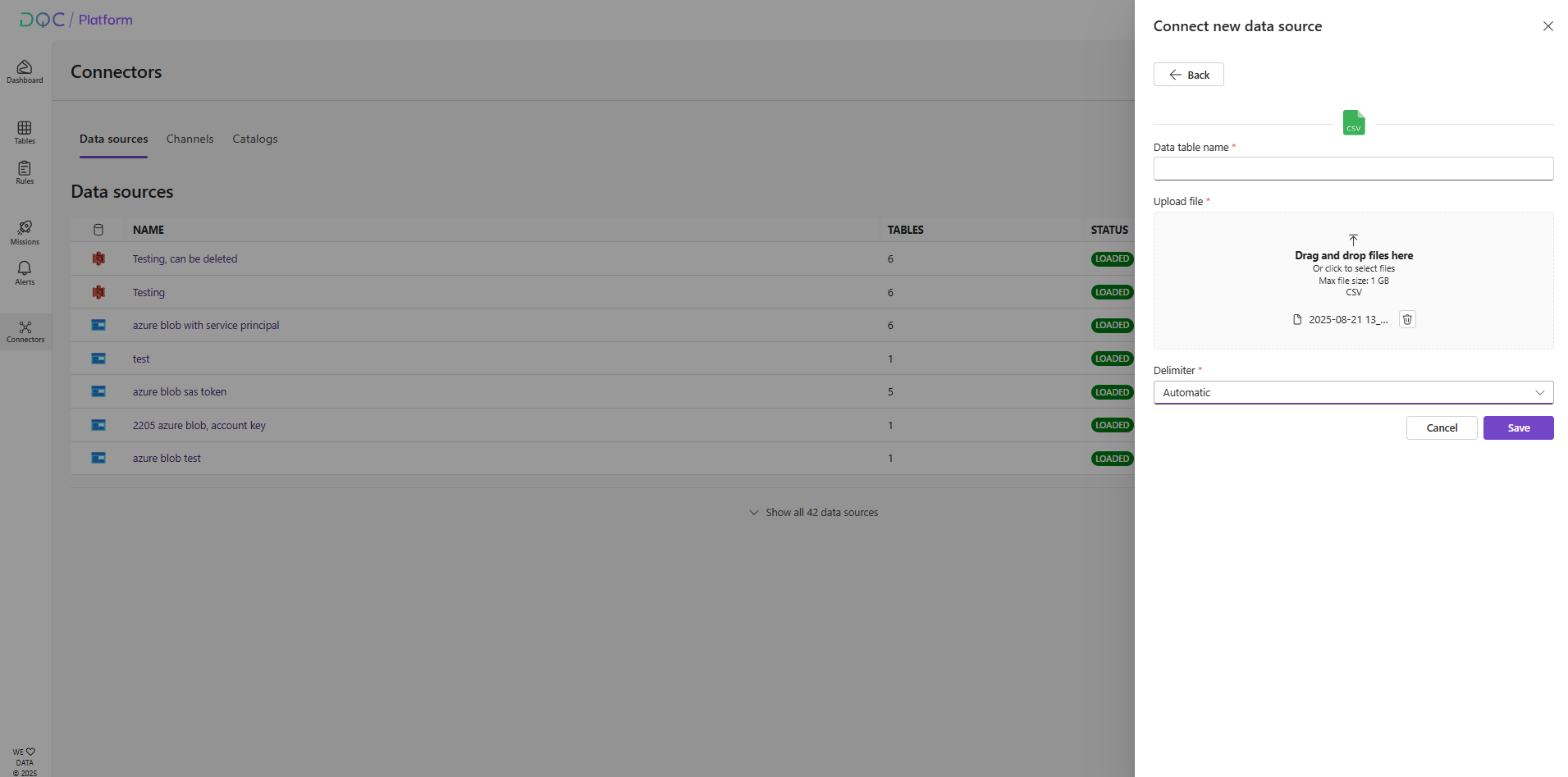
Automatic delimiter detection for CSV upload
The CSV upload UI now defaults to “Automatic” delimiter detection. When saving, the backend automatically identifies the correct delimiter, and the UI reflects the loading state until detection is complete. Users can still manually choose a delimiter if preferred.
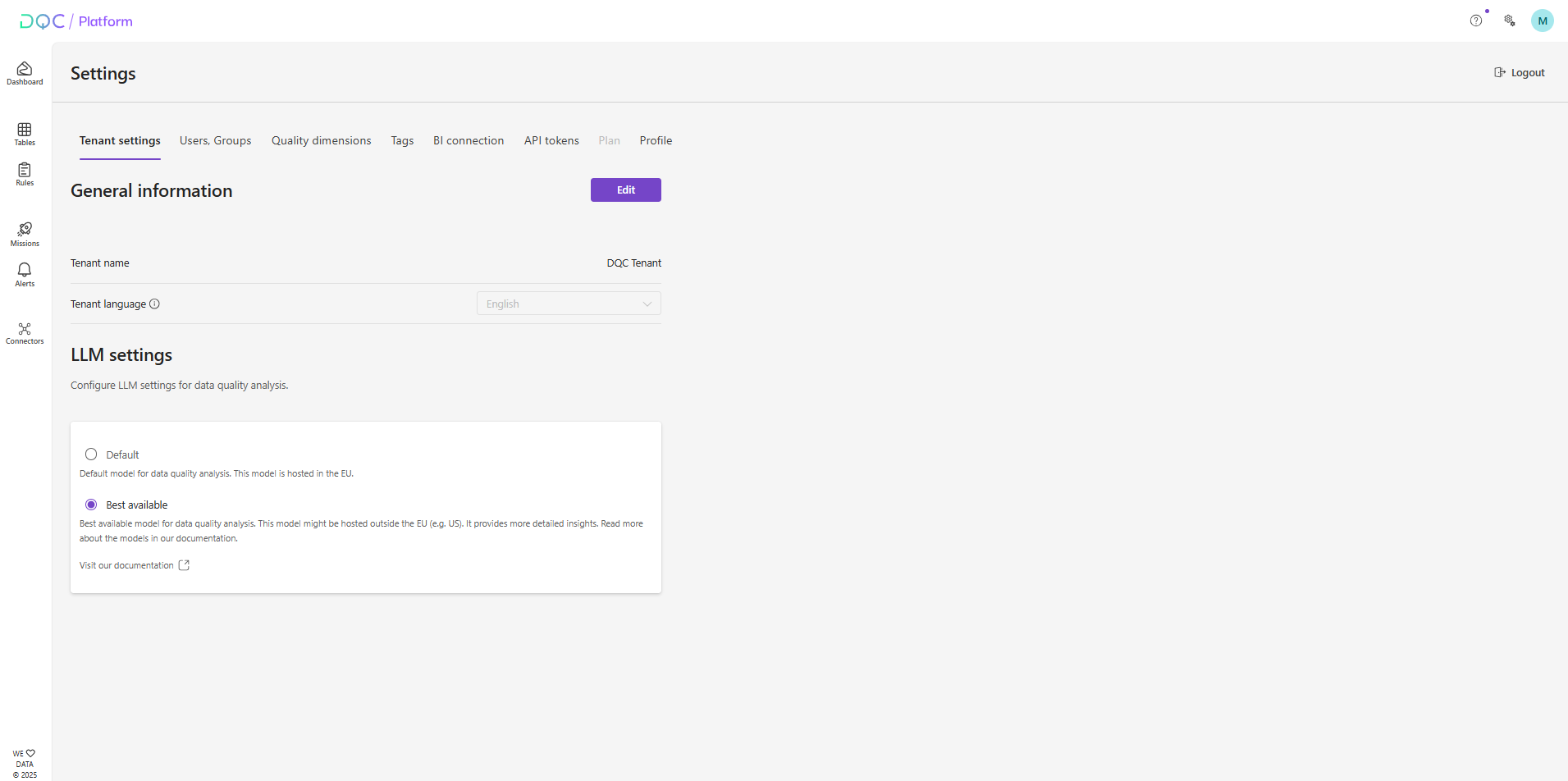
Tab restructuring in settings
We restructured the tabs in the settings to group related items more clearly. Tenant settings now include general tenant information such as the name and the configuration for the LLM. The domain name for auto-join is now separated into user and groups. In addition, we improved the menu formatting for better consistency across the settings.
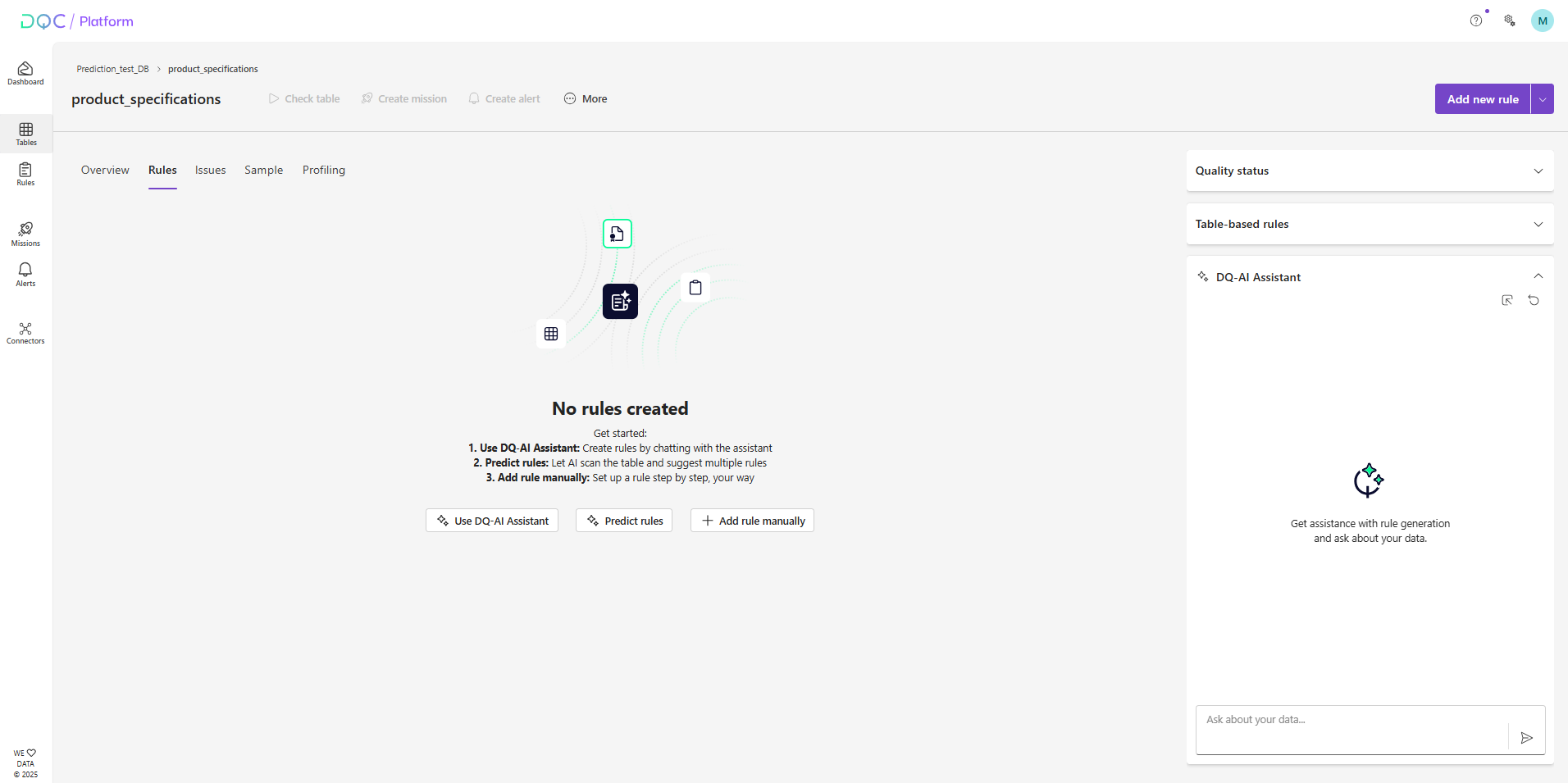
New empty screen for table detail
We’ve upgraded the empty screen shown when you connect a new table. It now clearly presents the three ways you can create your first data quality rules:
Use DQ-AI Assistant – Create rules by chatting with the Assistant
Predict rules – Let AI scan the table and suggest multiple rules at once
Add rule manually – Configure a rule step by step, your way
Improved PII classification in profiling tab
The accuracy of PII classification in the Profiling tab has been improved. We enhanced both the ML-based and regex-based recognition methods, resulting in more reliable detection of different PII categories.
Default schedule for static files
When you upload a new static file (Excel, CSV, JSON, Parquet), the table check schedule is now deactivated by default. Static data typically does not change after upload, so there is no need to continuously recheck rules. This avoids unnecessary processing and keeps schedules cleaner.
 Small improvements and bug fixes
Fixed an issue where the AI response for the Profiling summary failed on tables with more than 2,000 columns
Fixed an issue that caused joins of two Databricks tables into a virtual table to fail in certain cases
Fixed an issue where the auto-translation of names for manually created rules was not correctly applied to German on German tenants
 Breaking Changes
None in this release