
v3.4
This release adds Oracle connectivity, improves the ruleset UI, and makes rule handling and exports more robust. Users can connect more data sources, review rulesets more easily, and work with issues and PDF data more efficiently
 New Features
Oracle Data Connector
Added a new Oracle connector, making it easier to connect Oracle databases directly to the DQC Platform
Enables automated data quality checks on another common enterprise database source
Ruleset UI Update
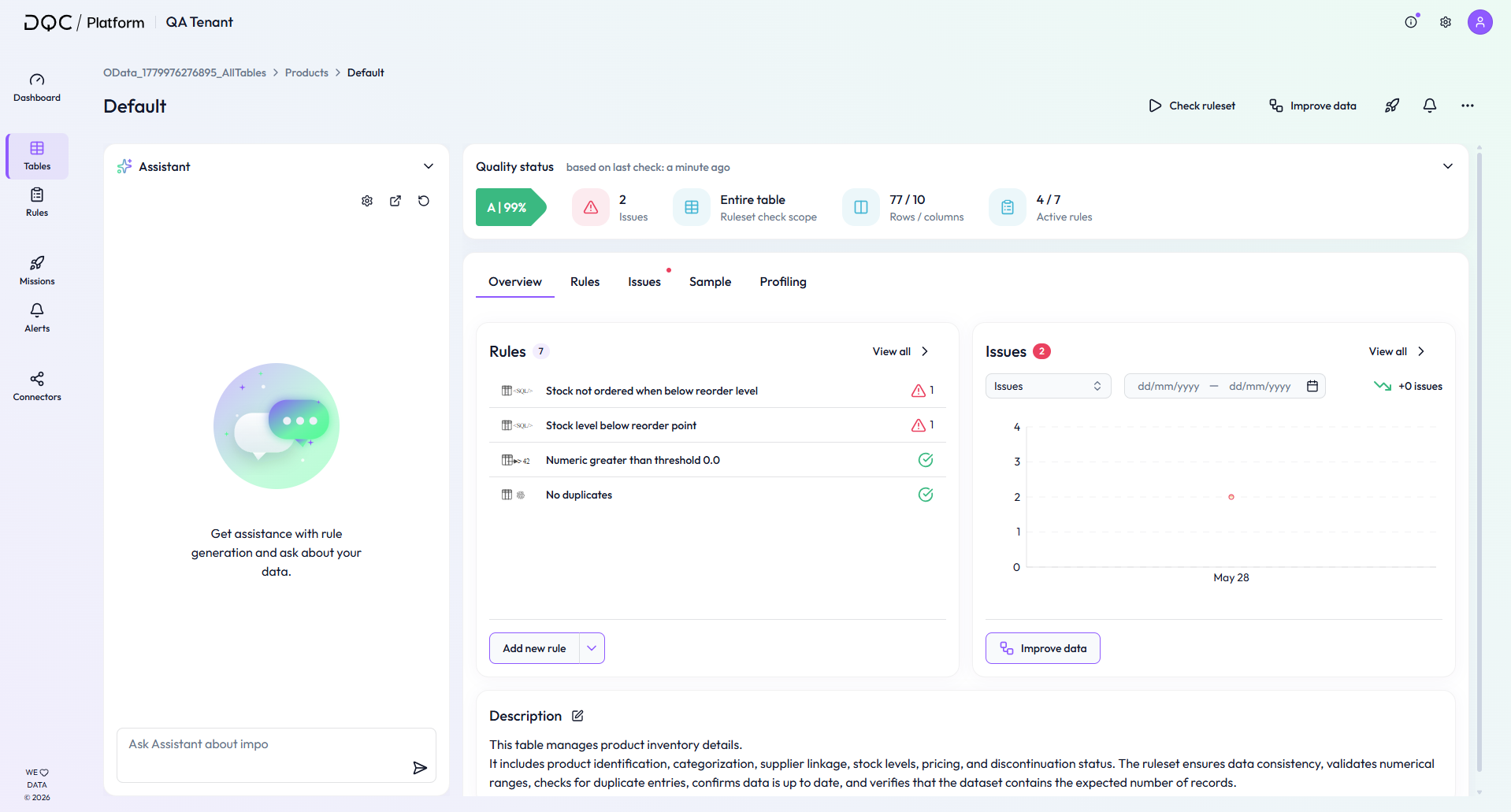
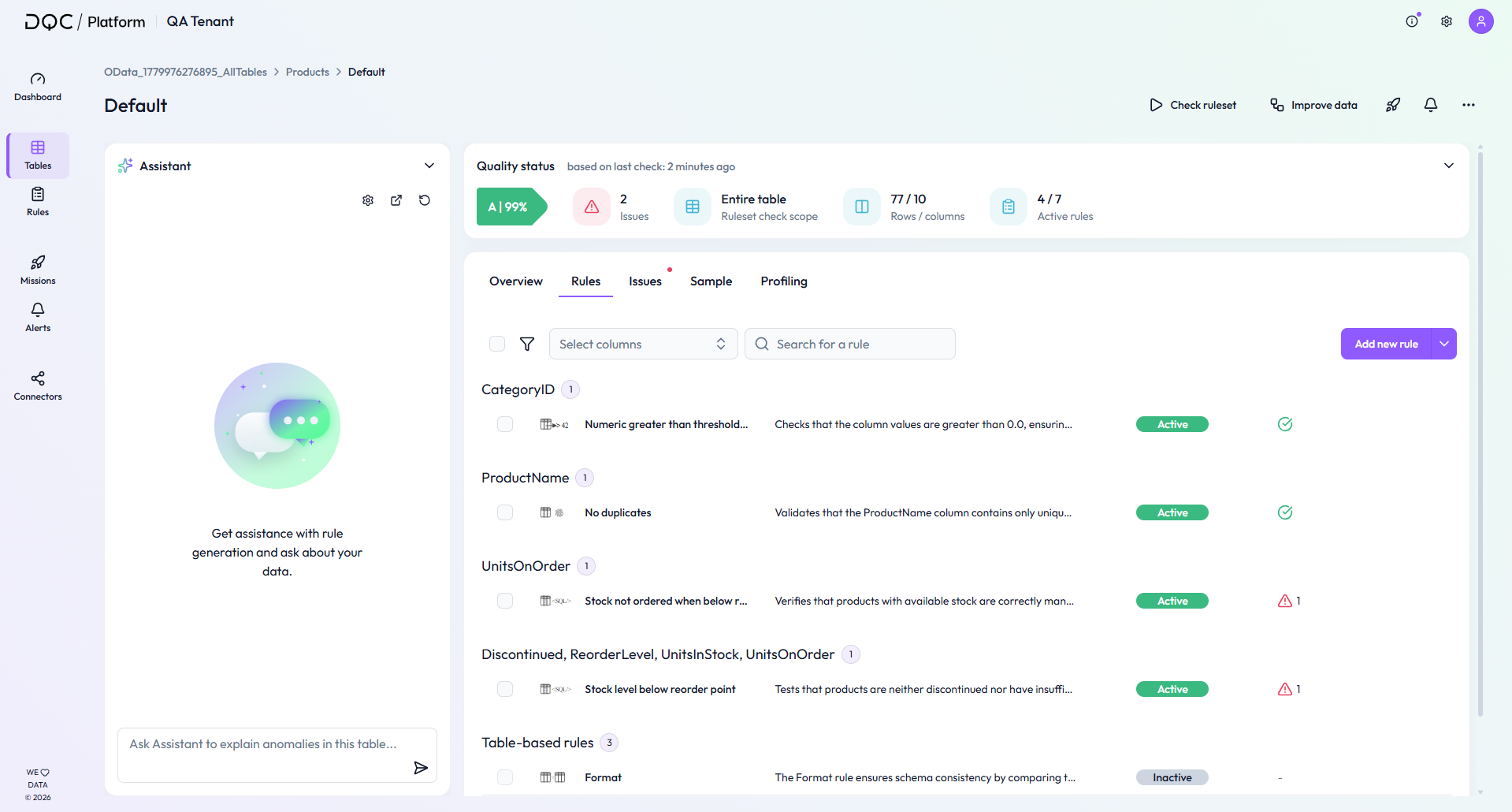
Improved the Overview and Rules tabs on rulesets to show more relevant information directly on the Overview tab and create a clearer structure across both tabs
The Assistant is now placed on the left side and uses the full screen height when the Quick Start Guide is hidden
The Quality status is now displayed as a horizontal card at the top of the Overview and Rules tabs, with the same information as before in an updated layout
Table-based rules are now shown below all other rules in the Rules tab
Header buttons like 'Check ruleset' are now right-aligned, and some buttons now use icons only instead of text labels
Improved Rule Export and Import
Ruleset exports now include connector type and table name metadata
When importing rules, SQL is automatically transpiled to make rule transfers between environments more robust
Example: For most custom SQL rules that reference the original source table, the table name is now automatically replaced with the table name of the target table during import
Excel Downloads for Issues and Improvements
Added Excel download options for issues and improvements
Makes it easier to share findings with business users and continue remediation work outside the DQC Platform
PDF Connector Improvements
Our previous PDF extraction approach was optimized to read information page by page
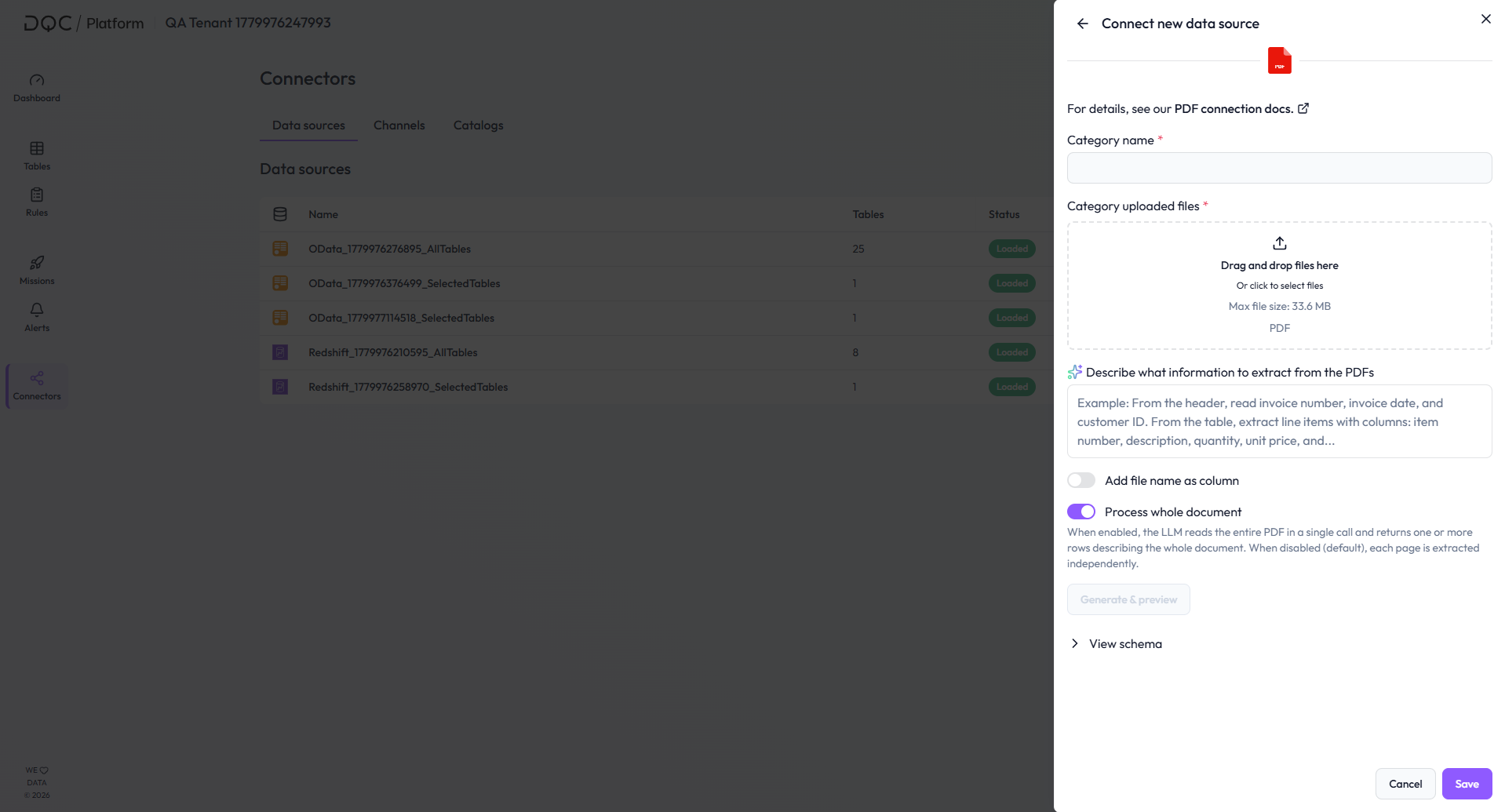
We added an option to the PDF connector that has an improved approach for extracting information from whole PDF files where information is scattered among different pages
When the toggle is enabled, we now read the entire PDF in a single call and returns one or more rows describing the whole document
 Small improvements and bug fixes
Added the rule description as an additional column to issue CSV downloads
Rules can no longer be deleted while active runs are in progress
Improved the ordering and naming of profiling tooltips
Renamed “DQ-AI Assistant” to “Assistant”
Issue exceptions are now excluded only from the issue count, while the total count remains unchanged
Fixed an issue where the Assistant did not always respond in the user’s input language
Fixed an issue where Python node Assistant responses could return errors in certain cases
Fixed an issue where table-based rules did not trigger alerts or missions when they were the only active rules
 Breaking Changes
None in this release