
v3.5
The DQC Platform now includes a Notification Center that surfaces weekly AI-generated rule suggestions in one place, plus more flexible rule filters and cross-connector SQL checks across different data sources. Additional improvements include deletable check history, an iterative PDF Schema Assistant chat, ruleset tagging, consistent breadcrumbs, a "toggle relevant columns" option in rule samples, and clearer "No improvement found" labelling in improvement nodes.
 New Features
Notification center
A new home for catching up on what's happened across the platform, so important updates wait for you instead of flashing by and disappearing
This first version focuses on surfacing the new AI-generated rule suggestions — bringing those recommendations together in one place where you can review them at your own pace
It's the foundation for a feature we'll keep expanding: upcoming versions will add everyday operational updates too, like when a check finishes or a connector sync fails — each kept until you've seen it, with a direct link to the item it concerns
Think of this as the starting point rather than the finished picture — the notification center will grow into your single place to stay on top of everything that needs your attention
Steps to follow to get notified about the rulesets you care about:
Go to the ruleset you want to monitor and for which you have edit rights
Activate AI monitoring and subscribe to the ruleset
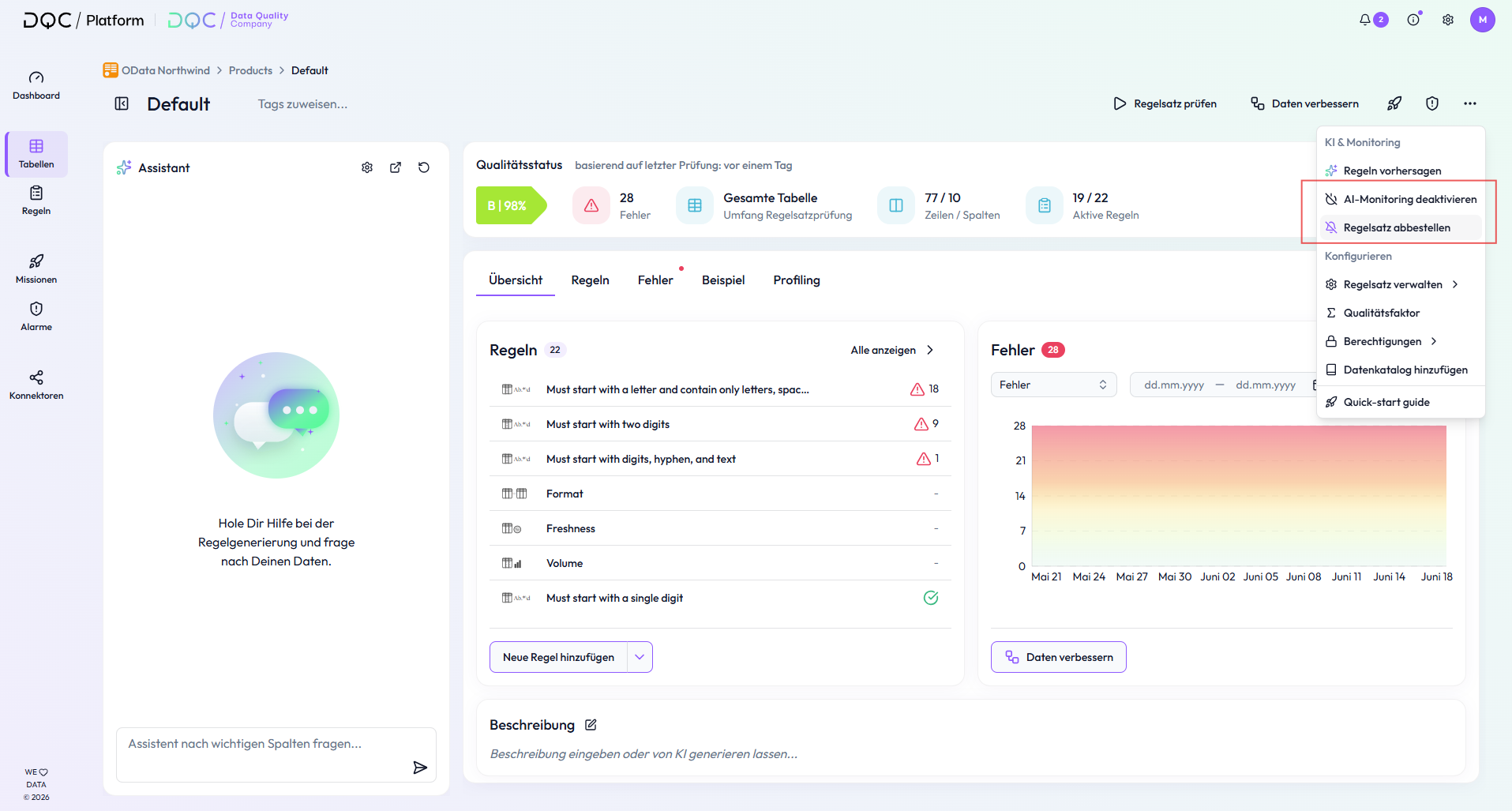 3. Once AI monitoring is activated, the DQC Platform analyzes the data, previous ruleset checks, detected issues, and other relevant information once per week to suggest useful, potentially missing data quality rules for all subscribers of the ruleset. When a new table is connected to the DQC Platform, users are automatically subscribed to this table
4. When new rule suggestions are found, they are shown to subscribers in the Notification Center, which can be opened from the top-right corner of the DQC Platform. From there, users can review the suggested rules and decide whether to add or dismiss them. Once a suggested rule has been added or dismissed, the corresponding notification is automatically removed. Users can also filter for unread notifications or manually delete notifications
5. Over time, the DQC Platform learns from feedback on suggested rules to improve future recommendations
 More information about the Notification center and about AI driven suggestions.
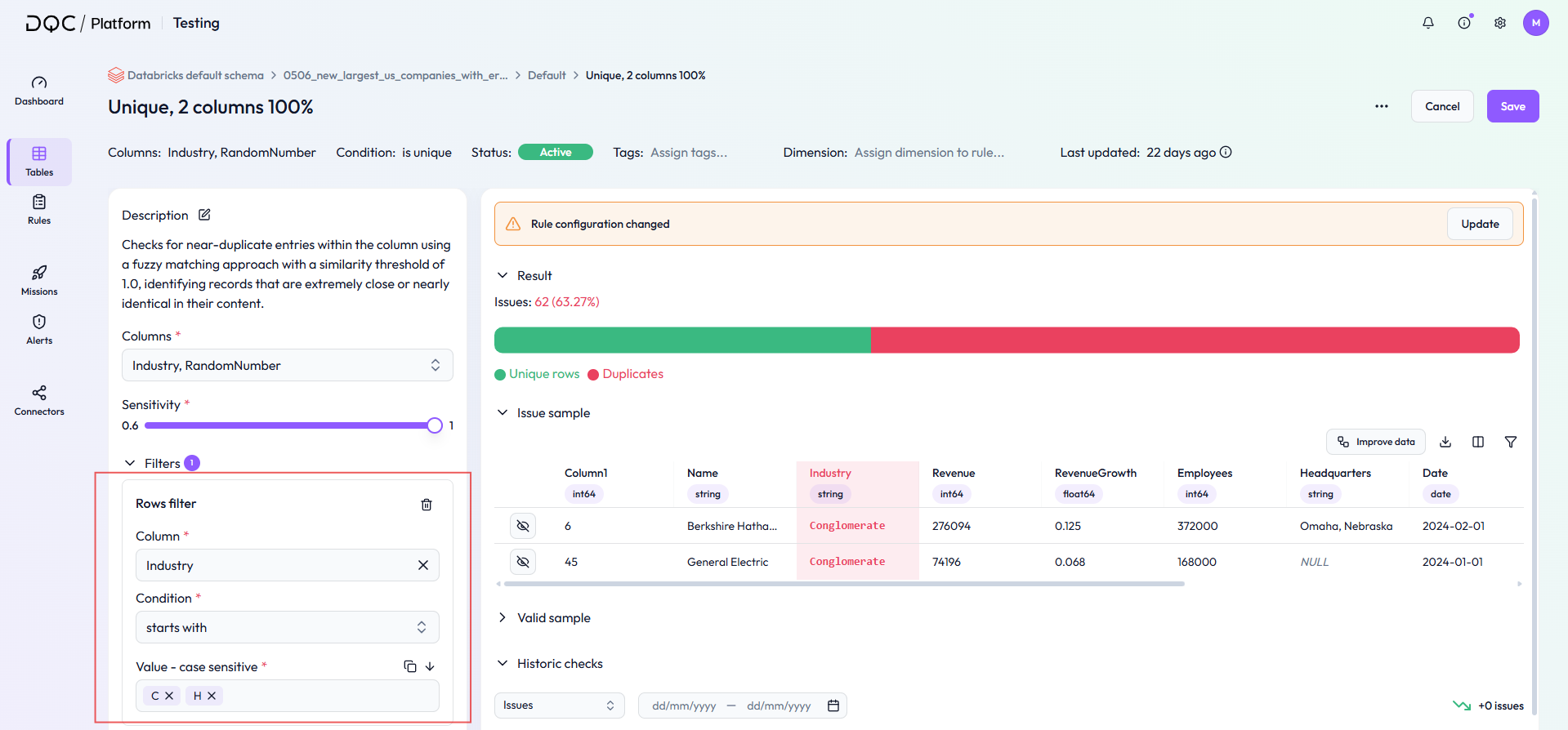
More flexible rule filters
Enter several values at once across far more filter types — not only "equals," but also "does not equal," "contains," "does not contain," "starts with," and "ends with."
Your existing filters keep working exactly as before
Cross-connector SQL support
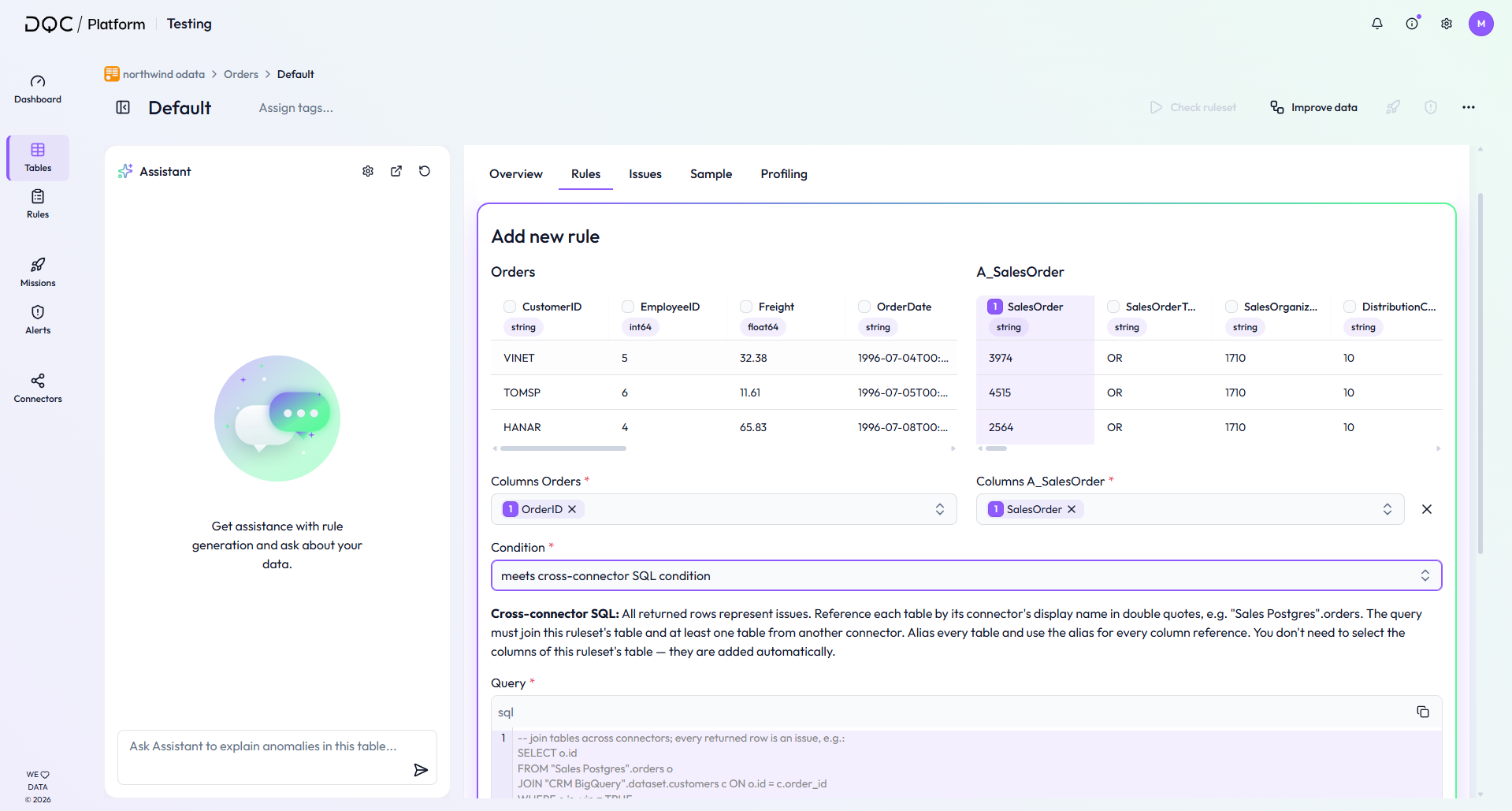
Check quality with custom SQL logic across data living in different connectors
You can for example write SQL syntax to check data consistency between Snowflake and Databricks or CSV and SAP Hana
Depending on the used connector types these rules will take longer to execute
For this we added a new rule type to our condition dropdown "meets cross-connector SQL condition"
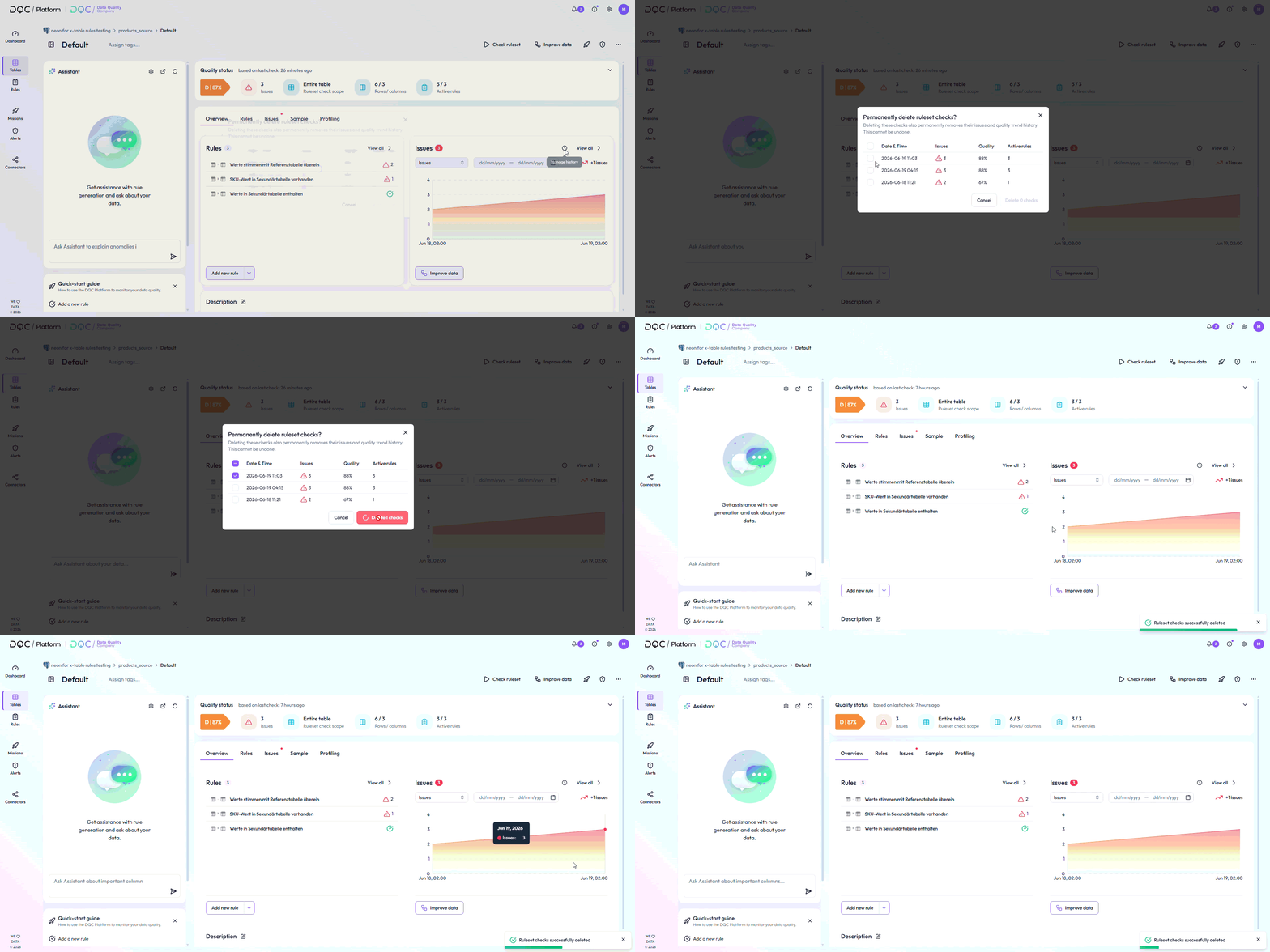
Delete historical checks from a ruleset's history
Select and permanently delete one or more past checks directly from the ruleset overview, via the new "Manage history" option on the Issues card
Clean up leftover test runs so your Issues Over Time chart shows the true baseline — and resolves stale counts lingering after rules are deactivated or deleted.
Changes apply everywhere automatically, including the dashboard chart and Power BI export. Requires edit rights.
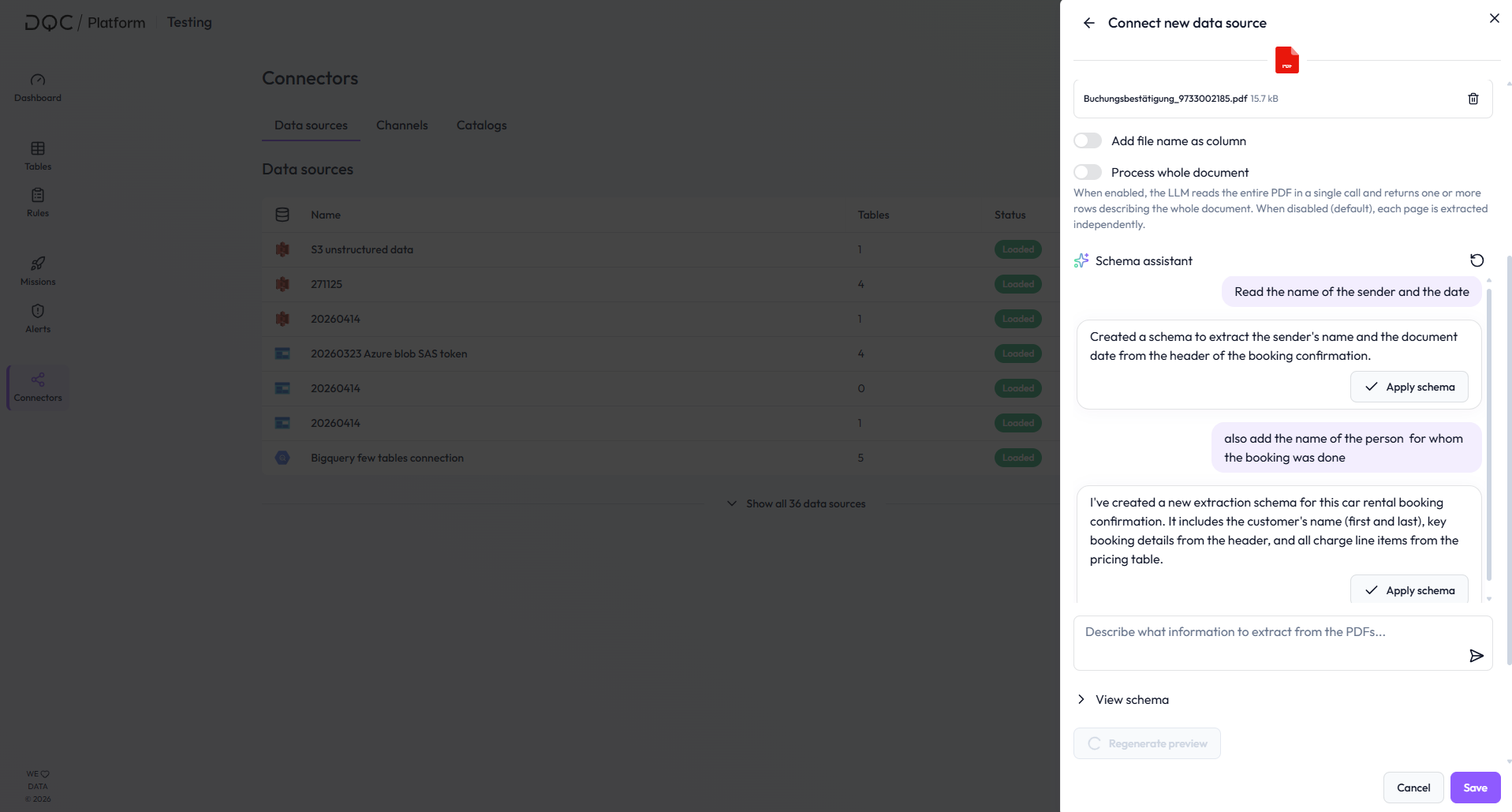
PDF connector chat
Instead of relying on one-shot PDF schema generation, users can now refine and iterate on the schema in plain language through the Schema Assistant chat
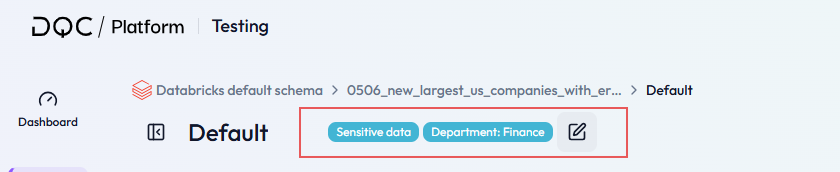
Ruleset tagging
You can now assign tags to rulesets, making it even easier to organize and find your data assets with clearer tags
The avaiable tags come from the same tag list in Settings that is also used for tags on rules
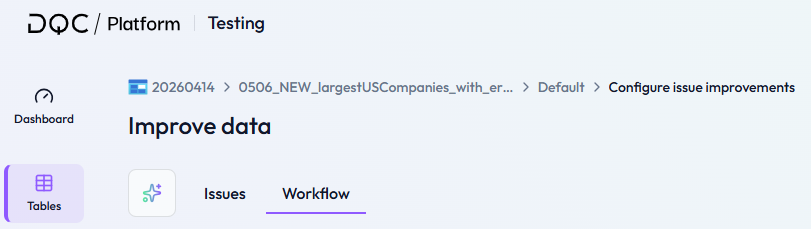
Consistent breadcrumbs
See the same complete path on ruleset, rule, and improvement pages, so you always know where you are
Every step in the trail reliably takes you one level up, and the trail no longer shifts around as the page loads
A specific icon was added to the connector so that you can easier recognize the connector type
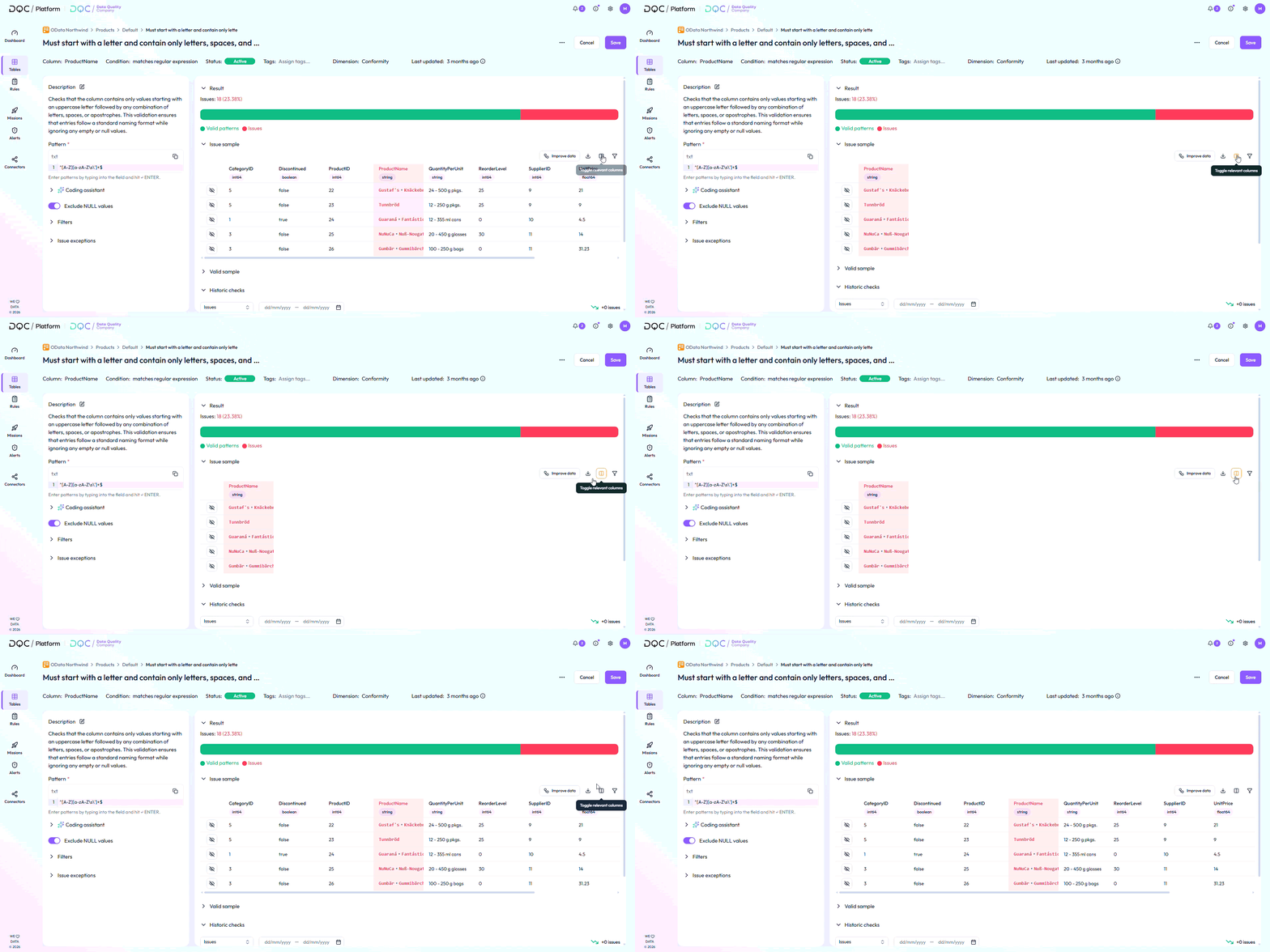
Improved relevant column handling with show, hide, and highlight options
For the issue sample and valid sample inside the rule detail, you can now click the button "toggle relevant columns" to show only the columns of the table that are used by the rule meaning the column the rule is based on as well as potential filter-, segment- and join columns.
Clearer “No improvement found” message in improvement workflows
When no improvement can be generated in nodes such as Enrichment, Address Validation, ECLASS, or Duplicate Survivor, the DQC Platform now writes “No improvement found” into the dqc_improvement column
Previously, these cells were left empty, which made it unclear whether no improvement was found or whether the output was missing
This makes improvement results easier to understand and clearly separates “no improvement available” from missing output
 Small improvements and bug fixes
Added "Manage tags" link to ruleset header tags and rule detail tags to make it easier to navigate to the Settings where you can create or delete tags
Applied ruleset column scope now also to the rule types Format, Freshness, and Volume
Improved deduplication of selected columns in last-run issue exports
Fixed stuck pending batch recovery for non-PDF batches
Fixed Python node timeout errors when output exceeded the queue buffer size
Fixed Notification Center and table column handling
Fixed Assistant suggesting wrong GeoCoder fields
Fixed Coding Assistant SQL validation so generated queries always return entire rows
Fixed joins across different schemas for virtual tables
Fixed SAP OData v2 connector handling for malformed metadata
 Breaking Changes
None in this release