
v3.0
This release introduces the new Clarity UI design system, enhanced DQ-AI Assistant capabilities with cross-table awareness, and natural language schema generation for the PDF connector. It also delivers faster performance through virtualization and prefetching, improved permission assignment during static file loading and virtual table creation, and more control with column-level scoping at the ruleset level.
 New Features
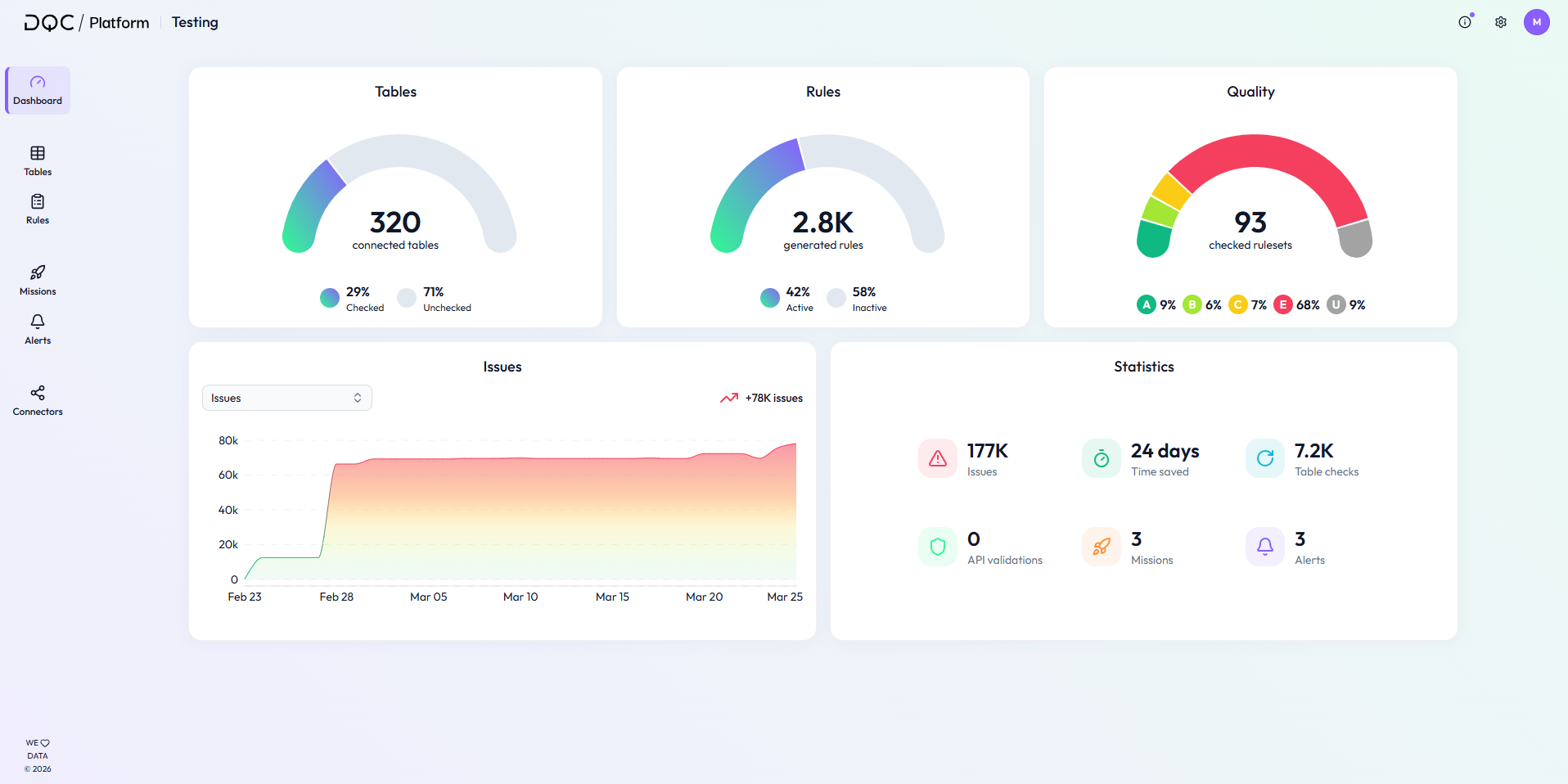
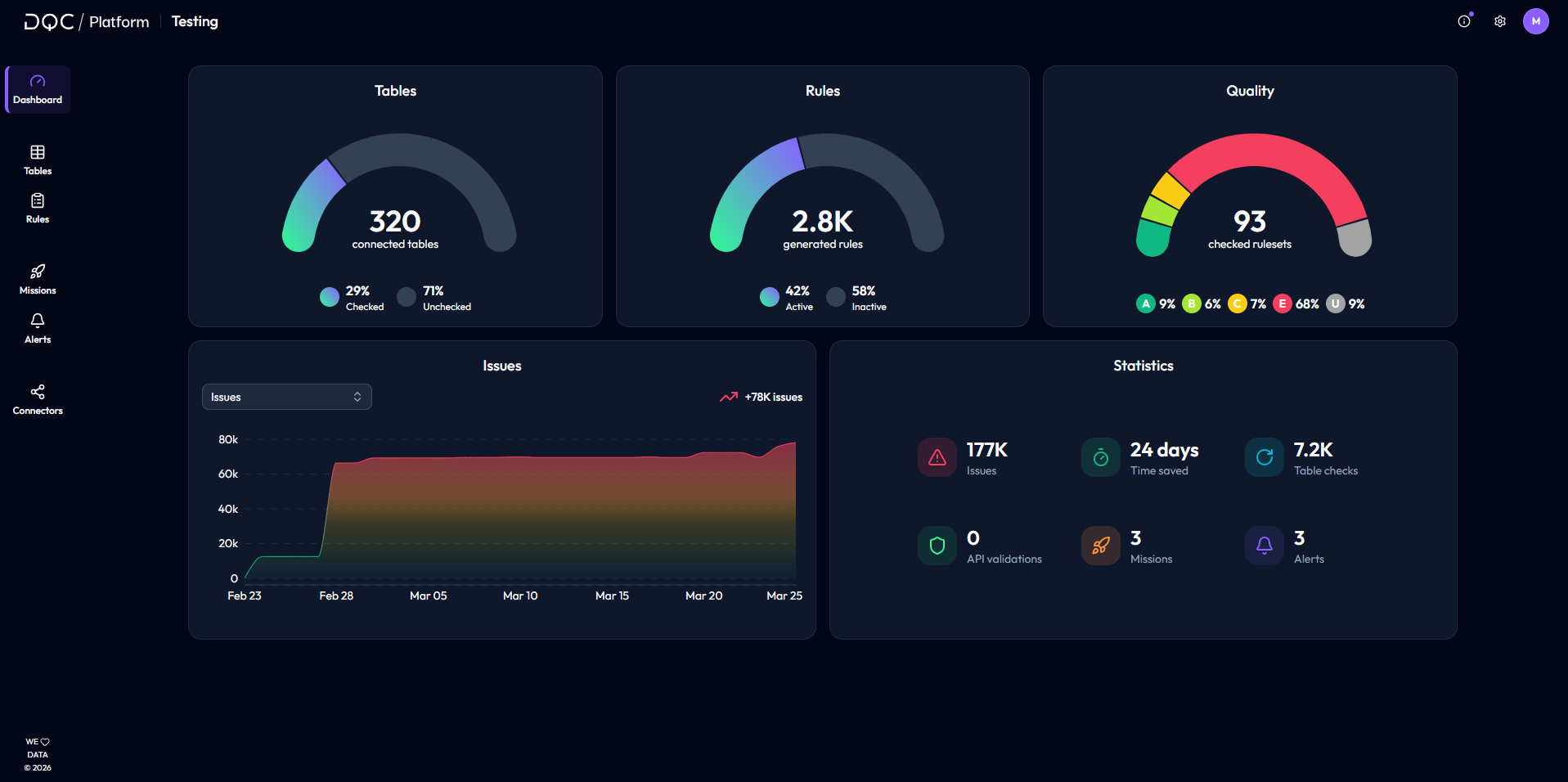
Clarity UI – New design system
Introduces a unified and modern design system across the DQC Platform
Improves usability with clearer layouts, better visual hierarchy, and more consistent components
Enhances readability through better contrast on components and richer colors
Keeps existing structure and navigation unchanged, ensuring no disruption to established user flows
Improved cross-table awareness in DQ-AI Assistant
Enhances the DQ-AI Assistant's understanding of relationships across tables to improve answer quality and rule suggestions
SAP Semantic Relationship Tool
Enriches the assistant with knowledge of SAP table relationships
Improves recognition of SAP tables and how commonly used tables are connected
Enables more context-aware responses and improved suggestions for e.g., cross-table consistency checks
Access to connected tables
Allows the DQ-AI Assistant to access tables within the same connector
Improves answers and rule suggestions by leveraging broader data context across tables
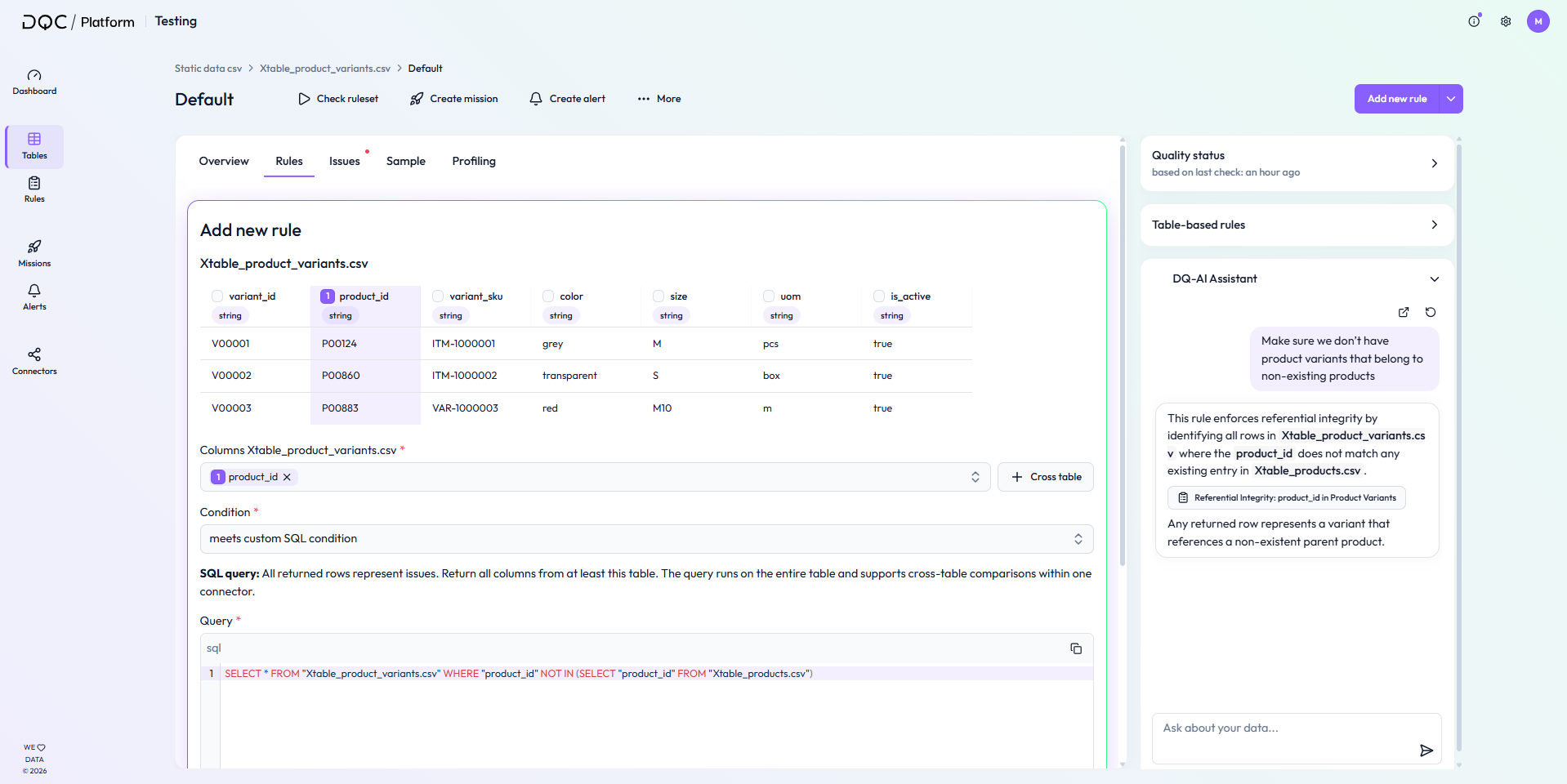
In the screenshot below, the user asks: "Make sure we don’t have product variants that belong to non-existing products." The Assistant responds by generating a cross-table rule that enforces this condition.
PDF schema generation
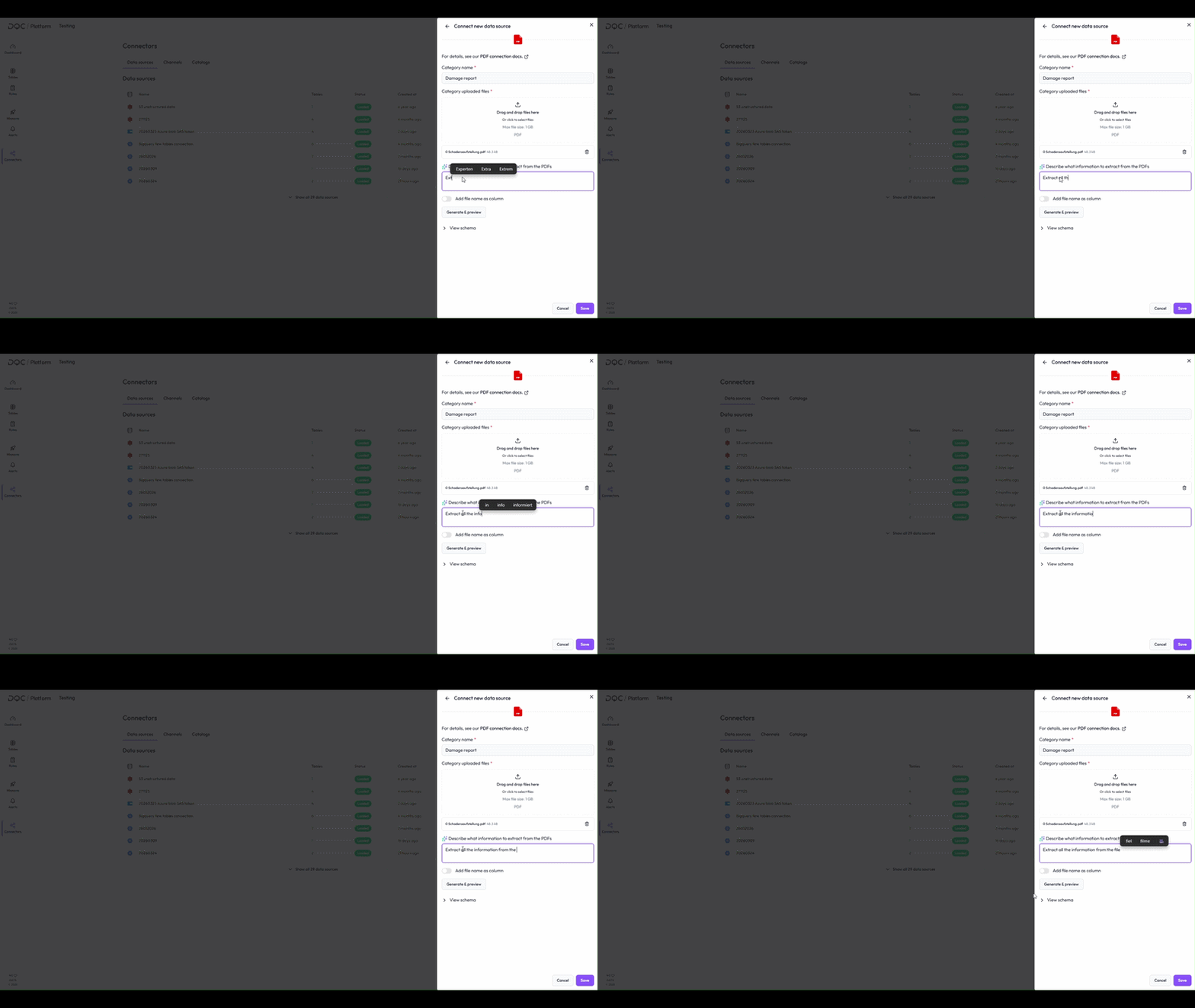
Introduces a prompt field in the PDF connector menu where users can describe in natural language which information should be extracted from PDF files
Automatically generates a schema based on the input and provides a preview for validation
Removes the need to manually create YAML schemas, making the PDF connector much easier and faster to use
Performance improvements
Fast loading even for very large tables
Large tables are now loaded using virtualization, significantly improving performance
Enables smooth scrolling and interaction even for very large datasets
Prefetching of common user flows
Introduced prefetching to reduce load times across the DQC Platform
Frequently used elements will now be preloaded (e.g. favorite tables when entering the table overview)
Enables faster navigation and a more responsive user experience
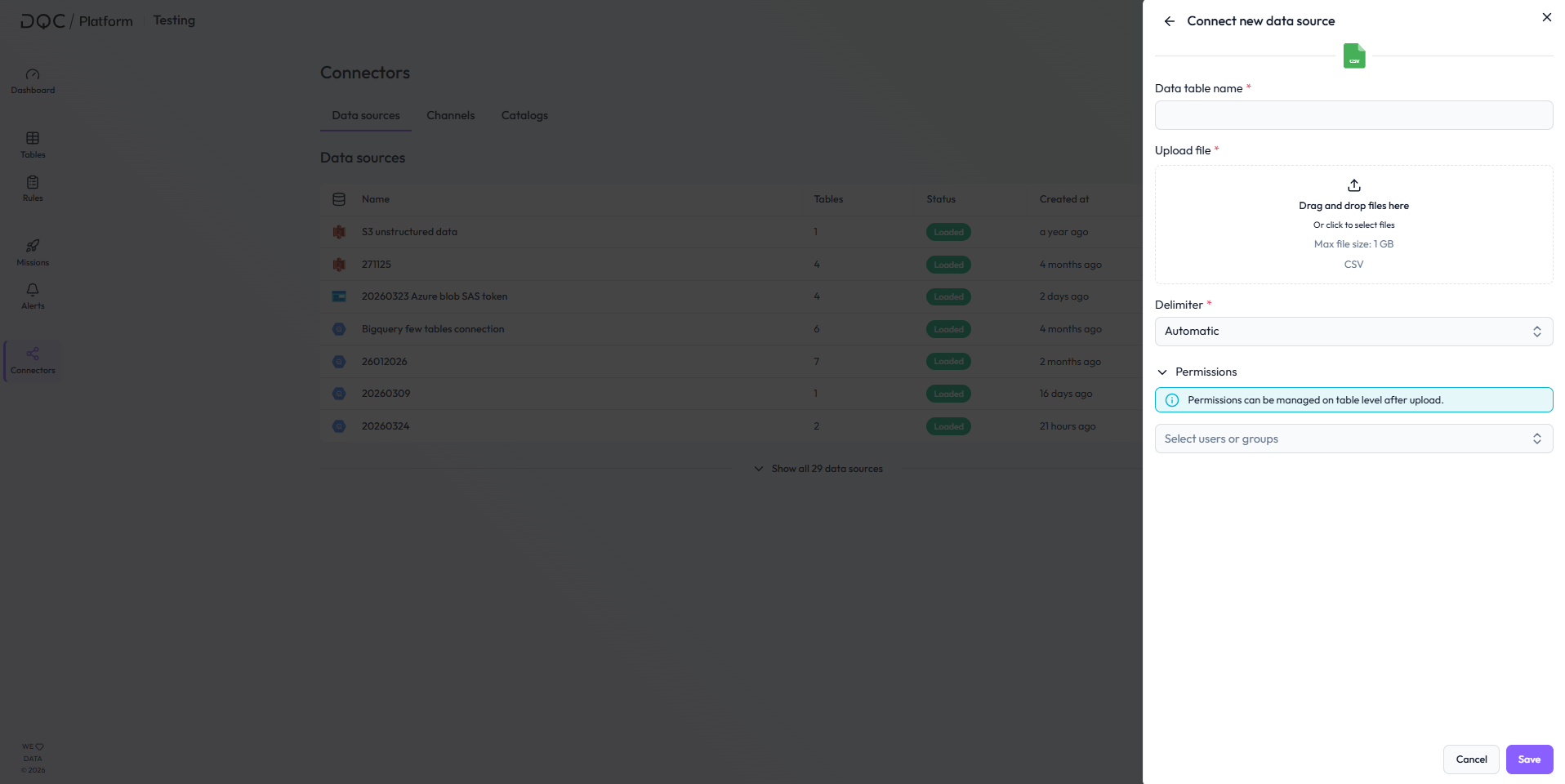
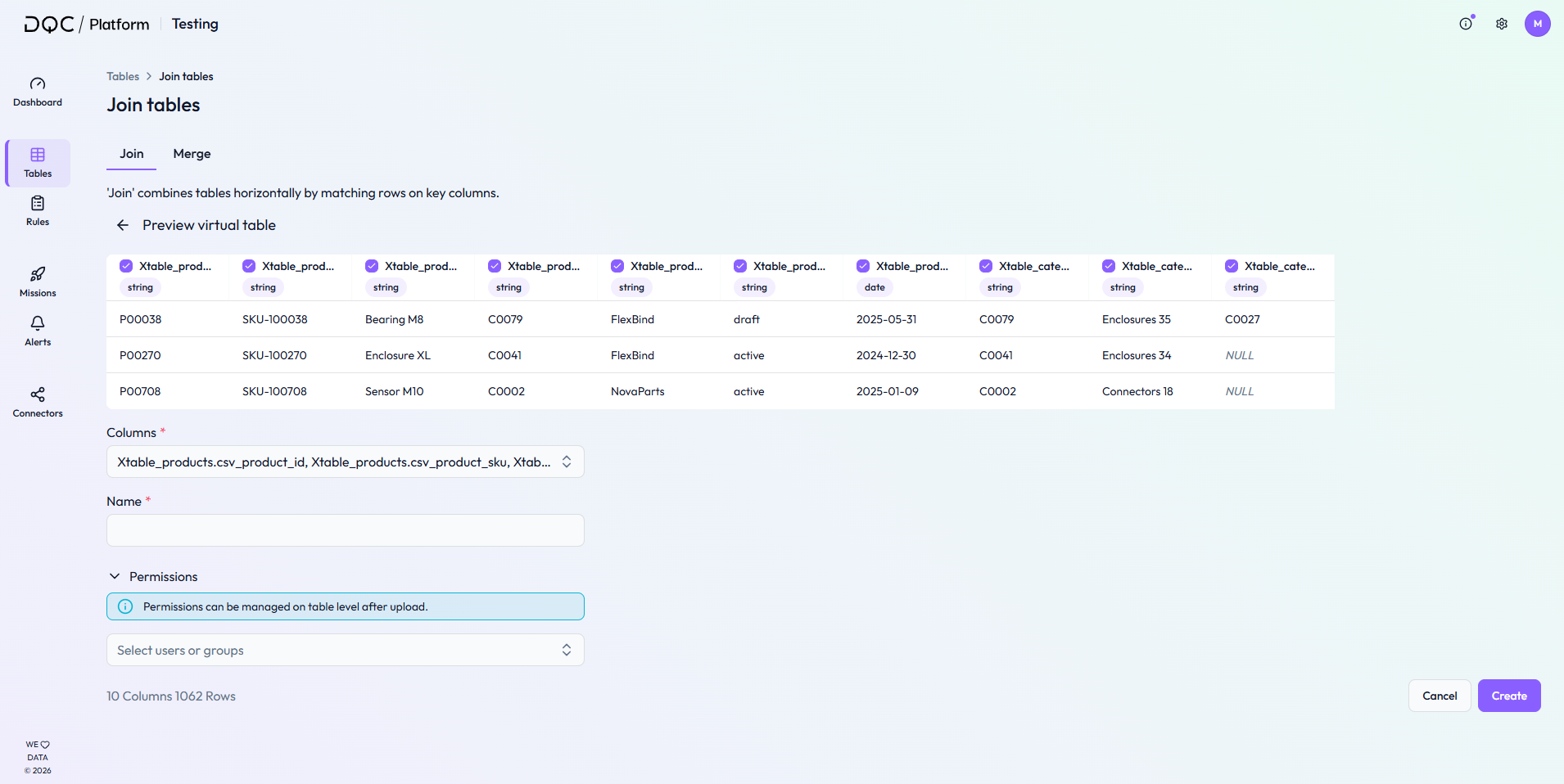
Permissions during creation of static files and virtual tables
Users can now assign permissions directly while loading static files or creating virtual tables
Eliminates the need to configure access rights only after creation, improving workflow efficiency
Permissions set during creation can still be adjusted later at the table level
Enhances data privacy and security while providing a smoother and more intuitive user experience
Column filter for ruleset scope
Define exactly which columns are included in a ruleset, improving control and performance
Limits visible data to user-selected columns to support data privacy and security requirements
The column filtered ruleset scope is applied consistently across samples (issues and valid samples), downloads, profiling, and filters in rules, alerts, missions, and elsewhere
 Small improvements and bug fixes
Rule import now also validates rule metadata
Improved static connector robustness and large file handling
Fixed incorrect sorting by status in the rule repository
Fixed an edge case where the duplicate survivor node was not returning improvements for all rows
 Breaking Changes
None in this release