
v2.36
This release introduces tenant language settings, automated profiling summaries, and improved workflow guidance for a smoother data quality experience.
 New Features
Tenant language for AI-generated content
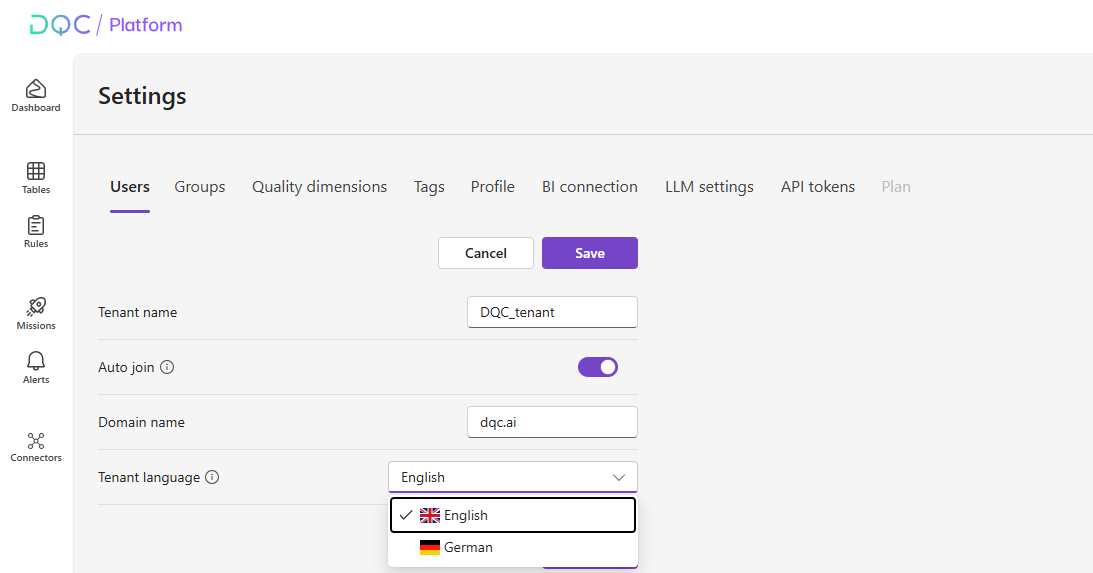 This setting defines the default language for all auto-generated names and descriptions across the platform — including table, rule, and mission descriptions, as well as rule names and descriptions created during rule prediction or when input fields are left empty in manual rule creation (where AI generates them for you). It ensures that all platform content (unless manually edited) appears in your preferred language.
We’ve also updated the DQ-AI Assistant to respond in your profile language. Both your profile language and theme are now saved persistently, so these preferences remain applied even if you clear your cache or switch devices.
Note: The profile language in Settings, Profil controls the interface language of the platform (labels, buttons, menus, etc.), while the tenant language controls the language used for AI-generated content.
Automated Profiling Summaries
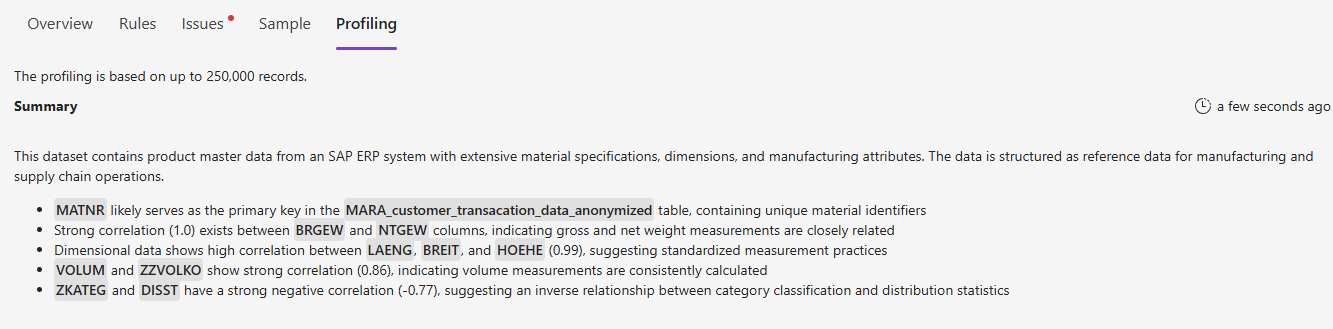 We introduced a new AI-generated profiling summary displayed at the top of each table profiling page to ease understandig of the statistics.
The summary starts with the table’s classification (e.g., transactional event data, reference data) and highlights key patterns such as unique identifiers, low-cardinality fields, notable null values, extreme numeric ranges, and correlations between columns. This gives you a quick, high-level understanding of the table without scanning the full profiling report. It’s also a practical starting point for identifying unexpected table behaviors and creating targeted data quality rules to ensure data reliability.
Quick link to Platform updates
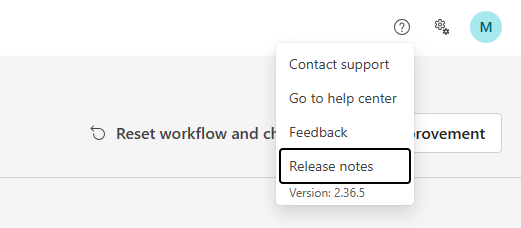 We added a release notes link as part of the question mark icon to make it easier to find platform updates. A colored dot will appear when new releases are available. The link takes you to our detailed release notes on our website (e.g., this page).
Workflow improvement step in quick-start guide
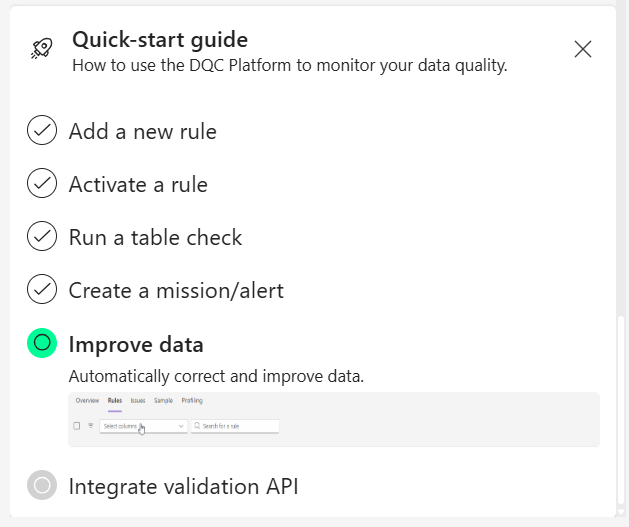 We enhanced the Quick Start Guide to make the data quality workflow more intuitive. After identifying issues with your data quality rules, the guide now clearly indicates that the logical next step is to address and improve the detected issues. This ensures new users not only learn how to identifiy issues , but also understand how to take action and improve their data quality right away.
Improvement workflow indicator in table overview
 A new icon in the table overview now shows if an improvement workflow exists for a ruleset, making it easier to spot where follow-up actions are available. This feature is not available to all users/companies, but depends on the type of plan. For more details, please reach out to support@dqc.ai.
 Small improvements and bug fixes
Improved integration with models on private cloud deployments
Added tenant ID to Settings → API Tokens to simplify Prevention API setup
Fixed an edge case where the improvement workflow failed if the table already contained a column named
rule_name:columnsFixed an issue where predicted regex pattern-matching rules in BigQuery incorrectly flagged 100% of rows as issues
Implemented sticky table headers so column names remain visible while scrolling
Fixed an issue where Download sample did not work for certain large tables
 Breaking Changes
None in this release