
Adjustment of the ruleset check scope
By default, a ruleset check is based on a sample of 1,000,000 rows from the dataset. This ensures performance efficiency, especially for very large tables.
However, you can customize the scope of the check — either by increasing or decreasing the sample size or by applying filters to focus the validation on specific parts of the data.
How to adjust the scope
Go to the table
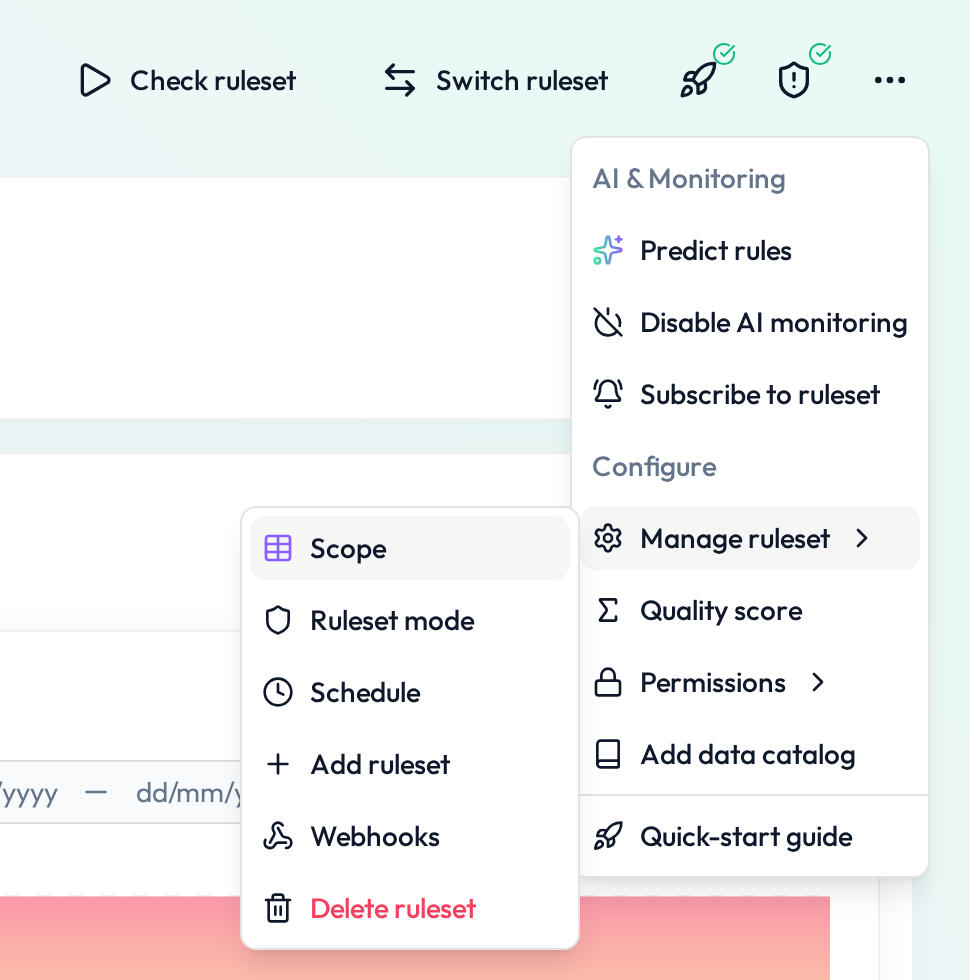
Click “More” → “Manage ruleset” →"Ruleset check scope"
In the scope screen, you can:
Enter a specific number of rows
 Tick “No row limit” to skip sampling
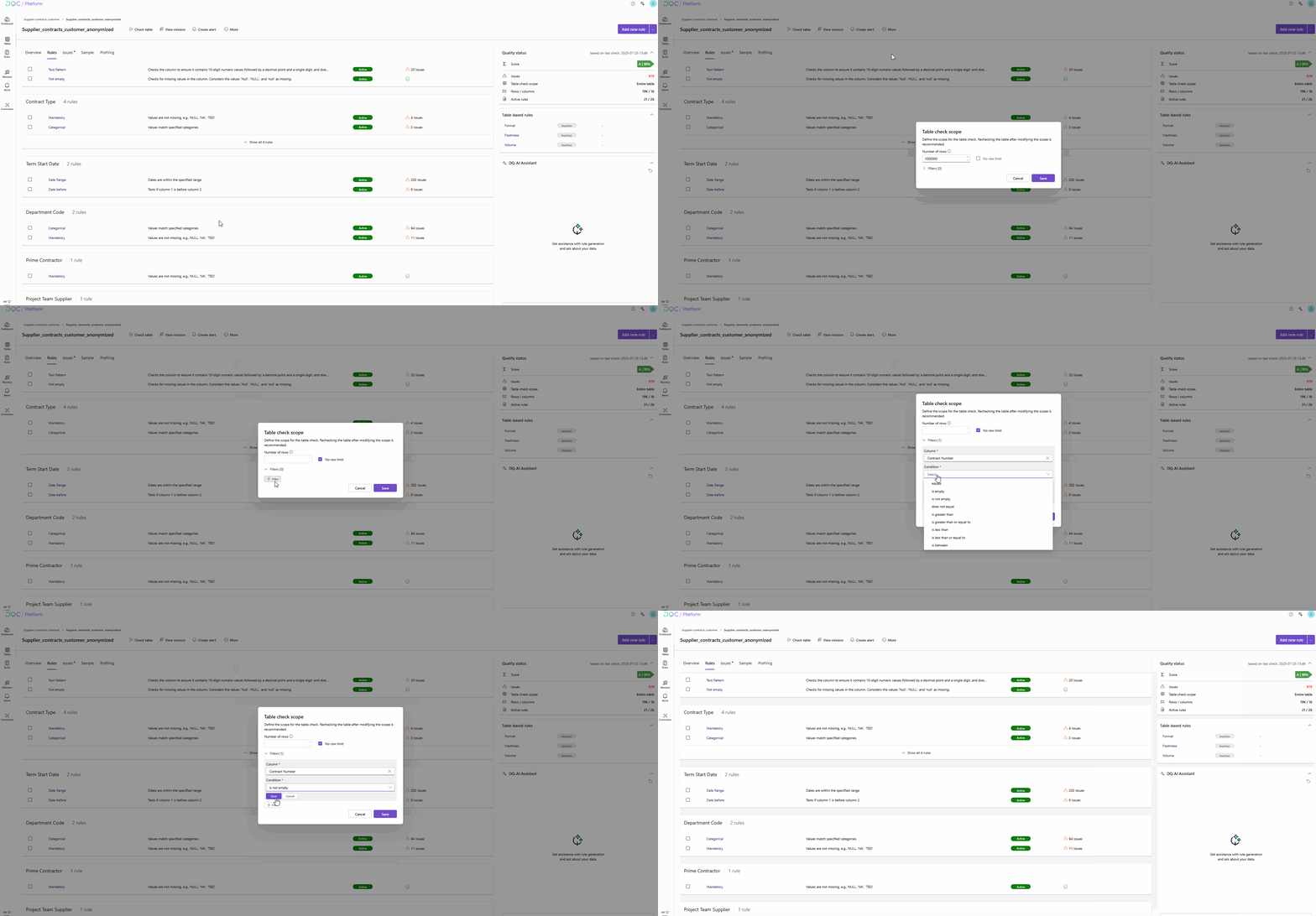
Optionally apply a filter to include only specific records
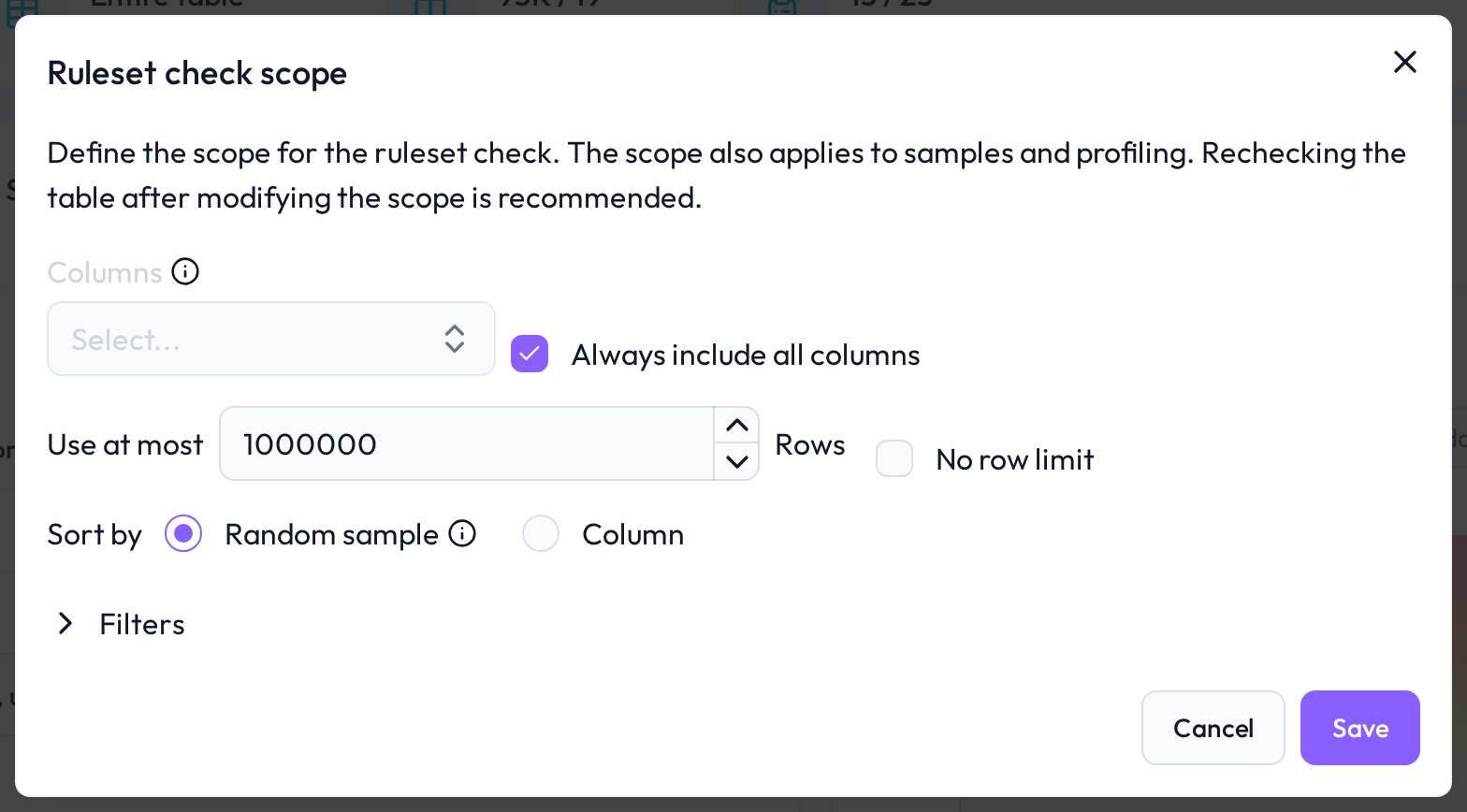 Adjust sample size or filter down to relevant segments.
Use case examples
Use 100,000 rows to get fast validation during development
Tick “No row limit” for critical production tables
Add a filter to validate only rows from the last 30 days
 Notes
Notes
Smaller samples reduce computing time but may miss edge cases
Full dataset checks may increase cost and processing time
Filters help validate targeted business scenarios
Learn more: Setting up a Table Check, Sampling Behavior, Filters for Data Quality Checks