
v2.27
New features 
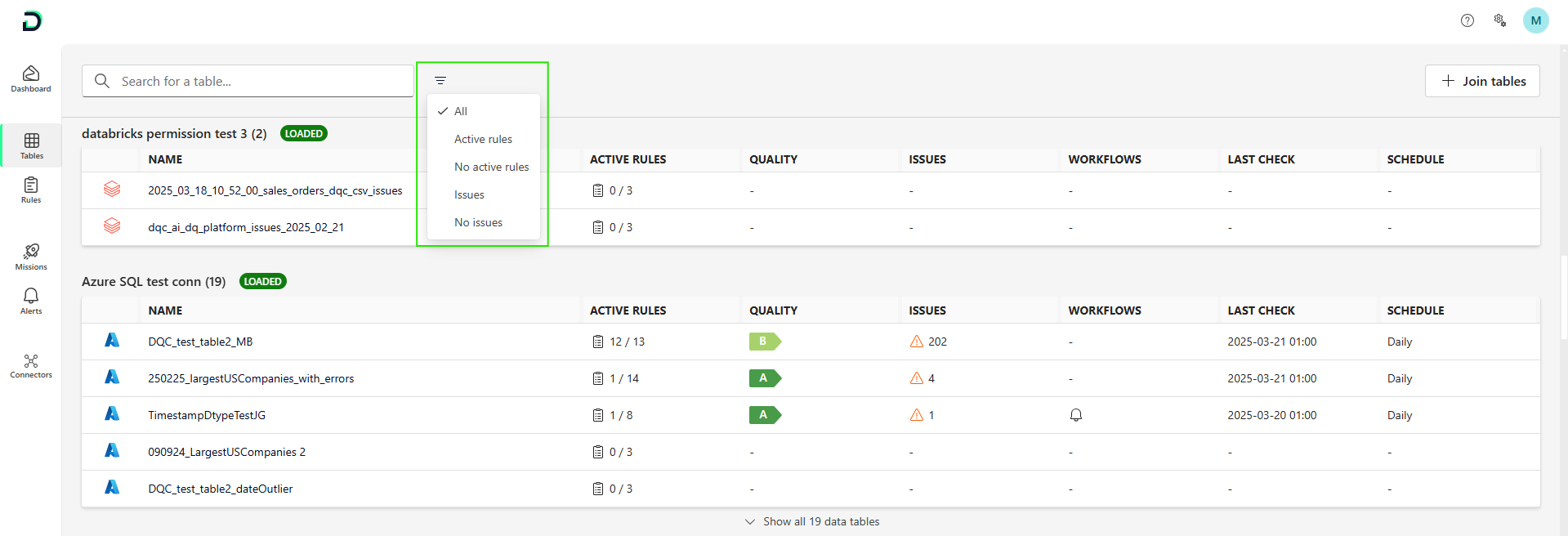
Table overview filter: We made it easier for customers to filter for tables they are looking for:
Active rules: All tables with at least one active rule
No active rules: All tables without active rules
Issues: All tables with at least one issue
No issues: All tables with at least one active rule and no issues
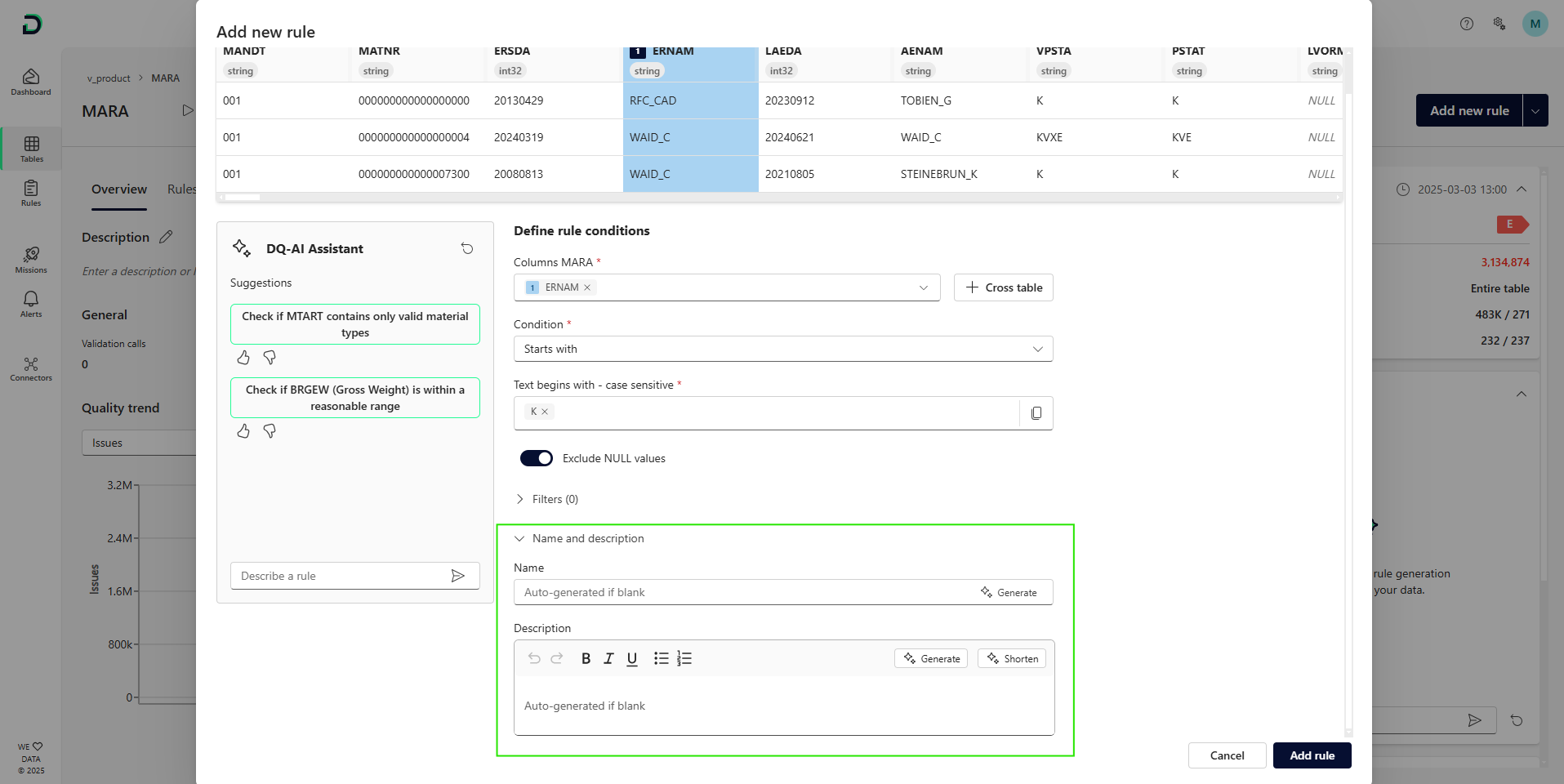
Rule name and description: it is now possible to assign the name and description of the rule already during the creation. After selecting the condition, you can optionally enter name/description yourself or use AI to get a suggestion. If you leave the name and description field blank, we will automatically assign a rule name.
Rule name and description Azure blob authentication via service principal: So far users had the possibility to connect to Azure Blob via account key and SAS token. With the service principal, we added a third option to connect the Blob storage. For more details see the updated documentation.
Smaller improvements:
Text-to-rule: Further improvements especially regarding the correct recognition of multi-column numeric and date rules and the recognition of filtered and segmented rules
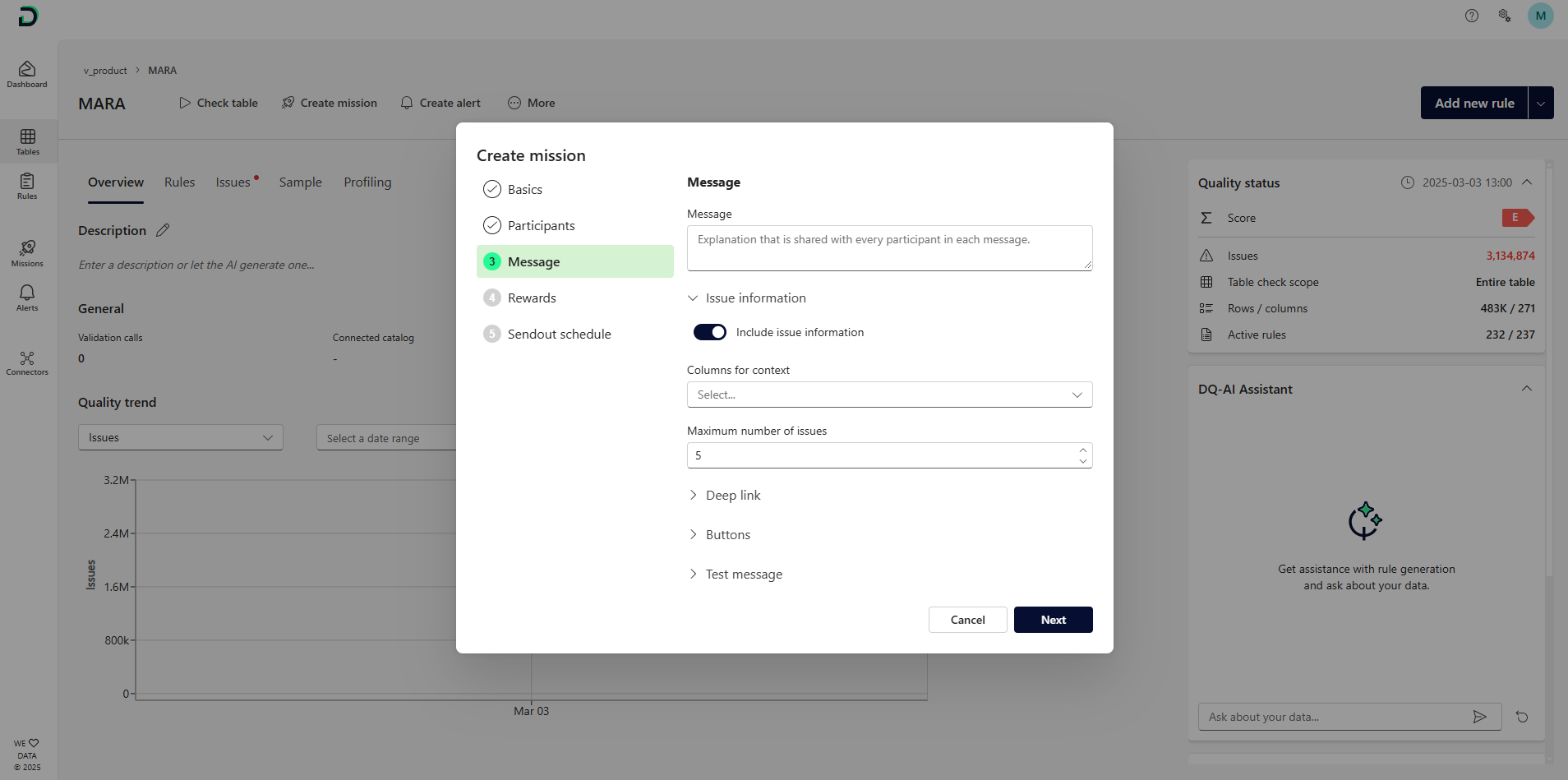
Message form for missions and alerts: The form structure is improved and issues will be grouped together. Same holds for the mission and alert edit screen
Bug fixes and visual improvements 
The historic checks chart in the rule detail will now always update after a table check
Fixed a bug where in an edge case column headers of an Excel file were not correctly recognized
Smaller visual enhancements
