
Connection to ClickHouse
To connect a ClickHouse database to the DQC Platform — both ClickHouse Cloud and self-hosted instances are supported — you provide a host, port, database name and credentials of a SQL user with read access. Each table in the database becomes available for data quality checks.
Add a ClickHouse connector
To begin:
Go to the Connectors > Data sources screen
Click the ClickHouse tile
Enter the connection parameters described below
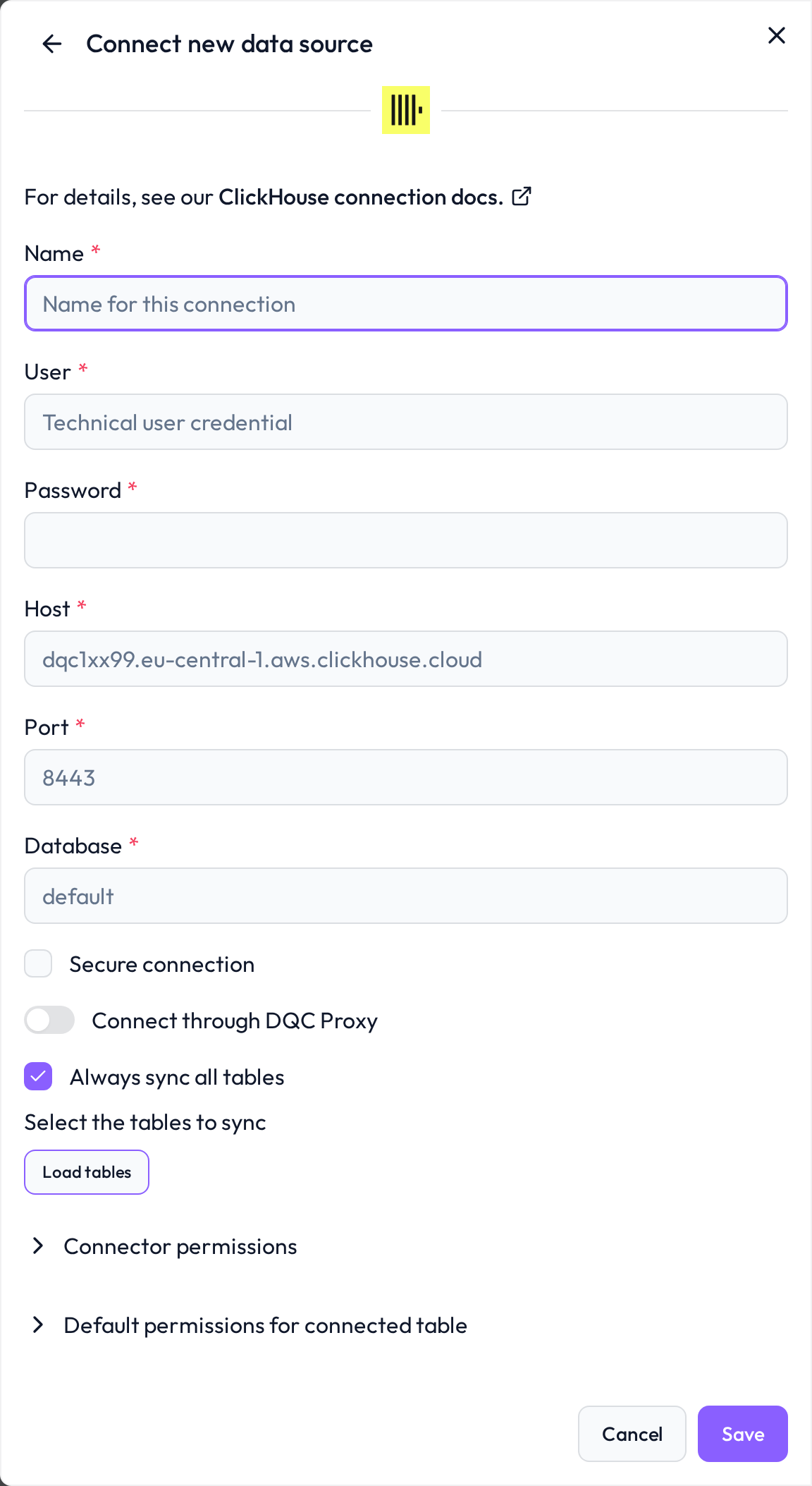
 Required connection information
Field | Example | Description |
|---|---|---|
Name |
| A custom name to identify this connector inside DQC |
User |
| ClickHouse user with read permissions on the target database |
Password |
| Password of the ClickHouse user |
Host |
| Hostname of the ClickHouse server. Bound to the connector and cannot be changed after creation. |
Port |
| HTTP(S) interface port. |
Database |
| Name of the database to connect to. Defaults to |
Secure connection |
| Enables TLS for the connection. Required for ClickHouse Cloud and any HTTPS endpoint (port 8443). Bound to the connector. |
 ClickHouse Cloud vs. self-hosted
ClickHouse Cloud — host follows the pattern
<id>.<region>.<provider>.clickhouse.cloud, port8443, Secure connection enabled.Self-hosted (HTTPS) — port
8443, Secure connection enabled. Make sure the certificate is trusted by DQC.Self-hosted (plain HTTP) — port
8123, Secure connection disabled. Only suitable inside a private network.
 Permissions and network
Create a dedicated read-only user (e.g.
dqc_reader) withSELECTpermission on the target database / tablesIf your ClickHouse instance enforces IP allow-listing, whitelist the DQC platform's outbound IP
DQC validates the connection by listing tables — make sure the user has
SHOW TABLESprivileges
 What gets imported
Every table the user can read in the configured database becomes a DQC table
Materialised views and dictionaries are included when readable
Database, host, port and TLS setting are bound to the cache and cannot be changed afterwards — create a new connector to point at a different host or database
 Connect and assign permissions
After saving, DQC validates the credentials, lists the available tables and lets you pick which ones to expose. To control who can use the connector inside DQC, see Data source access permissions.