
Rule repository screen
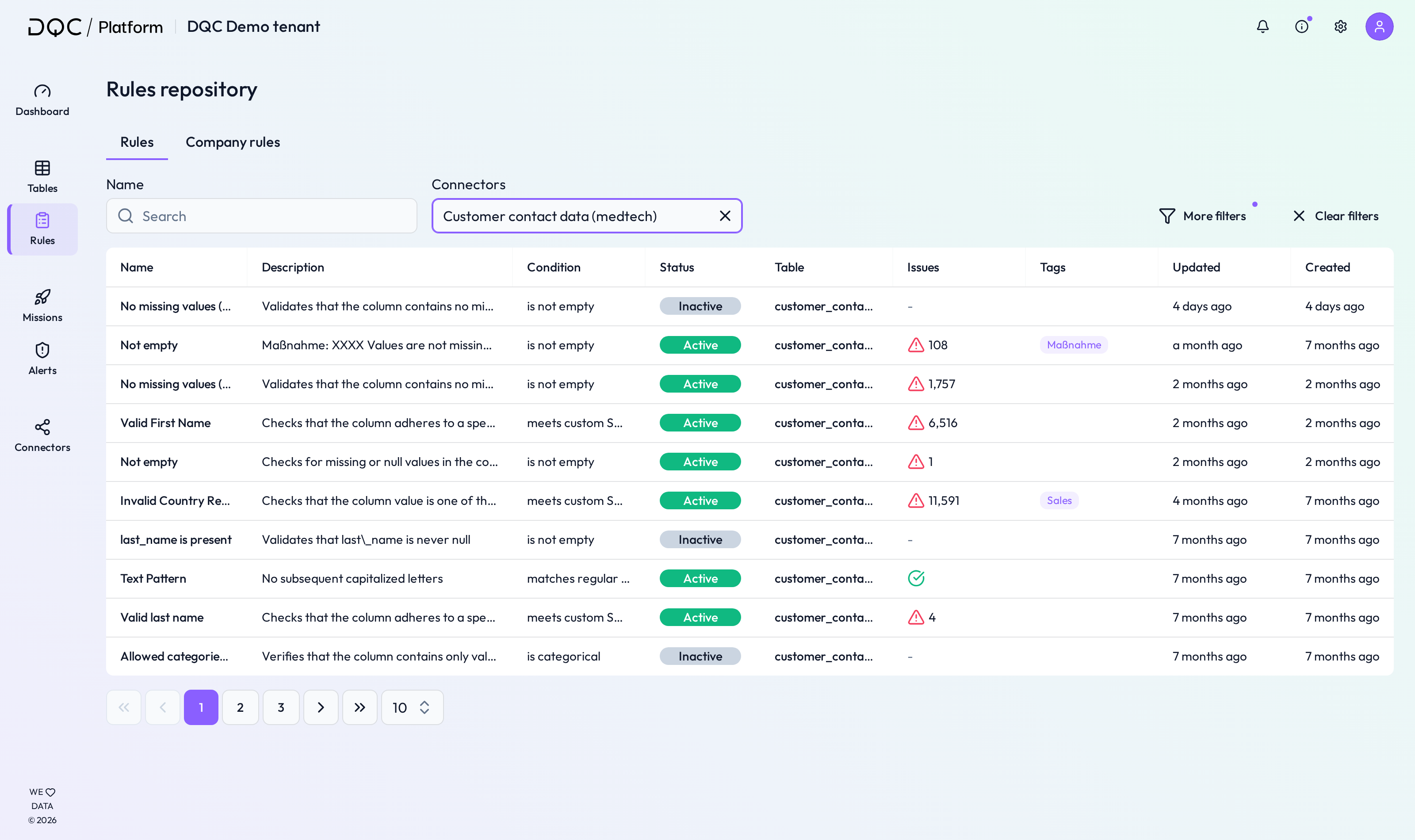
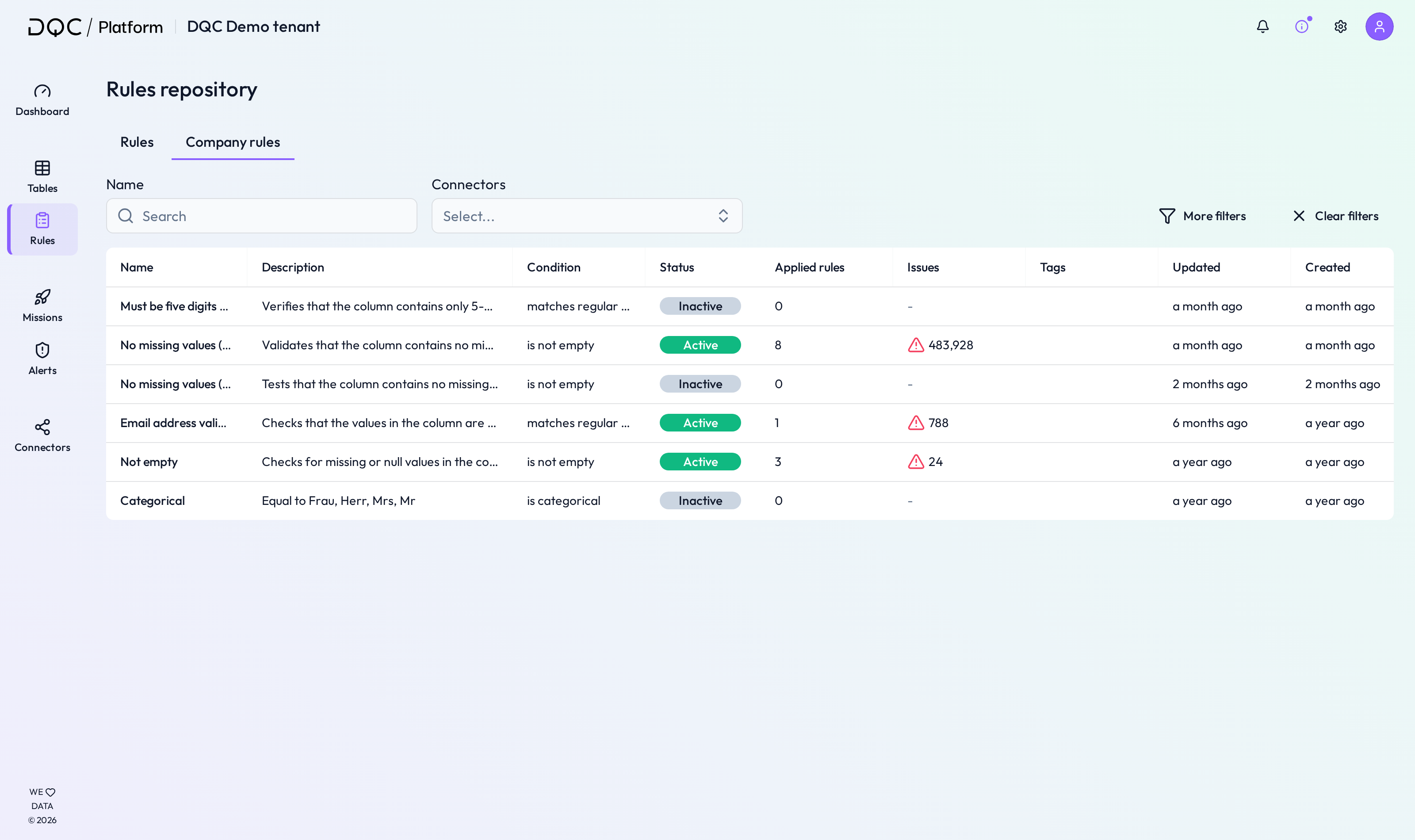
The Rules screen in the DQC Platform provides a centralized overview of all existing individual and company-wide data quality rules. Users can filter, review, and manage rules applied across tables and connectors.
1. Rule type: Switch between individual and company rules
Toggle between two tabs:
Rules – Shows all individual rules created per table and connector
Company Rules – Shows shared company-level rule templates used across multiple tables
2. Filters
Use filters to narrow down rule views by:
Connectors
Tables
Conditions (e.g., Not empty, Categorical, Regex)
Tags (e.g., Critical fields, Sensitive data)
Updated and Created timestamps
3. Individual rule repository
This section provides an overview of all rules configured for specific tables:
Name – Rule name
Description – Short explanation of the logic
Condition – Type of rule logic used (e.g., categorical, not empty)
Status – Whether the rule is active or inactive
Table – Linked table
Issues – Number of issues detected
Tags – Assigned tags
Updated / Created – Last modification or creation timestamp
4. Company rule repository
This tab shows reusable rules defined at company level:
Name / Description / Condition – Same as individual
Status – Activation state
Applied Rules – Number of times this company rule is applied across tables
Issues – Total number of issues found by all applied rules
Tags / Updated / Created – Similar to individual rules
 Notes
Notes
Company rules promote standardization across departments or projects
Use filters to quickly locate outdated or inactive rules
Rules with
 icons indicate issue presence and require attention
Learn more: Overview of Existing Rules, Working in the Rule Detail Screen, Company Rules