
v2.32
New features 
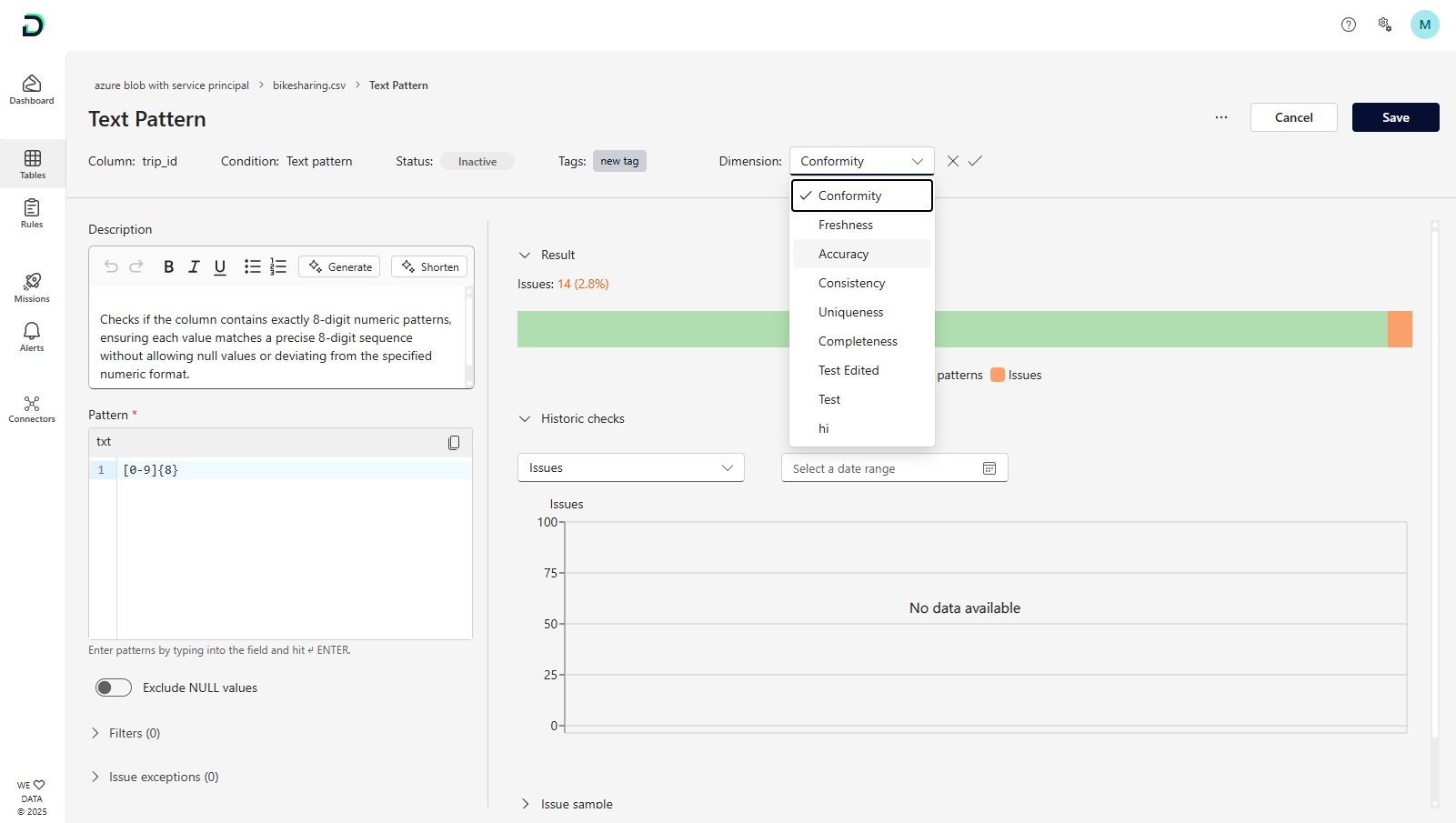
Configurable Data Quality Dimensions: Global mappings from Settings still pre-fill quality dimensions for new rules, but you can now override the dimension for any rule directly in its detail view when the default isn’t a perfect fit.
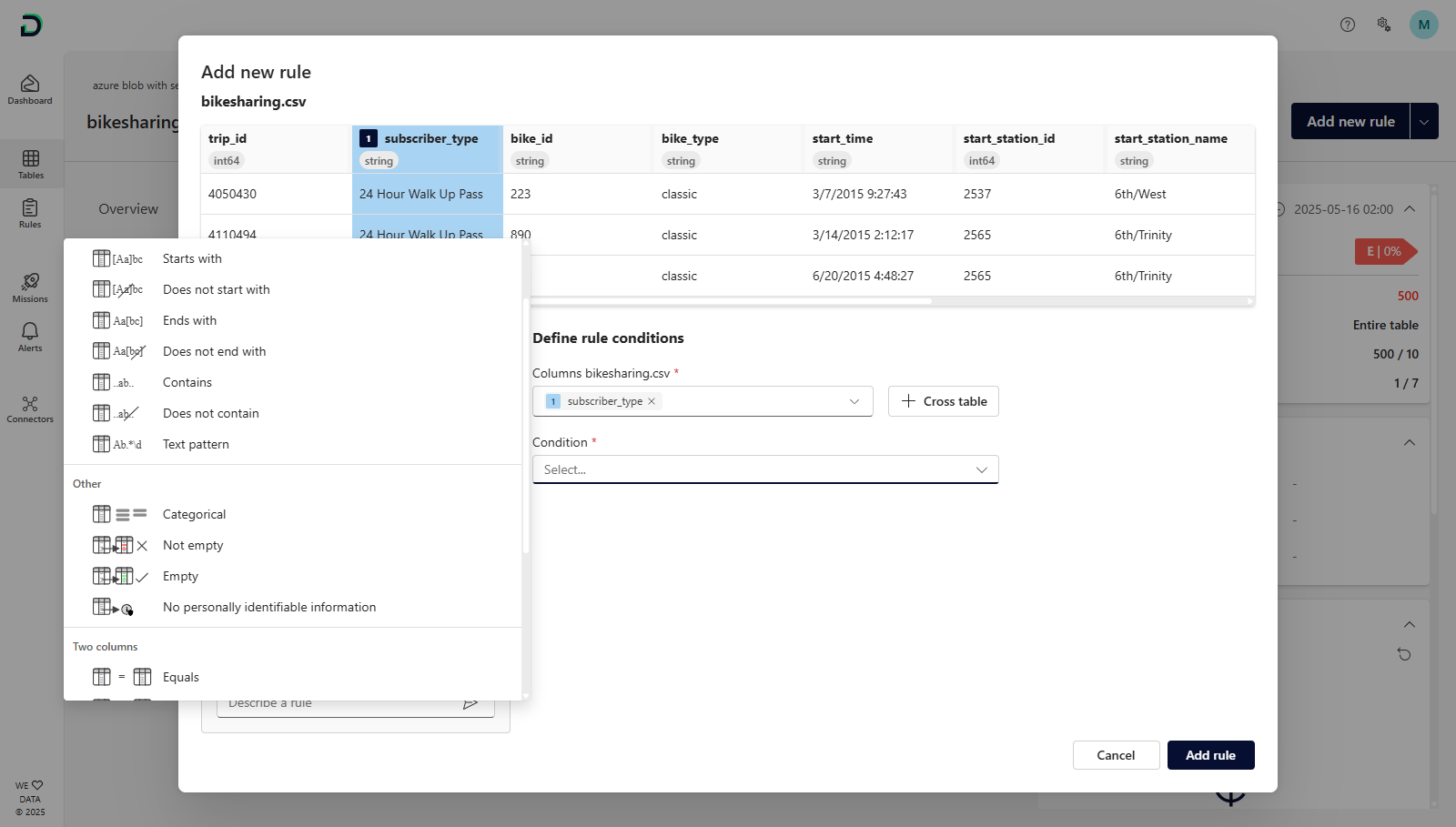
Rule pictograms in rule creation: We added pictograms to each rule to make it easier to understand the behavior of the rule and therefore select the right condition during the rule creation
Rule filter information for mission and alert messages: When a rule filter was selected in a mission or alert, we will now also include this information in the message that is sent to users (Email, MS Teams chat, MS Teams channel), including the information how many issues belong to these filtered rules. Example from a Microsoft Teams message:
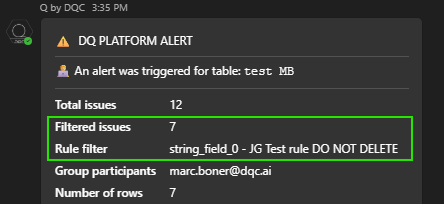
Table check scope calculation: We changed the calculation of the table scope of the last successful table check that is displayed in the quality status by also considering filters that have been added on the table level
Combobox filtering: Tag pickers and other combo boxes (e.g., column selectors) now narrow their list in real-time, displaying only items that match your keystrokes.
Small improvements and bug fixes 
Performance improvement for multiple pages e.g. faster loading of 'Tables'
Fixed a bug that prevent the correct sorting in the rule repository
Fixed a bug that would prevent the upload of static data files when the name contained a slash and improved the error handling
Fixed a bug that prevented the send-out of MS Teams profile cards and improved the assignment of points during the mission creation
