
Setting up a sendout schedule for missions
When creating a mission in the DQC Platform, you can define exactly when and how often issue messages are sent to users. This ensures a structured and recurring workflow for continuous data improvement.
How to schedule message sendouts
During the last step of the Create mission process, the Sendout schedule tab allows you to configure timing and frequency.
You can define the following parameters:
Starts on
Select the date when the first message should be sent.Repeats
Choose how frequently messages should be sent:Hourly
Daily
Weekly
Monthly
Day (only for Weekly / Monthly)
Pick the day of the week the message should be sent (e.g., Monday) - for a weekly setupTime
Set the exact time of day for the message dispatch.
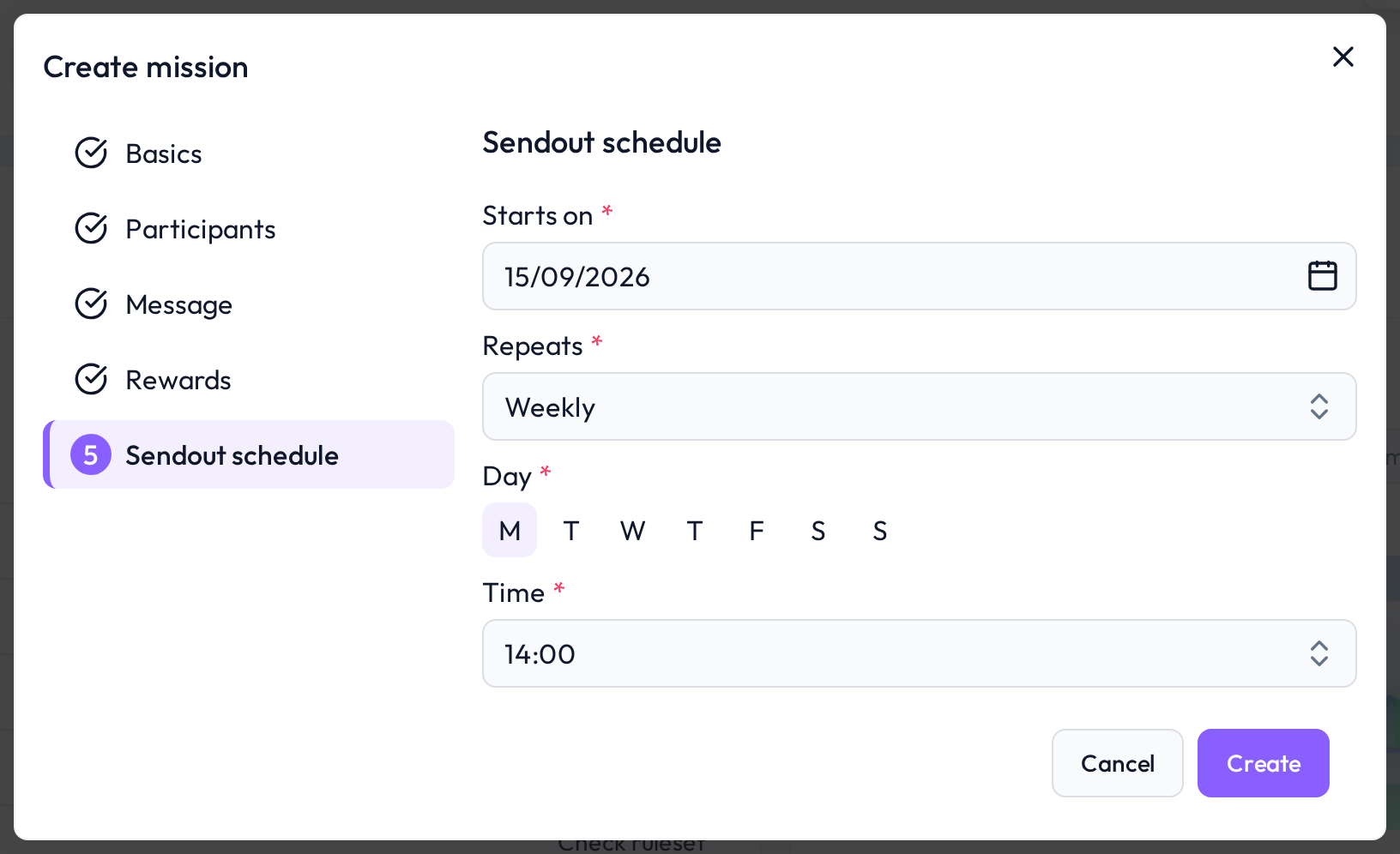
Once set, the DQC Platform will automatically handle future message sendouts based on your chosen configuration.
 Notes
Notes
Sendout schedules ensure users are regularly reminded of outstanding issues
Time settings follow the user's local browser time
Messages are only sent when new or unresolved issues exist
Learn more: Setting Up a Mission, Mission Overview