
Segmentation for data quality checks
Segmentation allows you to apply a data quality rule per group, rather than across the entire table. It works similarly to the GROUP BY clause in SQL and is especially useful when you want to validate conditions within each segment, such as per region, business unit, or product category.
What does segmentation do?
With segmentation, the DQC Platform applies the rule individually to each group defined by the selected column(s). This means:
The condition is checked per segment
You can detect localized issues (e.g. only one department has outliers)
You retain granular visibility instead of losing detail in aggregated checks
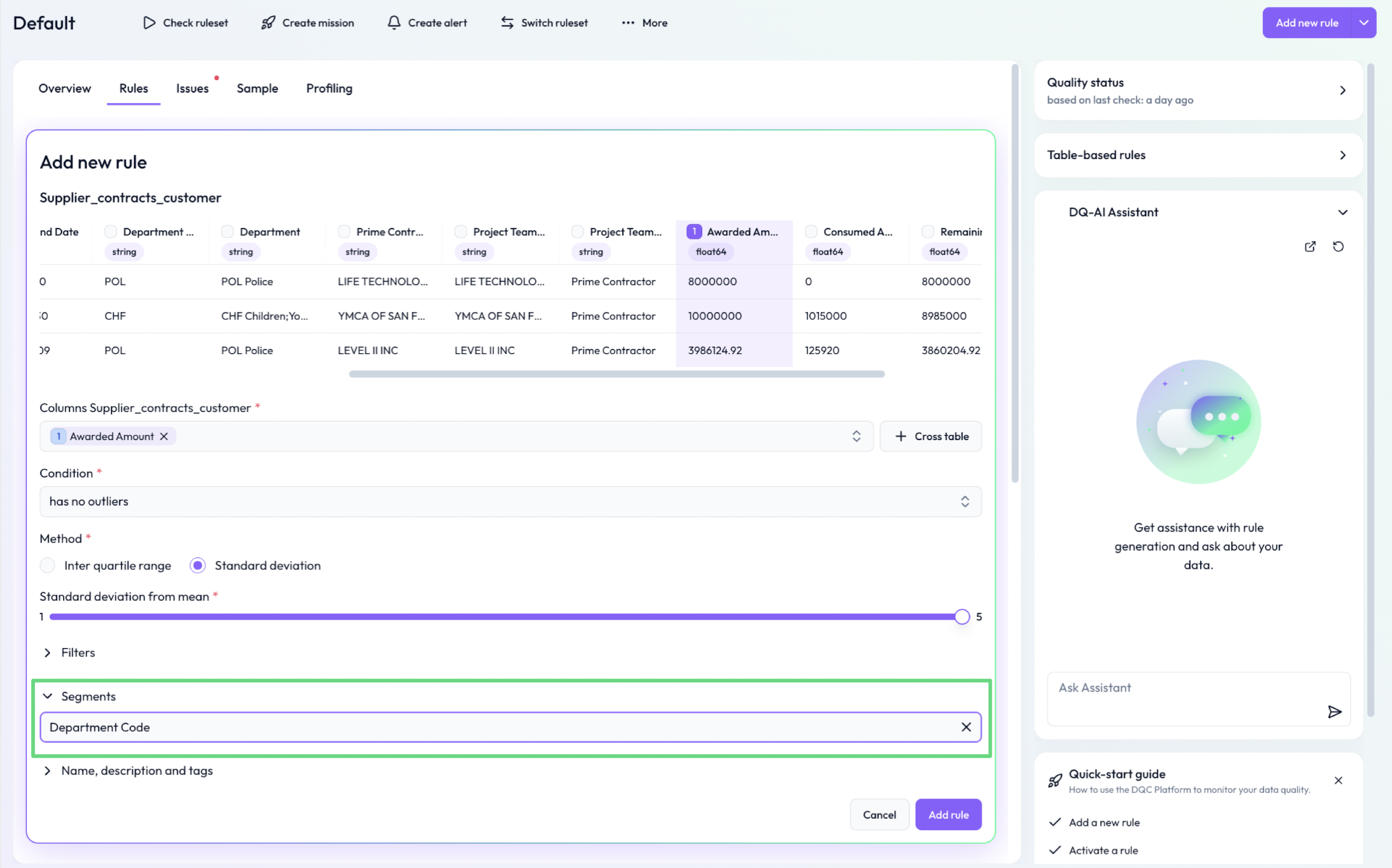 Outlier rule applied per “Department ” rather than across all departments
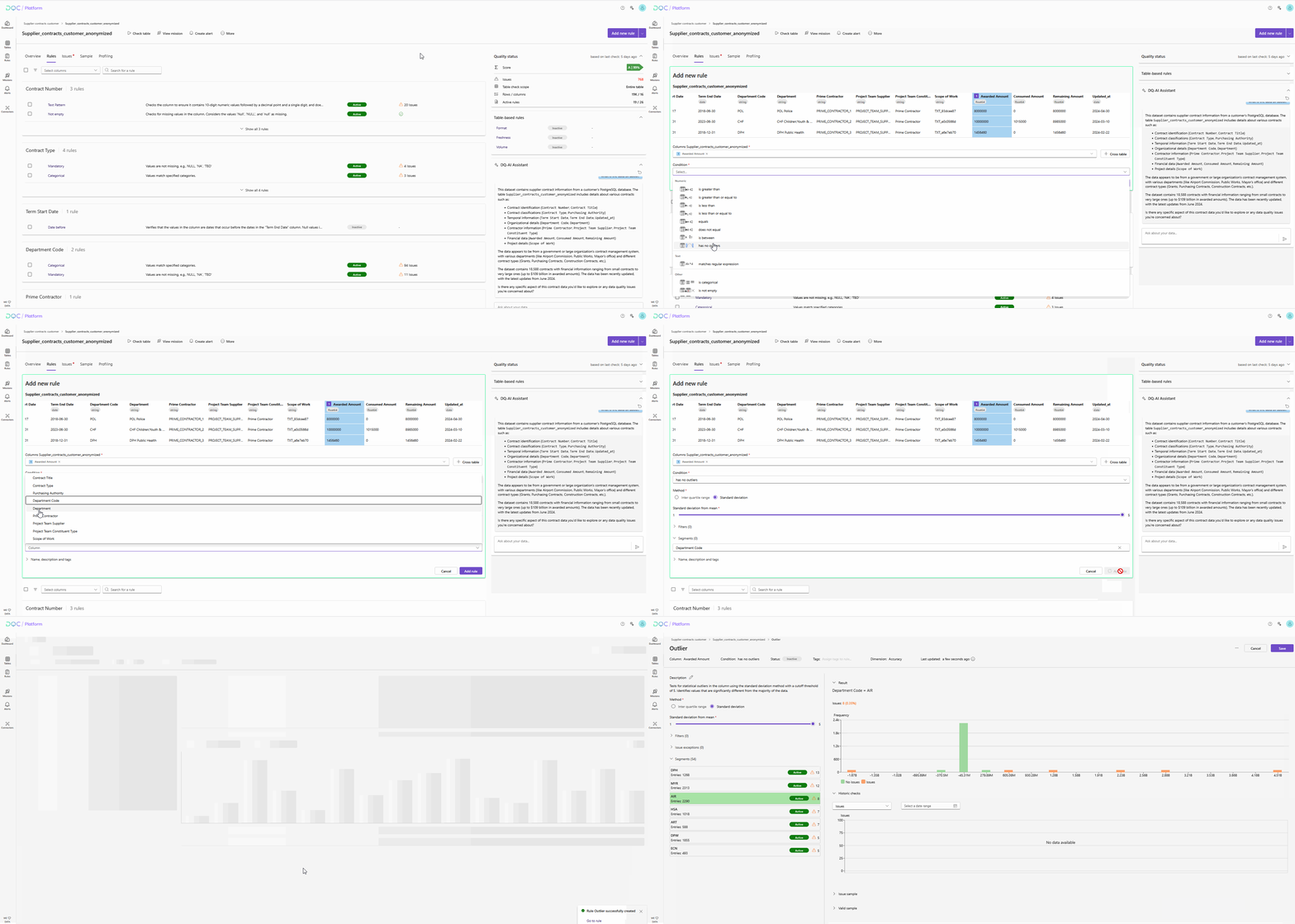
This is how to set up a rule with segmentation:
When to use segmentation
Use segmentation when:
You want to apply the same rule logic independently per group
You suspect variation across business units, teams, or categories
You want to reduce false positives caused by aggregated outliers
Example use case
Scenario: You want to apply a “No outlier” rule to a numeric field, but values vary widely across departments.
Solution:
Add a segmentation by Department Code:
Rule: No outlier on Awarded Amount
Segmentation: Department Code
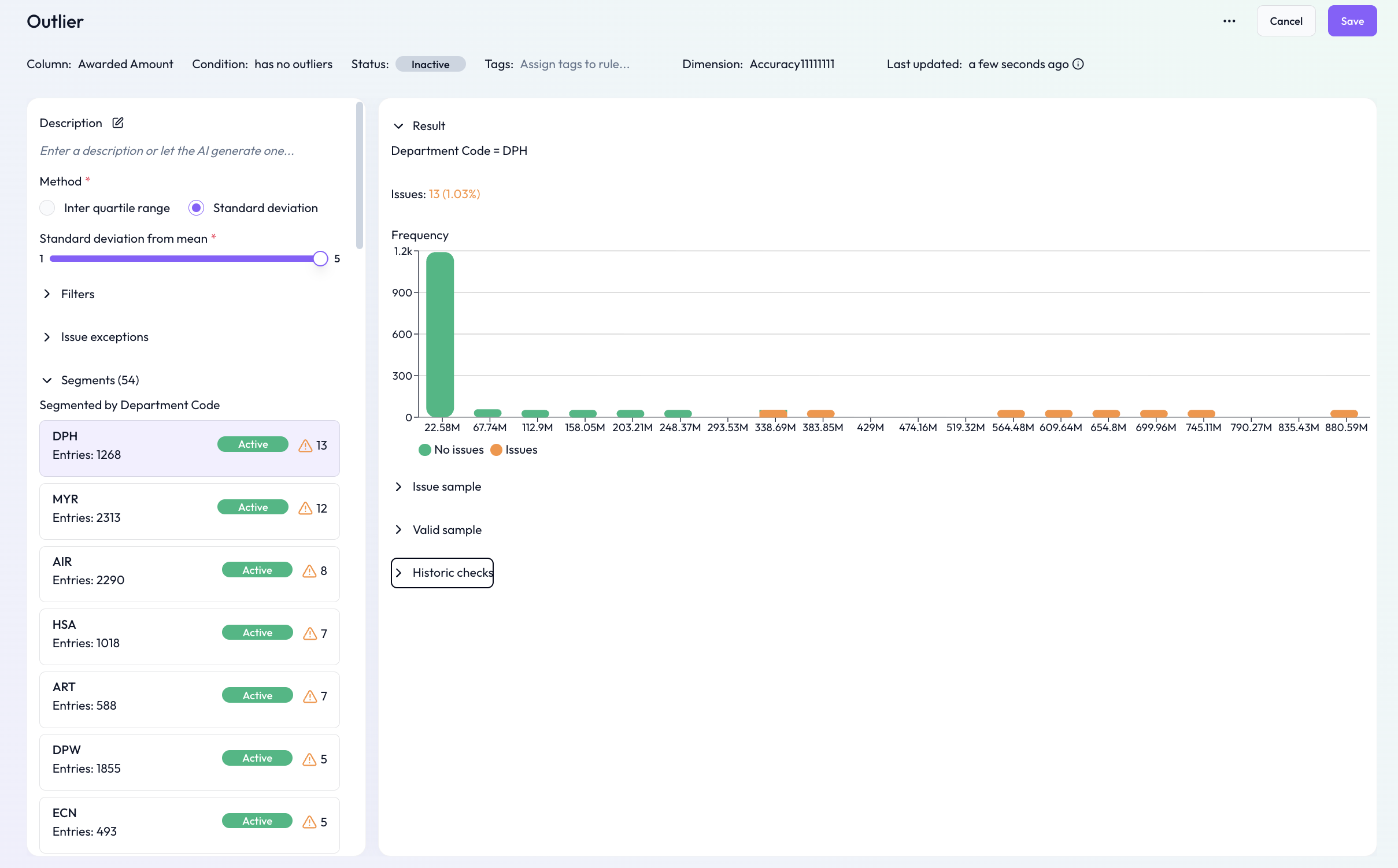
The rule now checks for outliers within each department, not across all rows
Compatible rule types
Segmentation is currently supported for:
No outlier
Text pattern
Categorical
Configuration
Create or open a supported rule
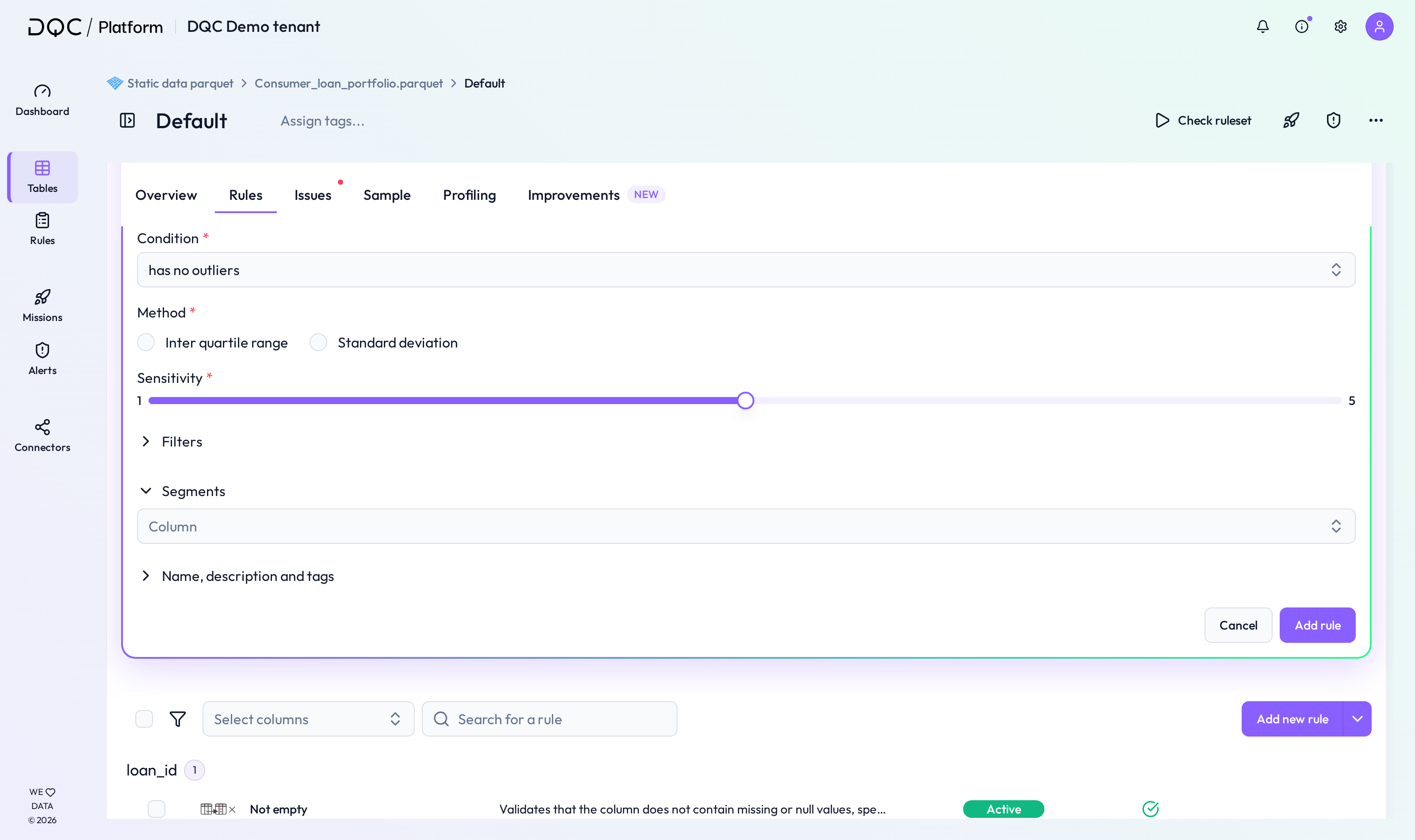
In the Segmentation section, select one column
Save the rule — it will now apply per group rather than globally
Tip: Combine with filters
Segmentation and filters can be used together to scope rules precisely.
Example:
Filter: Remaining amount > 5000
Segmentation: Department
Rule: Awarded Amount has no outliers
 Notes
Notes
Segmentation is optional — only use it when group-specific logic is needed
Combining segmentation with thresholds like “No outlier” improves accuracy
Learn more: Overview of existing rules, Using filters, Rule prediction and how it works