
Filters for data quality checks
Filters help you narrow down the scope of a data quality rule by applying it only to specific rows. This is useful when you want to check conditions only for a subset of the data — for example, for values above a certain threshold or for a specific category.
What are filters used for?
Filters allow you to:
Apply a rule to only relevant data points
Exclude irrelevant cases from validation
Segment your checks for better accuracy
They are especially useful for:
High-value transactions
Specific departments, regions, or categories
Date-based windows (e.g. last 30 days)
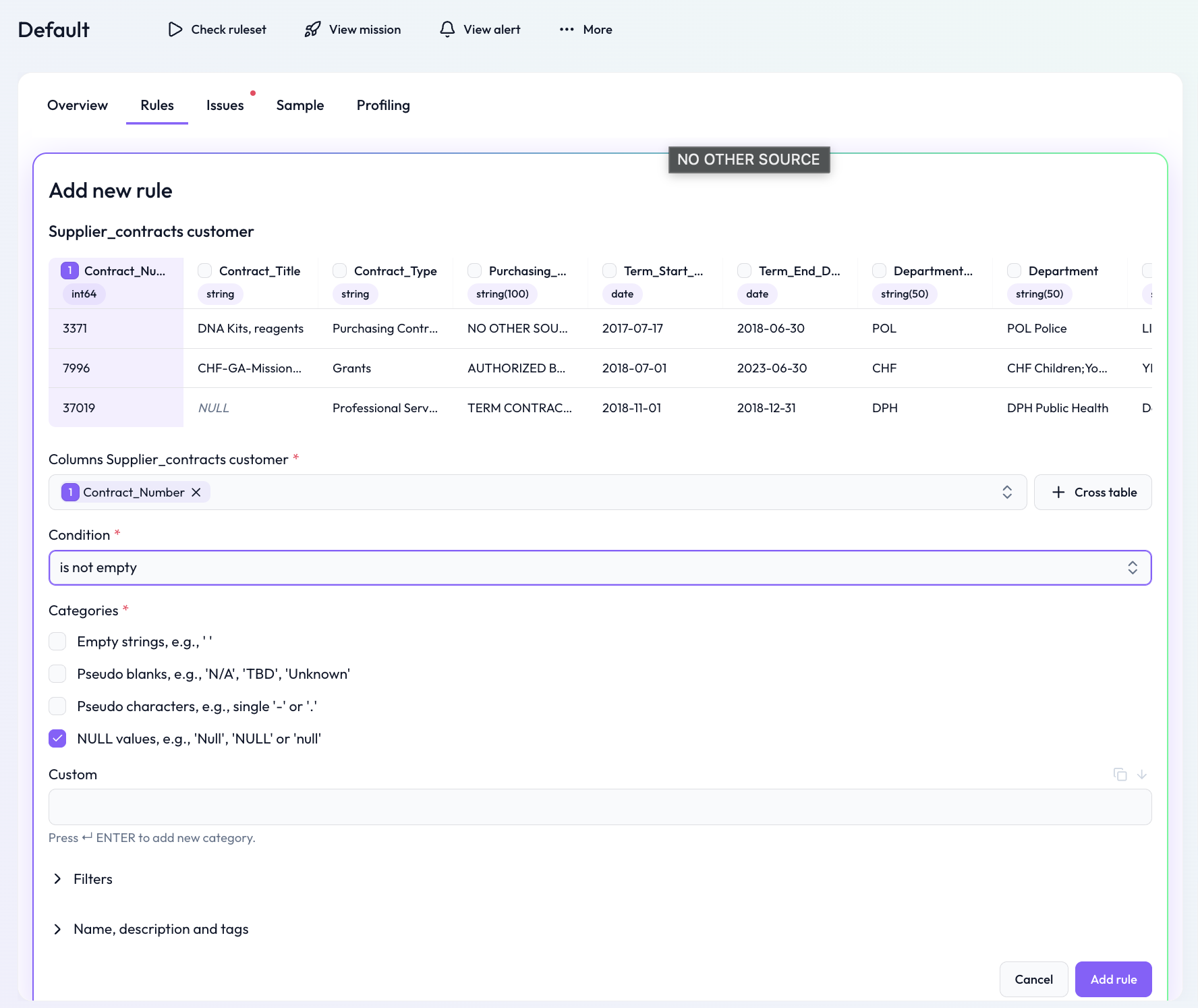 Only apply the rule to records matching the filter logic
Available filters by column type
For numeric columns
Equals
Doesn't equal
Greater than
Greater than or equal
Less than
Less than or equal
Between
Empty
For text columns
Equals
Doesn't equal
Begins with
Ends with
Contains
Does not contain
Empty
For date columns
Empty
Not empty
Within a specific range
Example use case
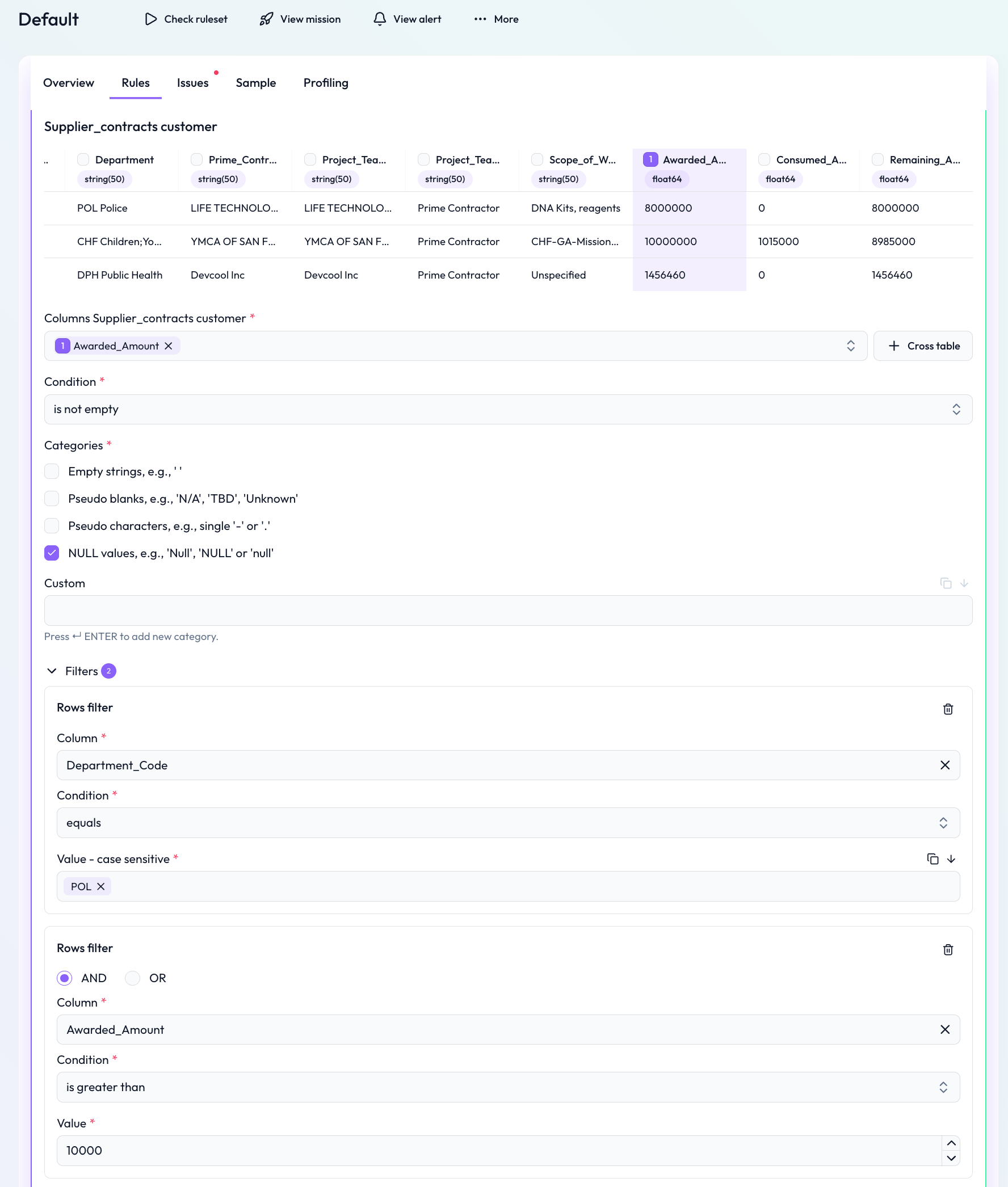
Scenario: You only want to check if values are “not empty” for high-value transactions in a specific department.
Solution:
Apply the following filters:
First filter: Awarded Amount > 10,000
Second filter: Department Code = POL
Condition: Not empty
This ensures that the rule only applies to relevant records — focusing on important cases within the POL department, and avoiding noise from lower-priority data rows.
 Notes
Notes
Multiple filters can be combined with AND or OR logic
Learn more: Segmentation for data quality rules, Working with the rule detail screen, Rule creation via DQ-AI Assistant