
The issue tab
The Issue table provides a detailed view of all failed data quality checks within a specific table. It helps you quickly identify where issues occur and what rule was violated — making it a key tool for debugging and remediation.
Where to find the issue table
You can access the Issue table from the Rule overview screen by clicking on the “Issues” tab for a specific table.
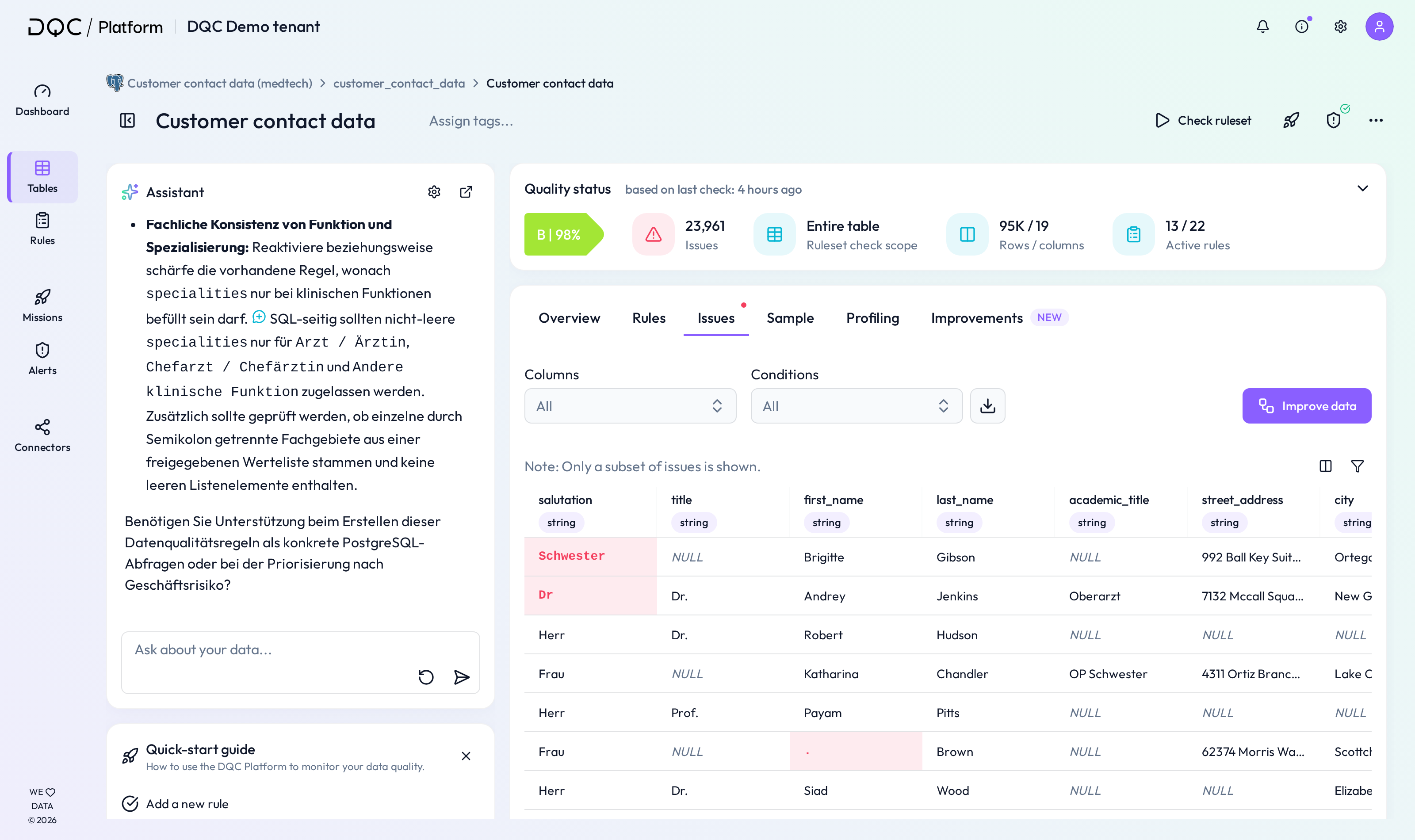 View all failed validations in a structured table view
What the issue table shows
The Issue table includes:
All table columns
A subset of rows with detected issues
Red-highlighted cells to indicate which values failed which rule
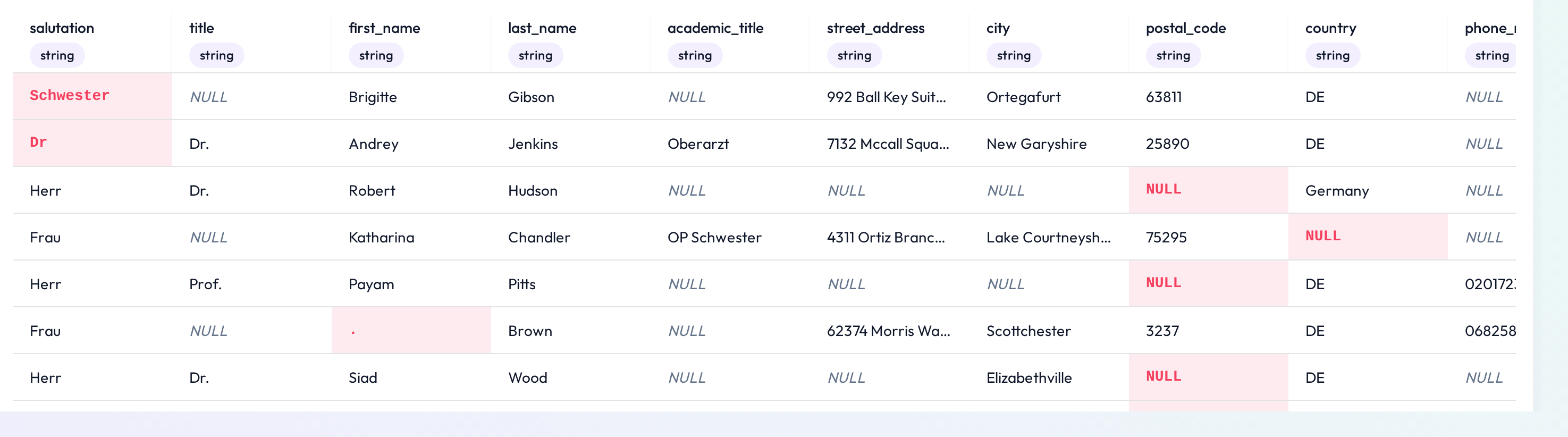 Only problematic rows are shown. Red cells indicate rule violations
Available filters
To focus your analysis, you can apply two filters:
Columns filter: Show issues for selected columns only
Rules filter: Show issues for specific rule types only
Mouseover & rule explanation
Hovering over a red cell reveals:
A short explanation of the violated rule
A link to “See rule details” — clicking this will take you directly to the rule detail screen for further inspection or editing
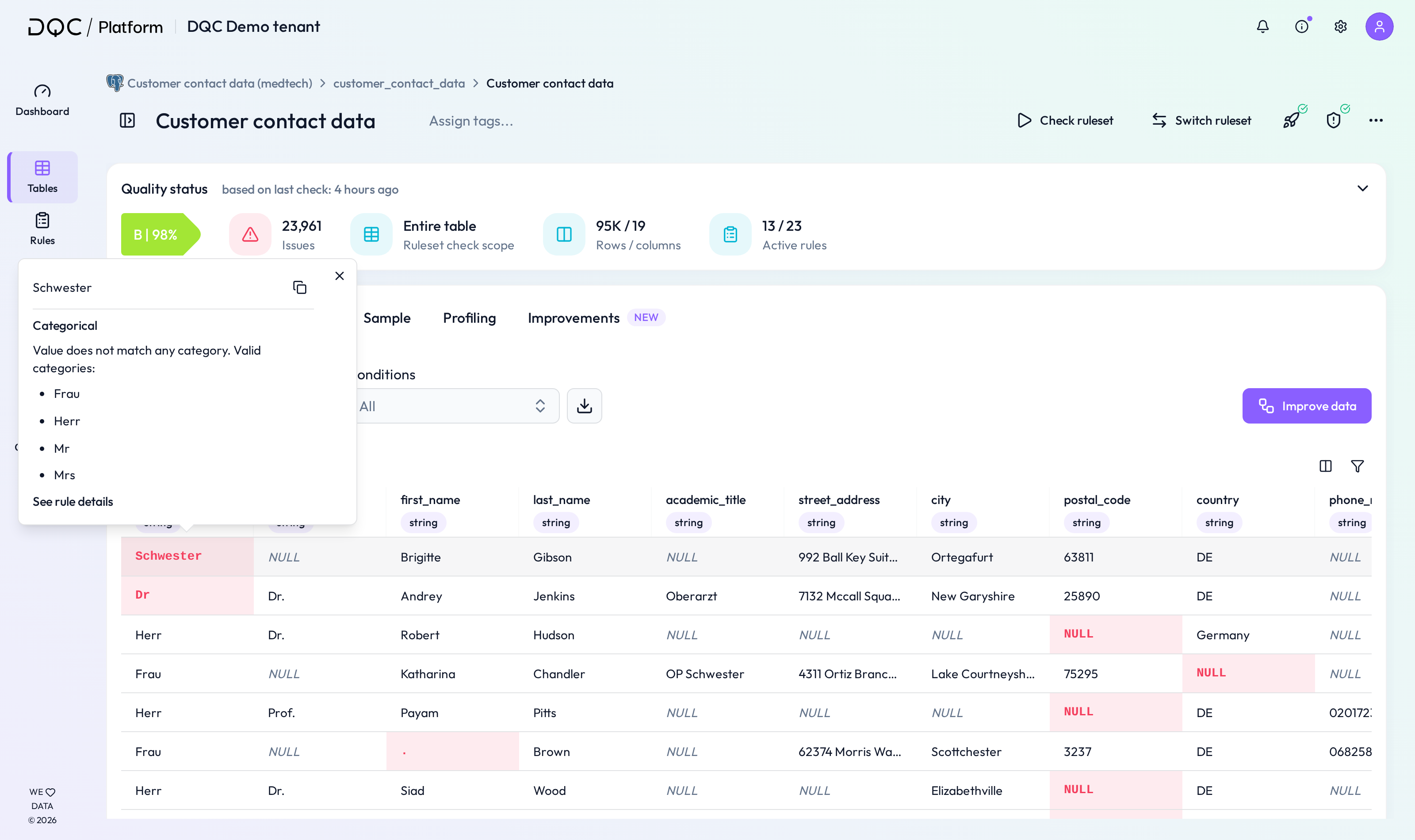 Instantly understand the rule logic behind each flagged value
Exporting issue data
You can export the issue view as a CSV file for sharing, auditing, or deeper analysis.
 Download all (sample) issues in one click
 Notes
Notes
The Issue table only shows rows where at least one rule failed
Filtered views help reduce noise when working with large datasets
Learn more: Working with the Rules tab, The Rule Detail Screen, Download Issue Tables