
v2.35
It brings smart data improvement workflows, improved PII detection, selective table sync, and enhanced AI support across the DQC Platform.
 New Features
Data improvement workflow
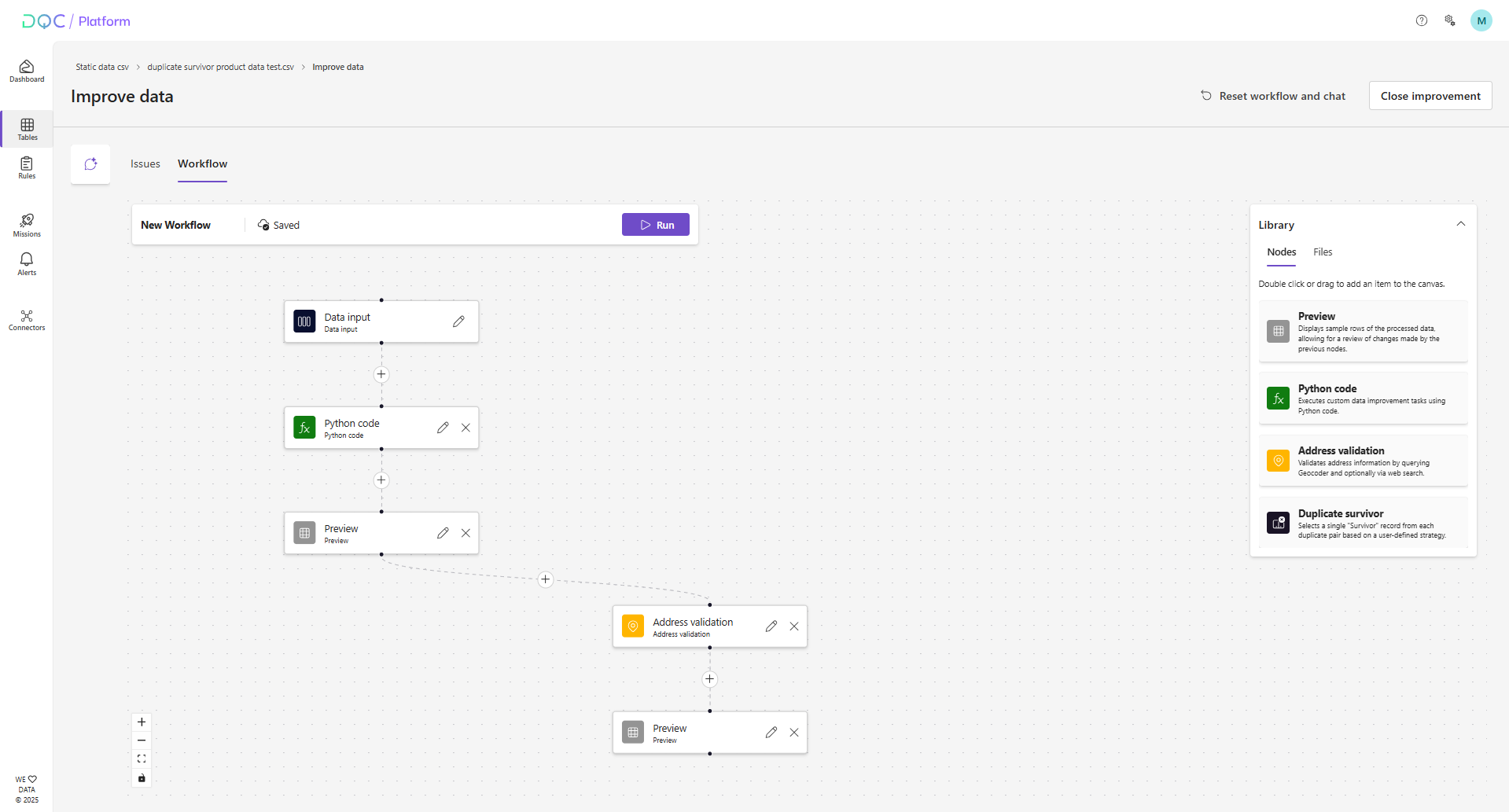 Aligned with our vision to find, improve, and prevent data issues, we’re introducing the new data improvement workflow. This workflow allows you to quickly resolve data issues and export cleaned data for downstream use.
It begins with the issue table of the affected dataset. You can then build a workflow either by:
Using the DQ-AI Assistant to generate a workflow automatically
Manually dragging and dropping nodes onto the Canvas
Along the way, you can preview intermediate results using Preview nodes and upload relevant files to the File Library. (Only CSV files are supported for now.)
Once your workflow is ready, simply click Run to execute it and export the improved data as a CSV file. This output can be used, for example, to replace incorrect rows in your source system.
Available Nodes (Initial Set)
1. Data Input
Load and filter the issue table by column or row values.
Useful for large datasets to narrow the focus and improve performance.
2. Python Code
Run custom data transformation logic using Python.
An integrated Coding Assistant helps you write and validate your code.
3. Address Validation
Standardize and validate addresses using geocoding and optional web search.
Useful for filling in missing fields or correcting formatting errors.
4. Duplicate Survivor
Identify and retain a single “survivor” from each set of duplicates using a rule-based strategy.
You can attach helper files (e.g., mapping tables) to aid in row selection.
5. Preview
Inspect intermediate results to review the output of previous nodes before continuing.
Auto-Save & Collaboration
Workflows are automatically saved and shared across your tenant, making it easy to:
Reuse previous improvements
Collaborate with colleagues
Share workflows for review or enhancement
Reach out to us for more details or if you have any questions!
Selective table sync
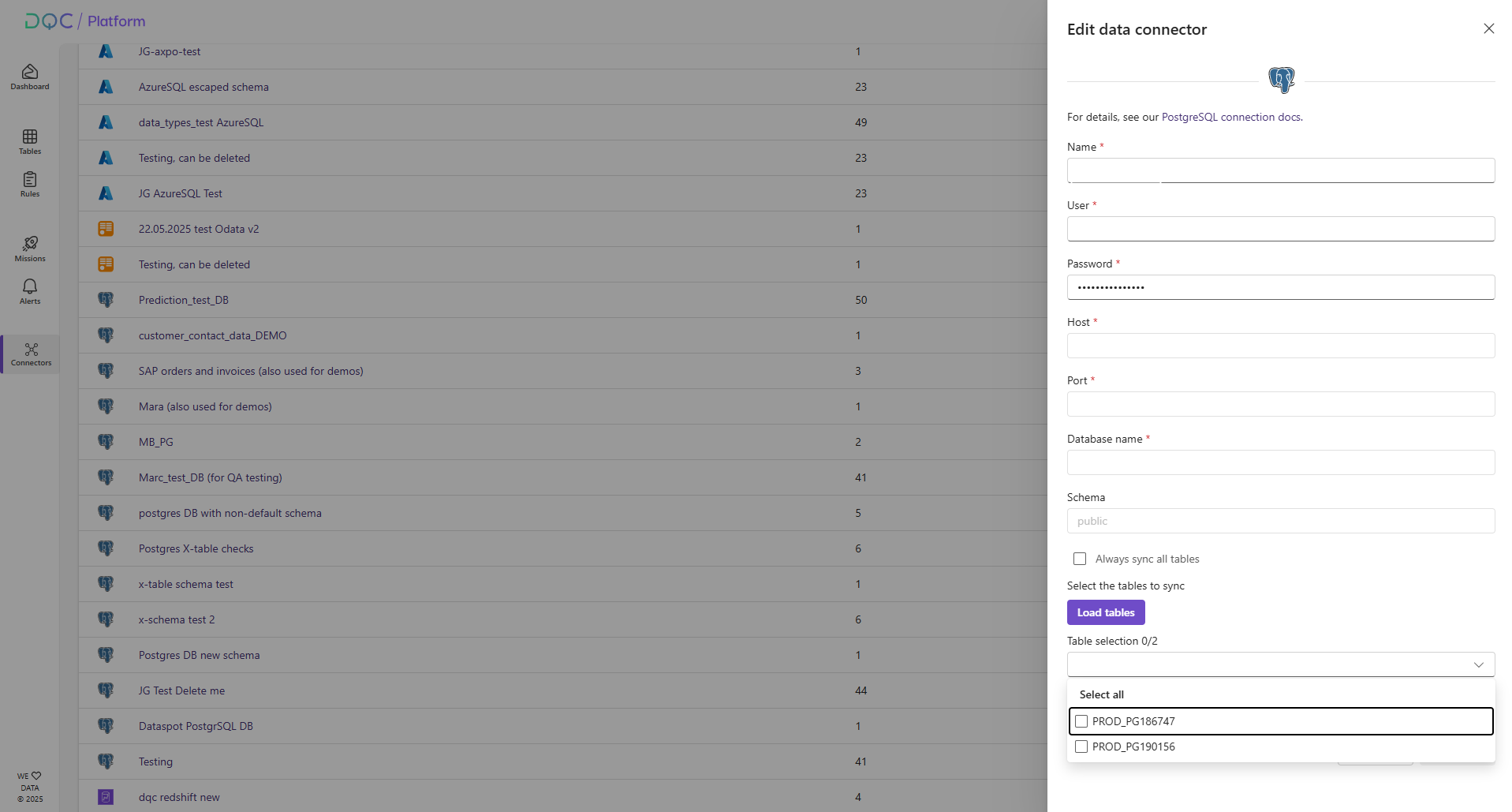 You can now choose to sync only selected tables from a database schema—rather than syncing all tables by default.
Before establishing a connection, simply load the overview of available tables and select the ones you want to connect to the DQC Platform.
This is especially useful for users working with large schemas but only needing a few specific tables.
Sensitive information highlighting in profiling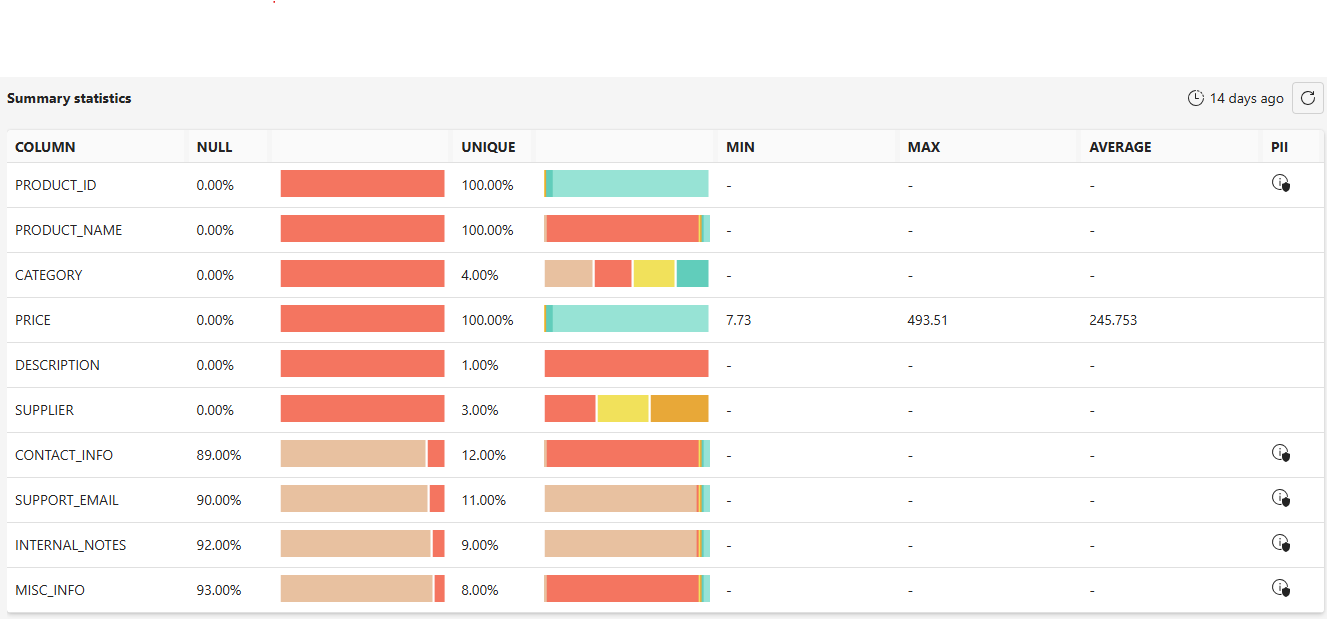 We've added a new column to the profiling table that indicates whether a column likely contains sensitive or personal information.
This helps you quickly identify and review potential PII during data profiling.
Significantly improved PII rule
The PII detection rule has been upgraded with major enhancements:
Improved regex checks for better pattern matching
New machine learning model to identify sensitive information more accurately
Expanded category selection – choose from a wider range of PII types to check in your tables
These updates make it easier to detect personal and sensitive data across diverse datasets with higher precision.
New databricks backend implementation
We’ve introduced a new and improved Databricks backend.
Please update your existing Databricks connectors on the DQC Platform, as the previous version will soon be deprecated.
Improved LLM infrastructure for private cloud
We enhanced the LLM infrastructure to support multiple large language models (LLMs) in private cloud deployments, offering greater flexibility and scalability.
 Small improvements and bug fixes
Improved the answer from our DQ-AI Assistant in the table detail
Fixed an issue that prevented downloading issues identified by semantic (LLM-based) rules
We've made data timestamps easier to read by displaying relative dates like “2 days ago” instead of fixed formats like “22.07.2025”.
Fixed a bug with the Python rule that would occur in certain edge cases
Space issues in the issues table are now correctly highlighted with a red dot
Placeholder dates like 31.12.9999 are now correctly shown in the date distribution chart
We fixed an issue where the segment check during rule creation did not account for active filters.
 Breaking Changes
None in this release