
Table – Issue screen
The Issue Screen provides a detailed view of problematic values in your table. It helps users review, filter, and act on rows that violate one or more data quality rules.
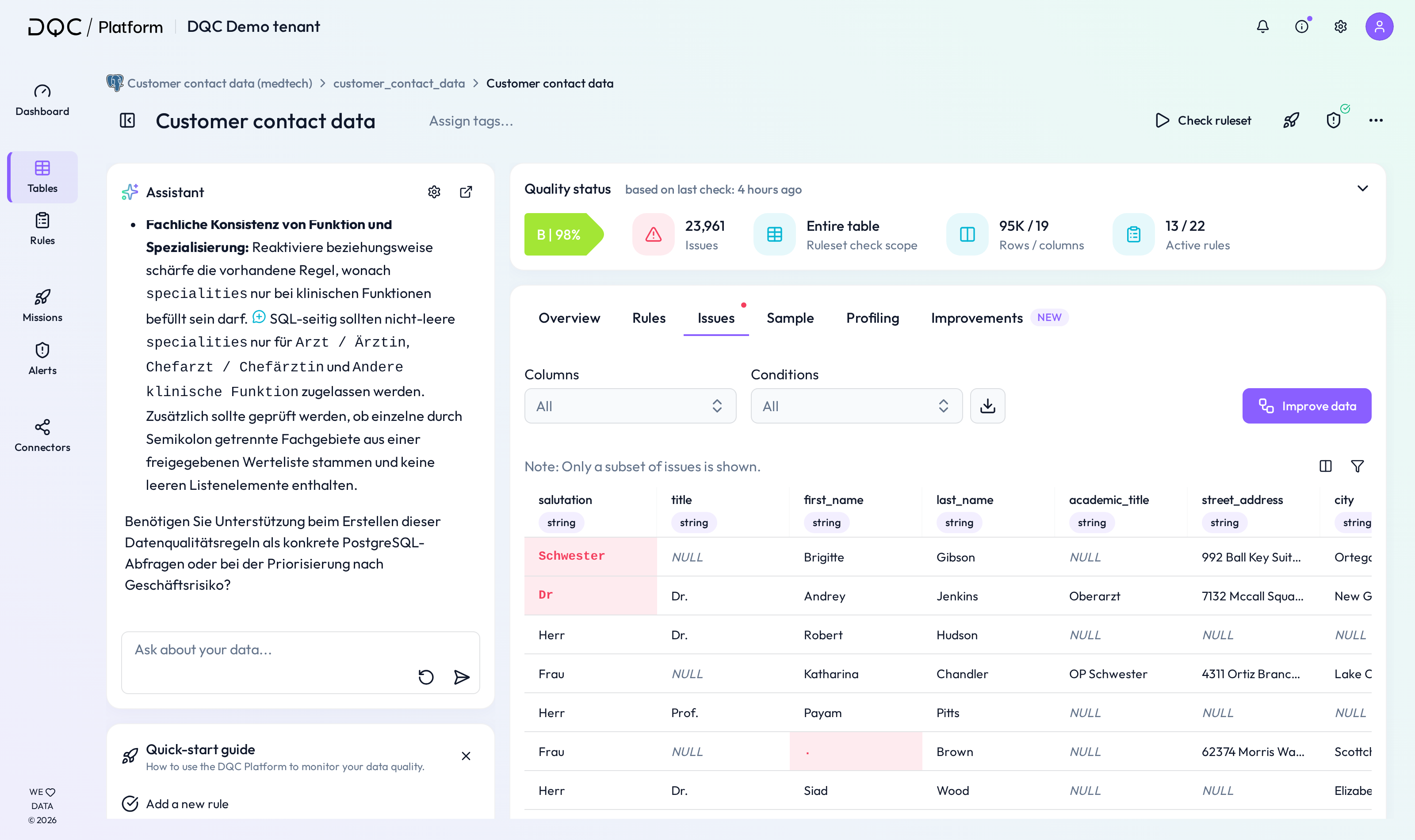
(1) Overview of issue rows
All columns of the table are shown with rows that have issues. Problematic values are highlighted in red to make them easily recognizable.
Only a subset of issues is displayed for performance and usability.
Note: Columns can be de-/selected on the right
(2) Filter and export options
Use the filters at the top to narrow down results:
Columns – Show issues for a specific column only
Conditions – Show issues related to a specific rule condition (e.g., "Not empty")
Download – Export either the sample issues or all issues as a CSV
(3) Quality status sidebar
On the right-hand side, you can track the current quality metrics:
Score – Based on latest table check
Issues – Total number of current issues
Table check scope – Whether the full table or a filtered view was checked
Rows / columns – Data volume included
Active rules – Number of active vs. total rules
(4) Table-based rules
Displays the Format, Freshness, and Volume checks for the table.
Each rule is marked as Active or Inactive and can be adjusted .
(5) DQ-AI Assistant
The integrated assistant can be used to:
Generate new rules based on issues in the table
Ask questions about the data quality status
Quickly address recurring problems
 Notes
Notes
Only rows with identified issues are shown
Issue rows can be downloaded and shared with stakeholders
Filtering helps narrow down focus for remediation
Learn more: Rule Detail Screen, Setting Up a Mission, Downloading an Issue Table