
Release v2.34
The latest release of the DQC Platform introduces a range of powerful features to enhance data quality workflows, user experience, and automation.
 New Features
Improved DQ-AI Assistant
The DQ-AI Assistant has been significantly upgraded to better support users with rule creation and data exploration:
One-Click Rule Suggestions – The Assistant proposes rule suggestions that can be created instantly from the chat
Rule Prediction Triggers – Depending on the question, the Assistant can initiate a rule prediction
Larger Chat Interface – Improved layout to simplify navigation and rule interaction
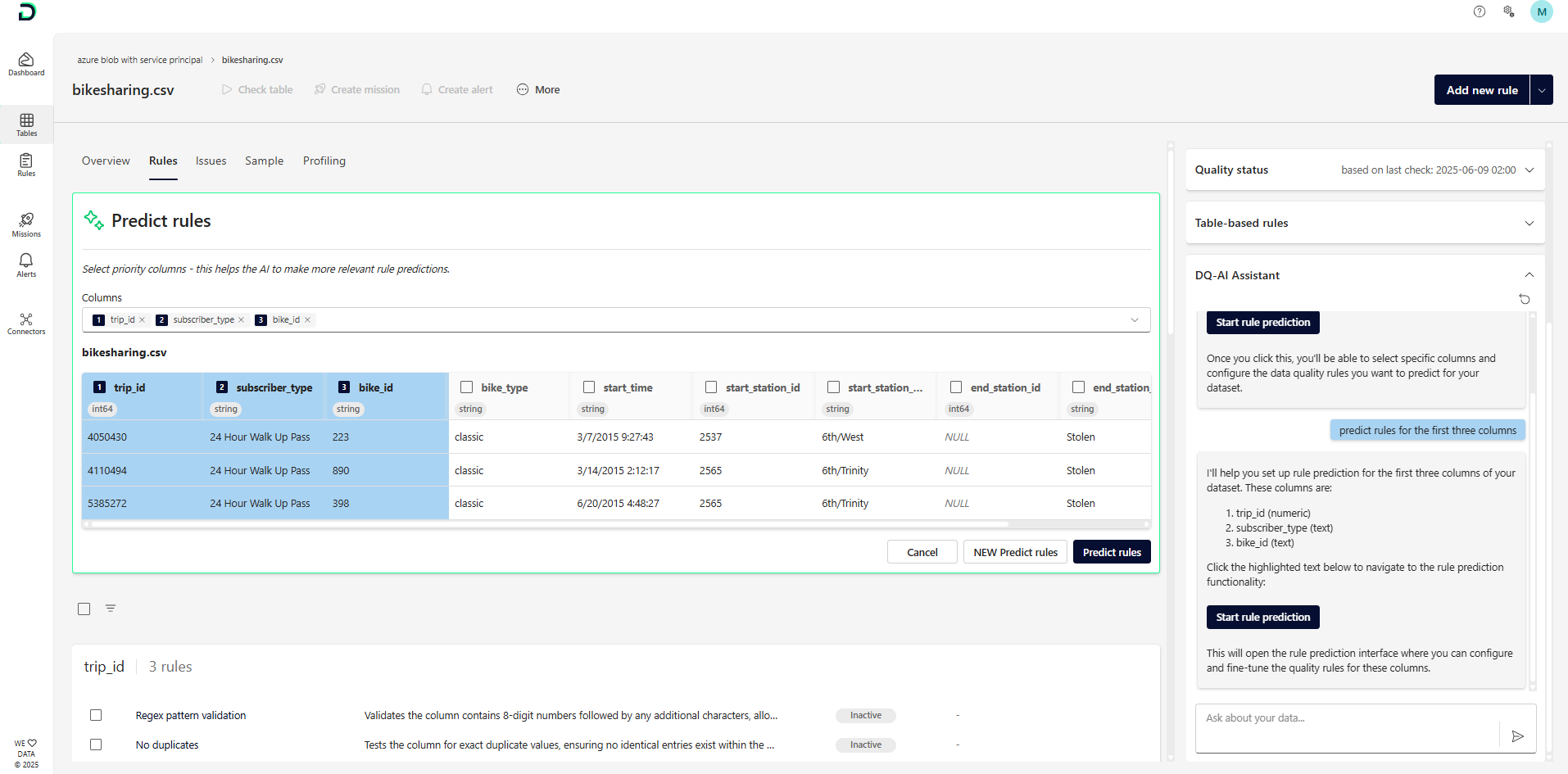
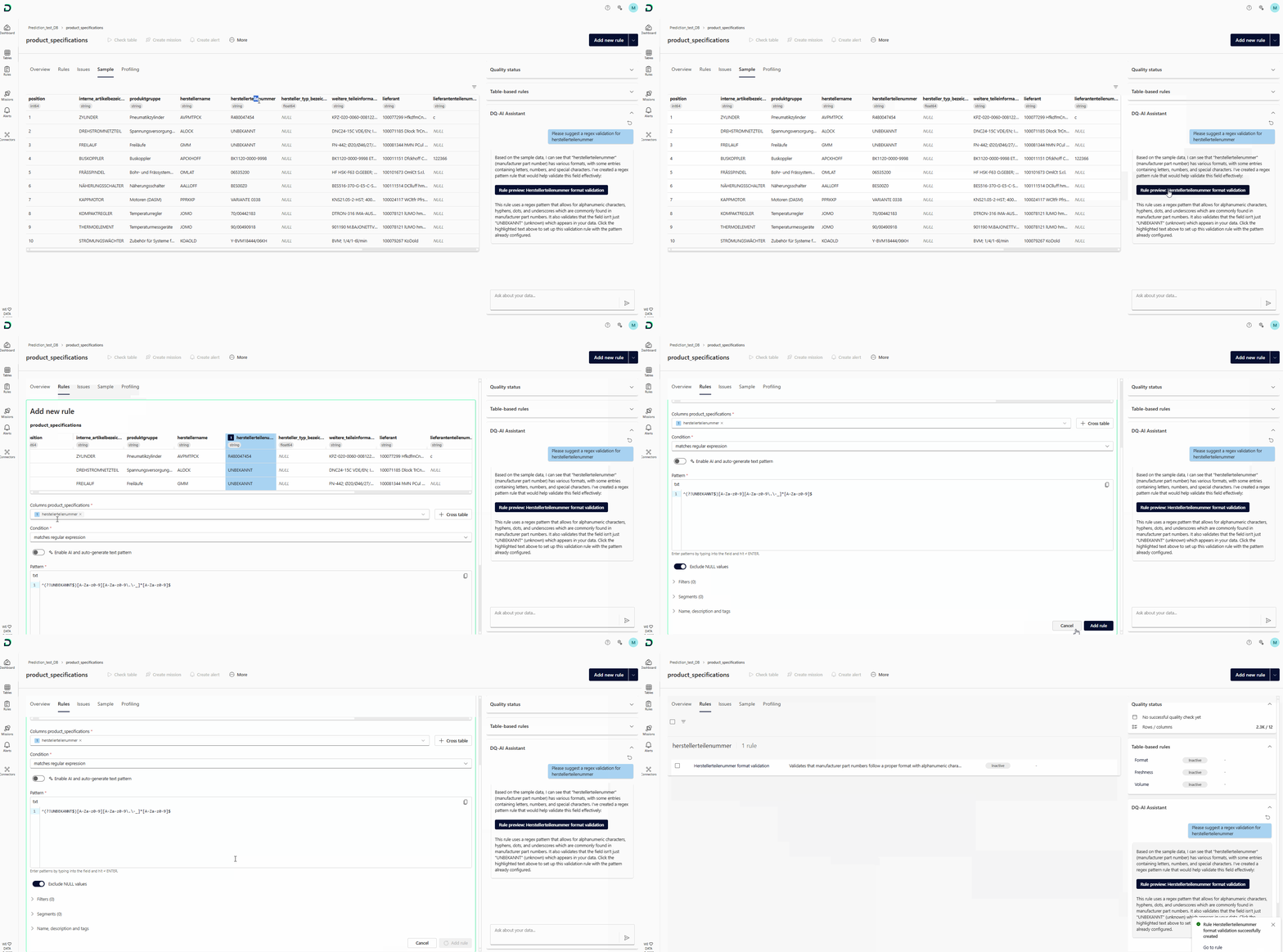 One-click rule suggestions directly from the Assistant
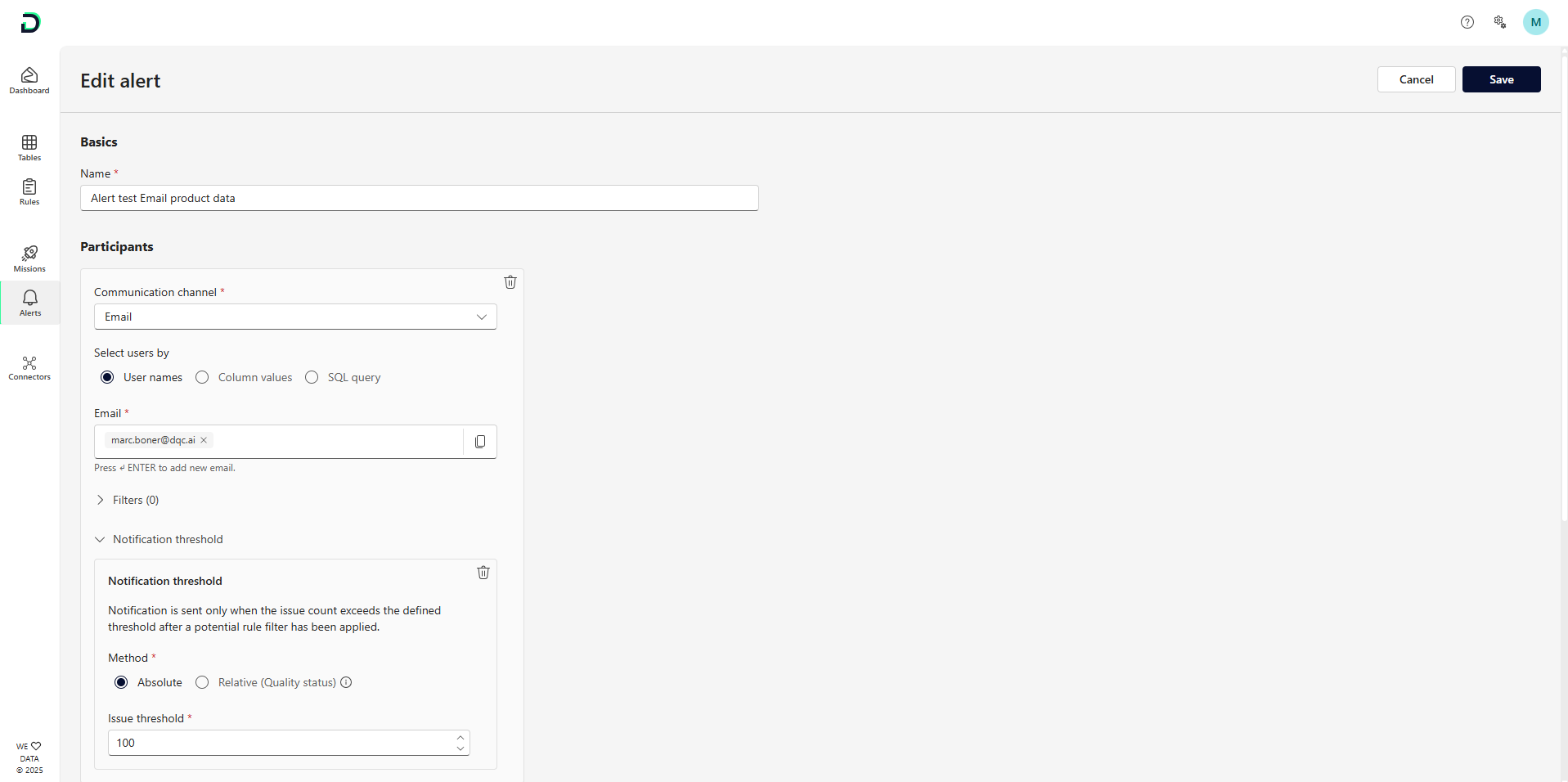
Notification Thresholds
Set thresholds to control when notifications (via MS Teams or Email) are triggered in Missions and Alerts:
Define absolute (e.g., more than 50 issues) or relative thresholds
Thresholds are defined per participant
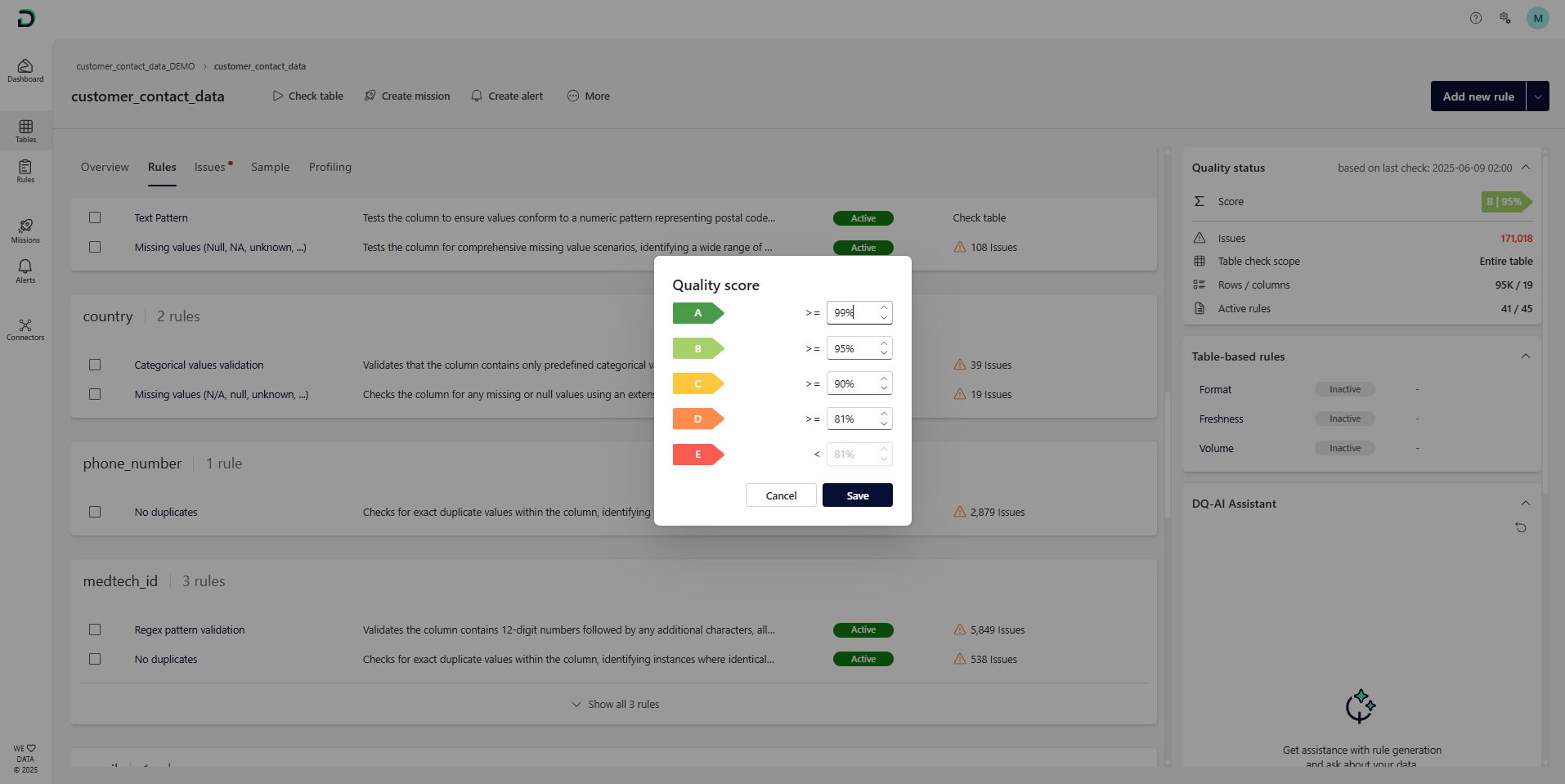
Configurable Data Quality Scores
Score ranges (A–E) can now be adjusted per table via the More menu.
Example: Critical transaction tables may require ≥99% clean records (A), while others may tolerate more variance
Coding Assistant for Custom Rules
A new assistant is now available when working with:
Regular Expression
Custom SQL
Custom Python
It helps build, update, and correct rule logic using interactive prompts.
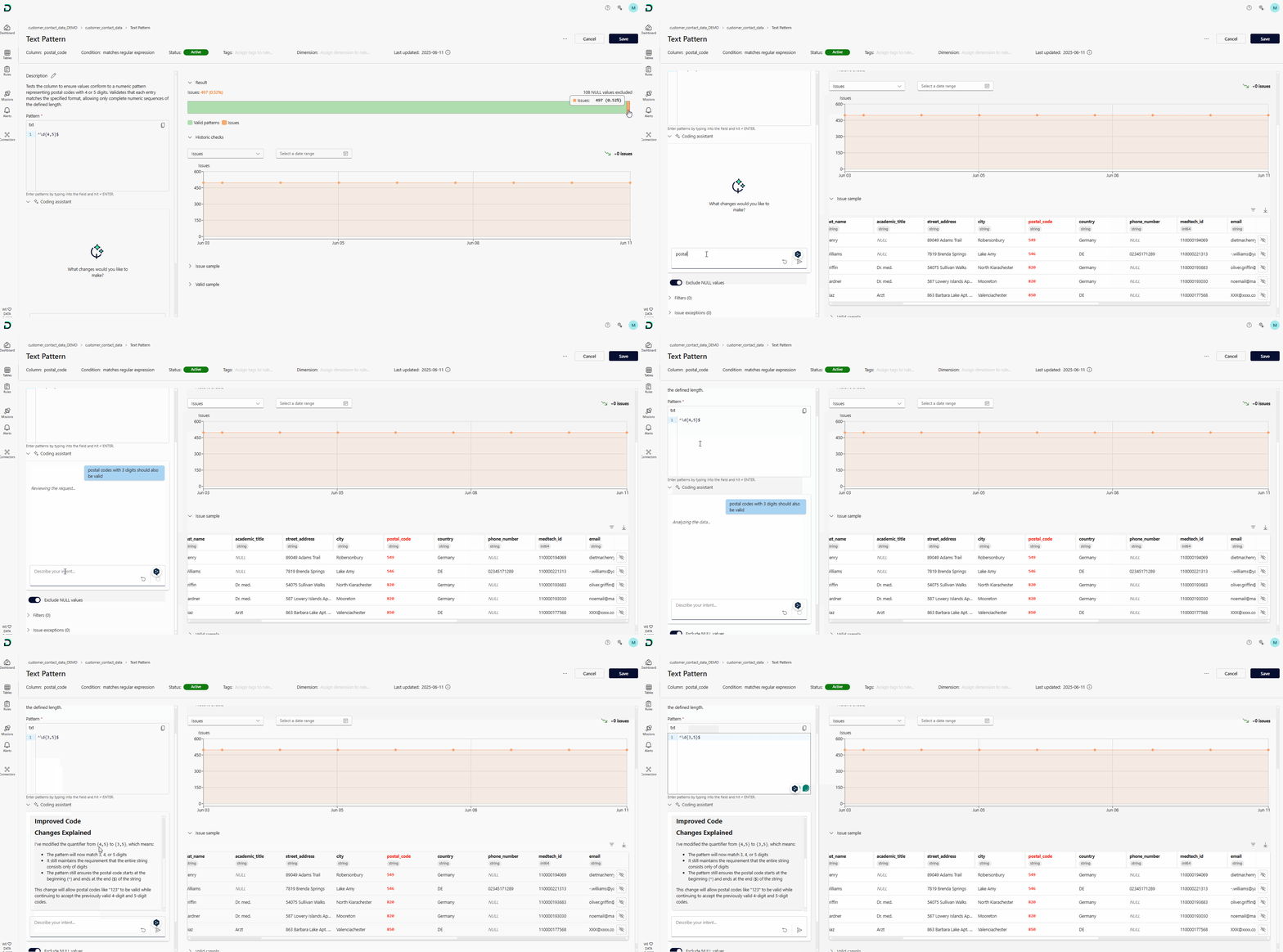 AI-assisted creation of regex, SQL, or Python rule logic
Standardized Rule Naming
Rule condition labels have been updated to follow a consistent verb-first pattern (e.g., “Is empty” instead of “Empty”) to improve readability and uniformity.
Issue Sendout Improvements
The "Include issue information" toggle now ensures the issue explanation column is always present in email or MS Teams messages.
Virtual Tables for Azure SQL
Azure SQL now supports virtual table creation—already available for Postgres, Snowflake, and Databricks.
Deep Links in Missions and Alerts
Replaced
#with{ID}placeholdersInput validation added for consistency
Improved Inaccessible Table Notifications
Better explanation and visibility when tables are no longer accessible due to permission changes or connector issues.
 Small Improvements and Bug Fixes
Mission changes now save reliably
Resolved permission update issues on tables
Fixed sorting errors in the Rule Repository
Resolved tag-based filtering errors
Enhanced dropdown filtering performance
 Breaking Changes
—
 Notes
Notes
Notification thresholds and custom scoring add greater flexibility to how quality issues are managed
Virtual tables and deep links now work across even more connector types
Learn more: Using the DQ-AI Assistant, Setting Up Missions, Managing Alerts, Creating Virtual Tables