
Setting up a cross-table check
This article explains how to set up a cross-table data quality rule to compare values between two different tables. This feature is helpful when data in one table must align with or reference data in another table — for example, ensuring consistent codes, identifiers, or row counts across related datasets.
1. Start rule creation from the main table
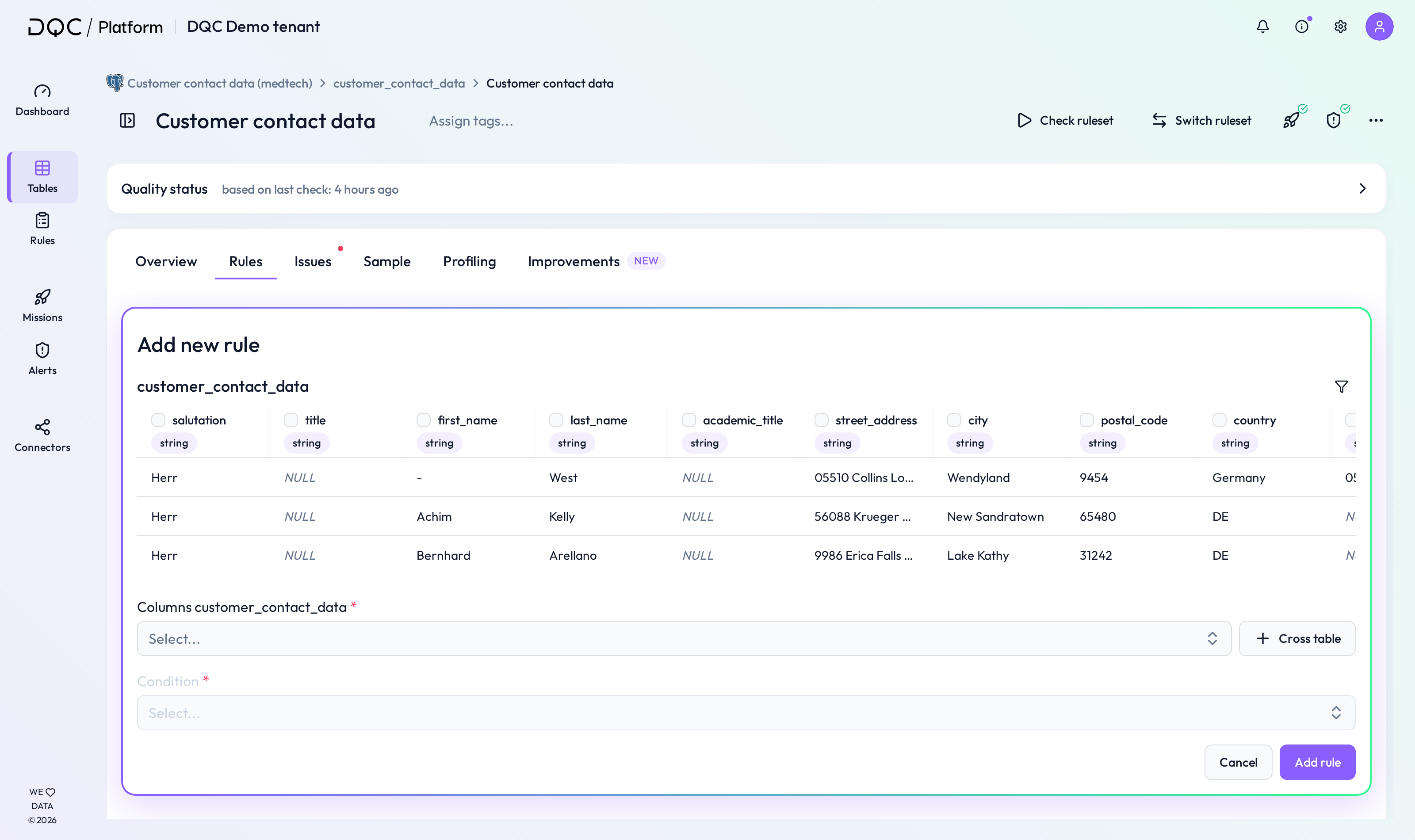
Start from the Rules tab of the relevant table. Click on Add new rule to create a new rule for that table.
You will first see a preview of the selected table including column names, data types, and sample values.
2. Activate cross-table mode
Click on the Cross table button on the right.
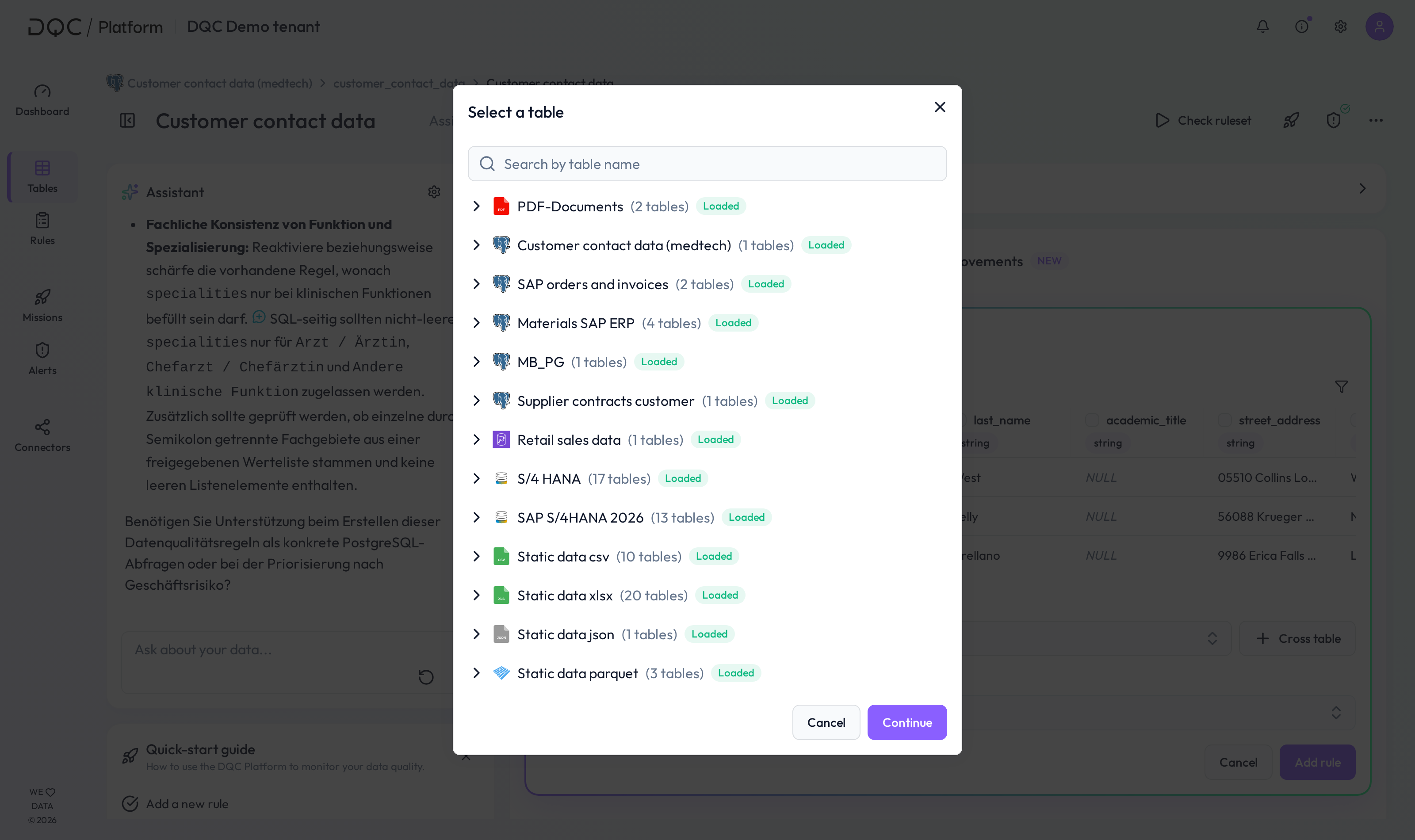
A modal will open where you can select the second table you want to compare with.
You can search for the table by name and choose any table from any connected data source.
3. Select columns and define condition
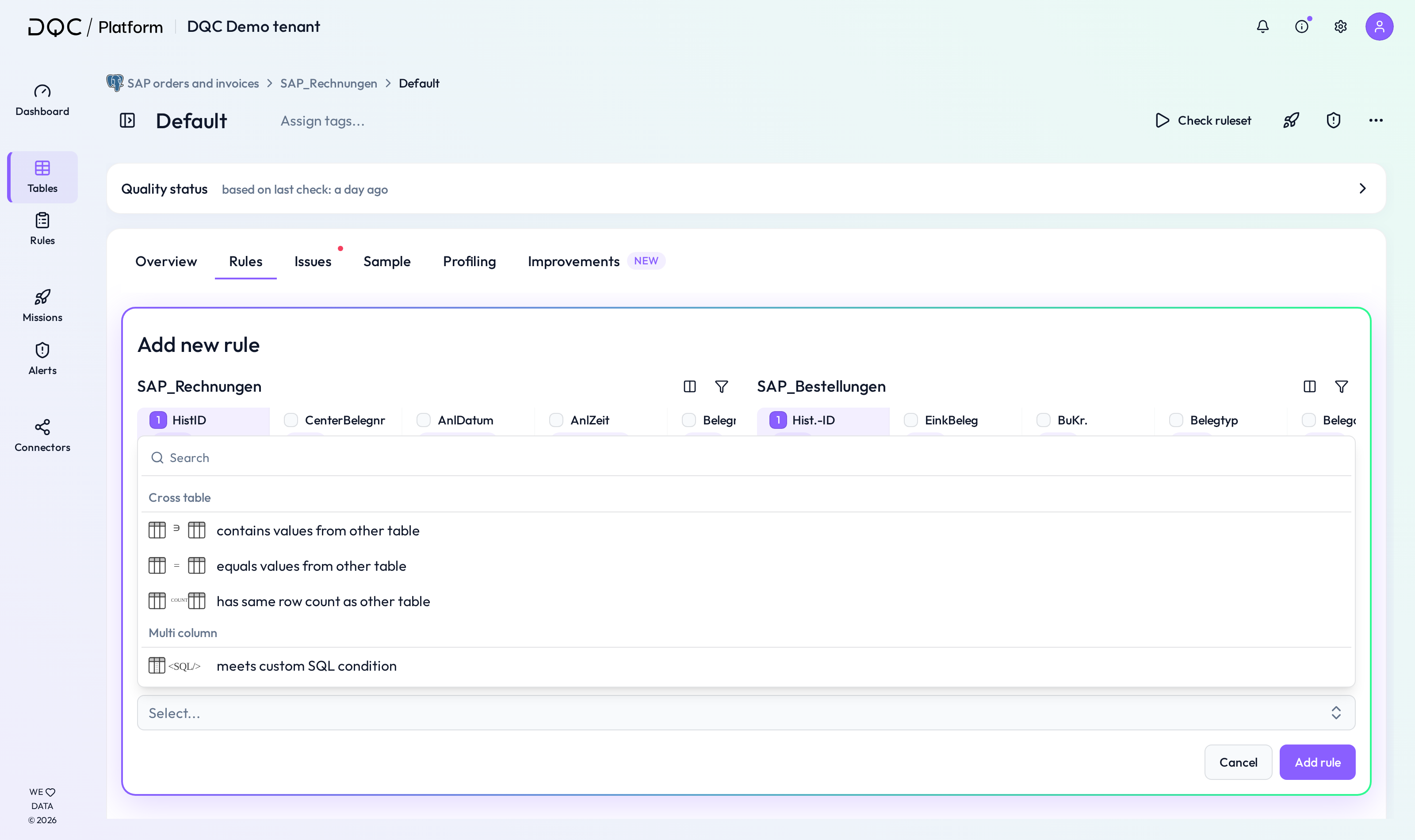
Now, for each table, select the column(s) you want to compare. Then choose one of the following four conditions:
contains values from other table
Checks whether the selected column in the first table contains at least all values from the second table.equals values from other table
Validates that both tables contain the exact same values in the selected column(s).matches values from other table
Checks whether values match between the two tables on the row level – requires matching keys.has same row count as other table
Verifies that the number of rows is identical between the two tables.
4. Define matching keys (for row-level comparison)
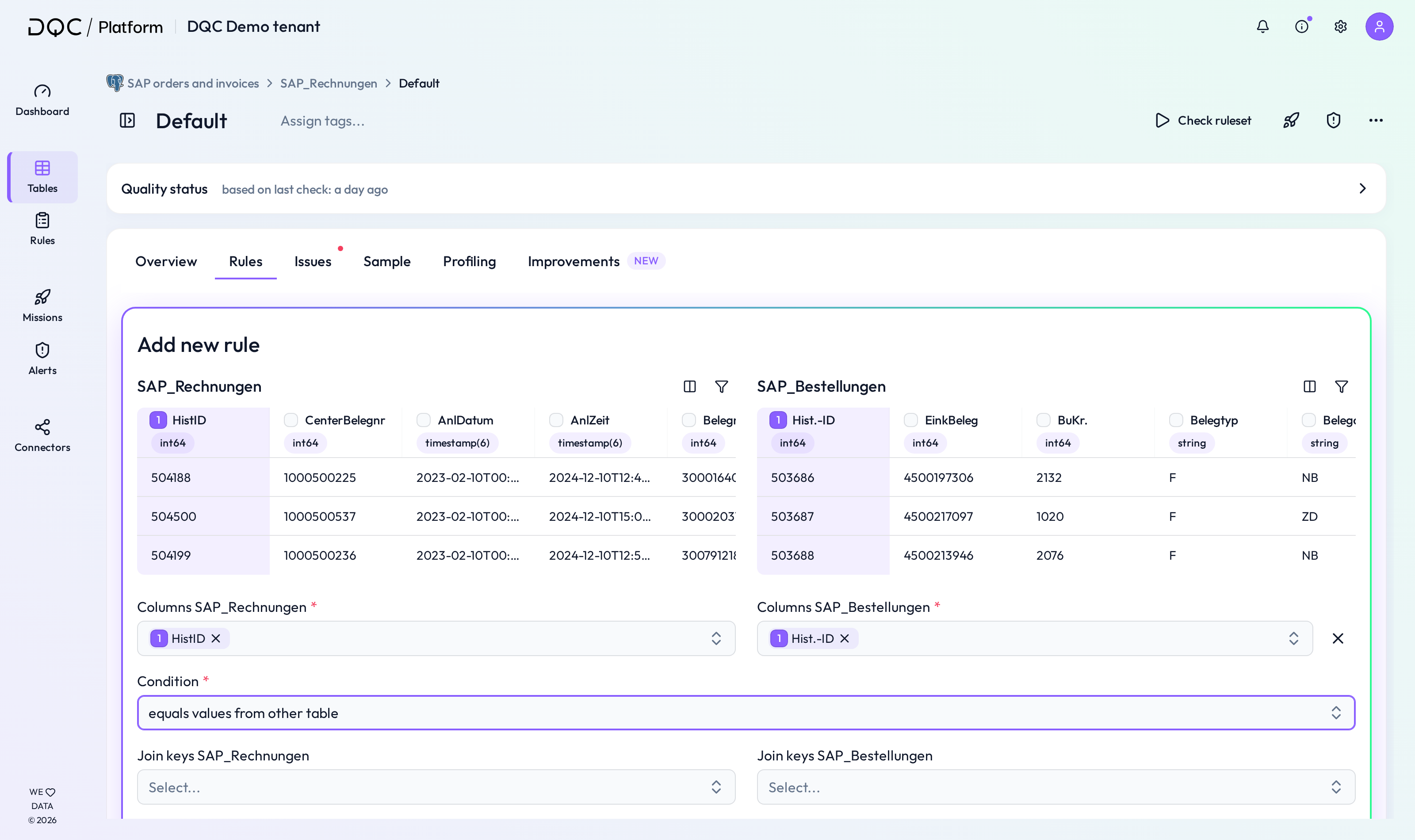
For the condition matches values from other table, you need to define matching keys in both tables.
These are the identifiers used to align rows (like an ID column) before comparing the selected values.
5. Save and generate rule
After selecting columns, condition, and (if needed) matching keys, you can optionally provide a name and description or generate one automatically.
Click Add rule to save your cross-table validation.
 Notes
Notes
Cross-table rules are currently limited to comparing two tables at a time
You can create as many cross-table rules as needed per table
Matching keys are only required for row-based comparisons
Static files (e.g. reference tables) can also be used as cross-table input