
How to use the 'semantic' rule
The semantic rule enables users to apply intelligent, LLM-based validations on column values by describing logic in natural language. It’s useful for checks that involve external knowledge or context between columns.
Purpose of the Semantic Rule
Use a semantic rule when:
You want to validate values based on meaning or context (not just format or range)
You need LLMs to evaluate whether a value is reasonable, correct, or consistent based on another column
Traditional rules like regex, numeric bounds, or pattern matching aren't enough
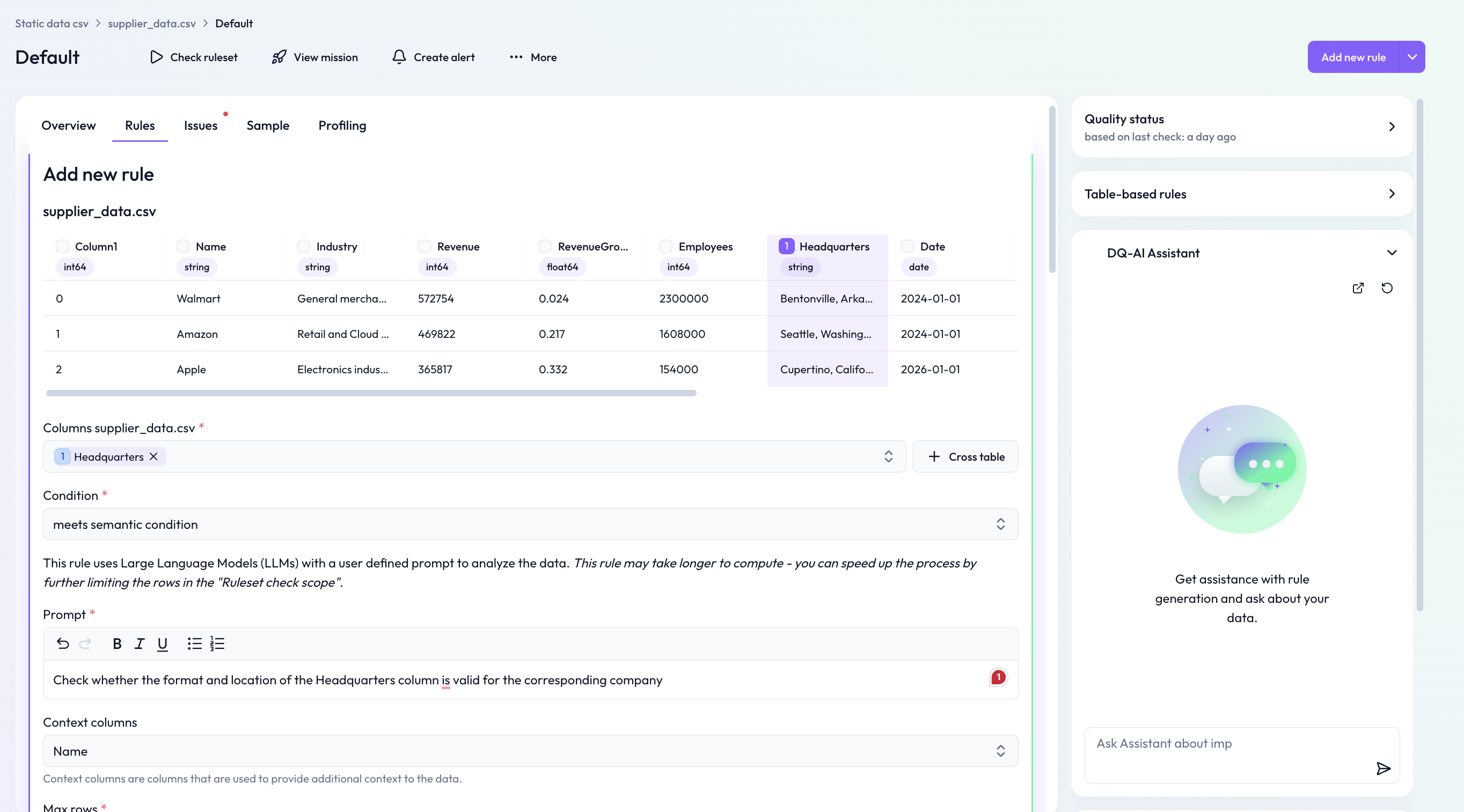
Example: Validating Postal Code by Country
This example checks whether the value in the postal_code column is valid for the corresponding country value on the same row.
Step-by-Step Instructions
1. Navigate to the Rules tab
Open the table where you want to define the rule and go to the Rules tab.
2. Click “Add new rule”
Use the "Add new rule" button at the top right.
3. Select the target column
Choose postal_code from the Columns dropdown.
4. Choose the rule type
Select the condition:
meets semantic condition
5. Enter your prompt
Describe your logic clearly in natural language. Prompt used in the example:
Check whether the postal_code value is valid for the corresponding country in the country column for each row.
6. Add context columns
Add any columns required for context — here:
country
7. (Optional) Limit scope
To speed up the check during testing, you can limit the number of rows using Max rows.
8. Save the rule
Click Save to add it to the ruleset.
What Happens Next?
The rule uses an LLM to interpret your prompt and apply it row by row. For example, it will:
Understand valid postal code formats for each country
Flag mismatches like a U.S. zip code in a German row
Notes
Semantic rules may take longer to compute — especially on large tables.
For best results, make the prompt clear and concise.
Always define context columns if your prompt refers to other fields.