
Overview of multi-column rules
Multi-column rules allow you to validate relationships between two or more columns within a table — ensuring consistency, uniqueness, or logic across combined values. Depending on the data format, different rule types are available.
That's how yo create a multi-column rule:

Numeric (float) rules
These rules apply to numeric column combinations.
Available rule types
Equals
Does not equal
Greater than
Greater than or equal
Less than
Less than or equal
Unique
Custom SQL
Custom Python
Example: Equals condition
Check whether one numeric column equals a combination of others:
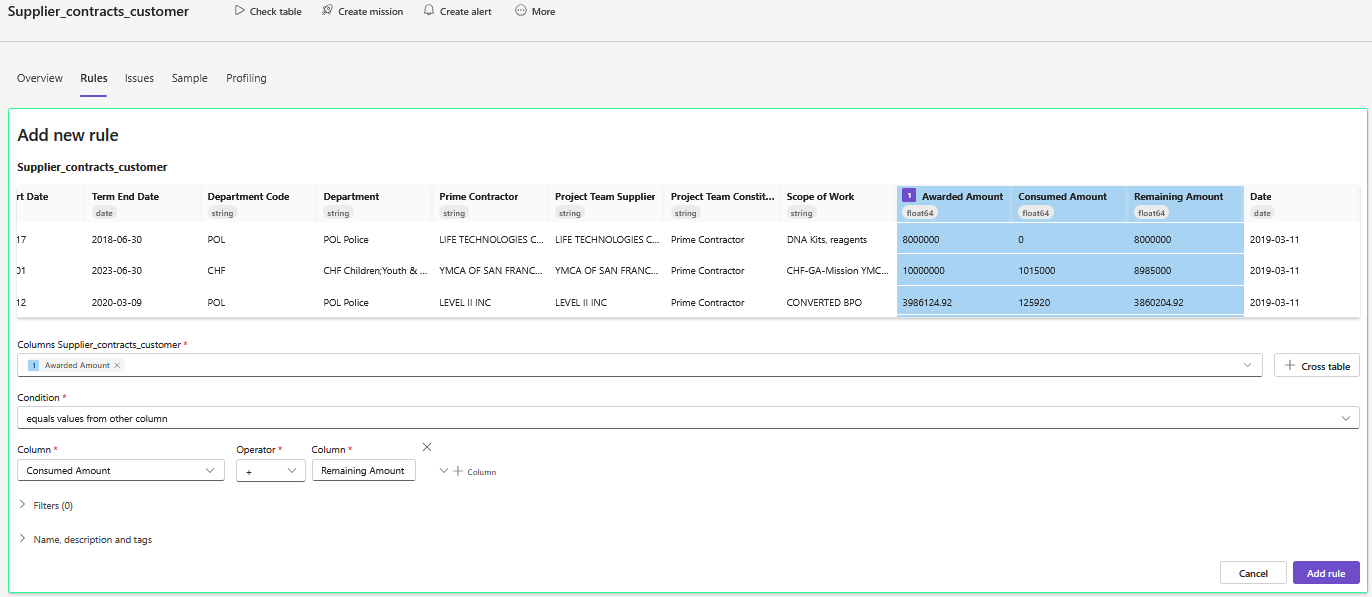 “Awarded Amount” must equal “Consumed Amount” + “Remaining Amount”
Example: Unique combination
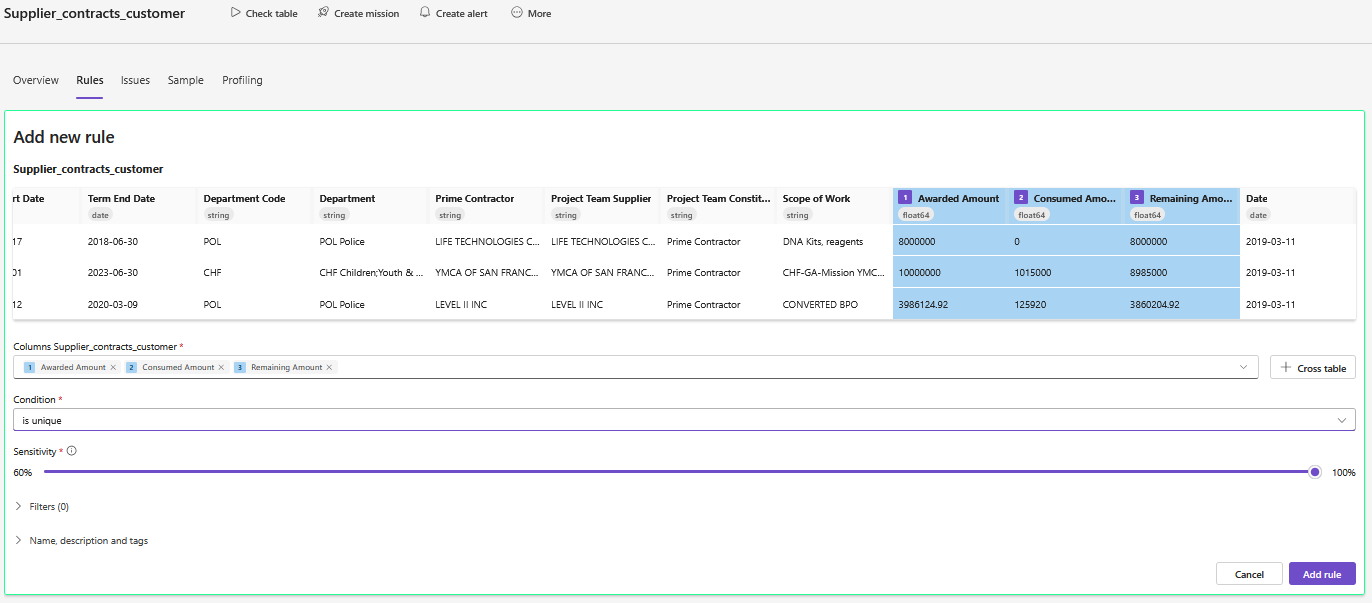 Ensure that the combination of three numeric values is unique.
Example: Custom SQL
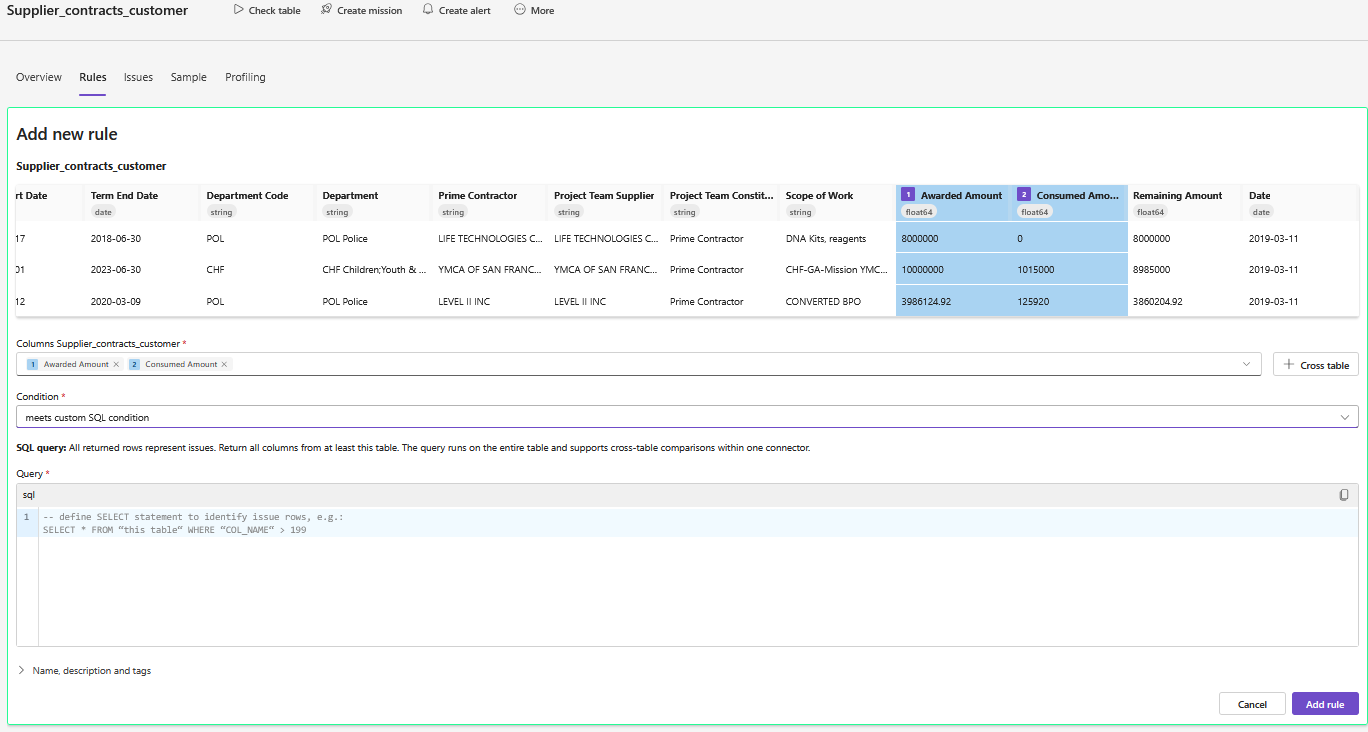 Write a SQL query to apply custom multi-column validation.
String-based rules
String rules allow comparisons between columns or uniqueness checks.
Two-column comparisons
Contains
Starts with
Ends with
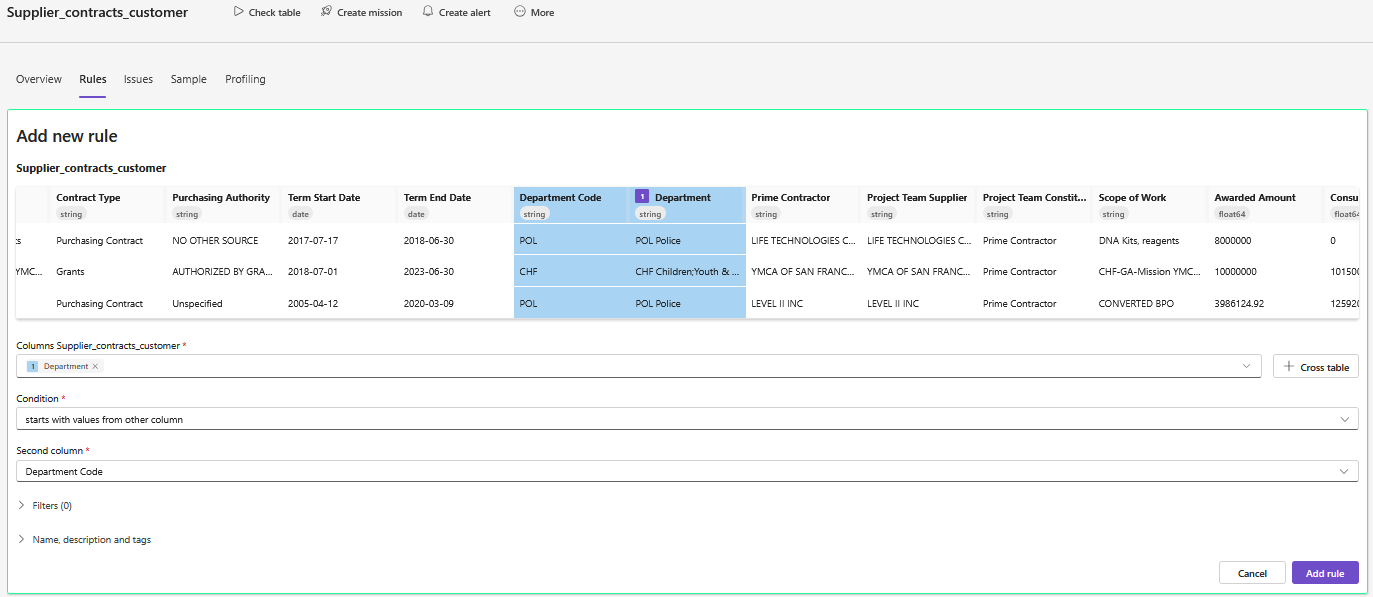 Check if “Department” starts with “Department Code”.
Multi-column string rules
Unique
Custom SQL
Custom Python
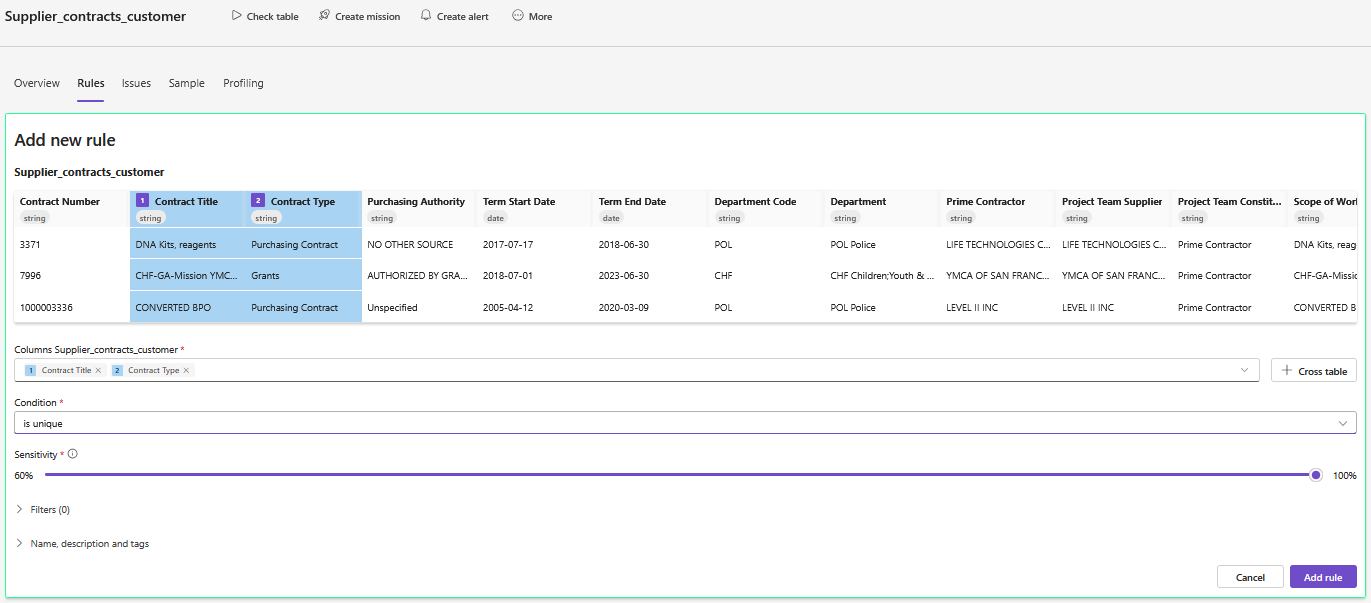 Each combination of “Contract Type” + “Contract Title” must be unique.
Example: Custom Python
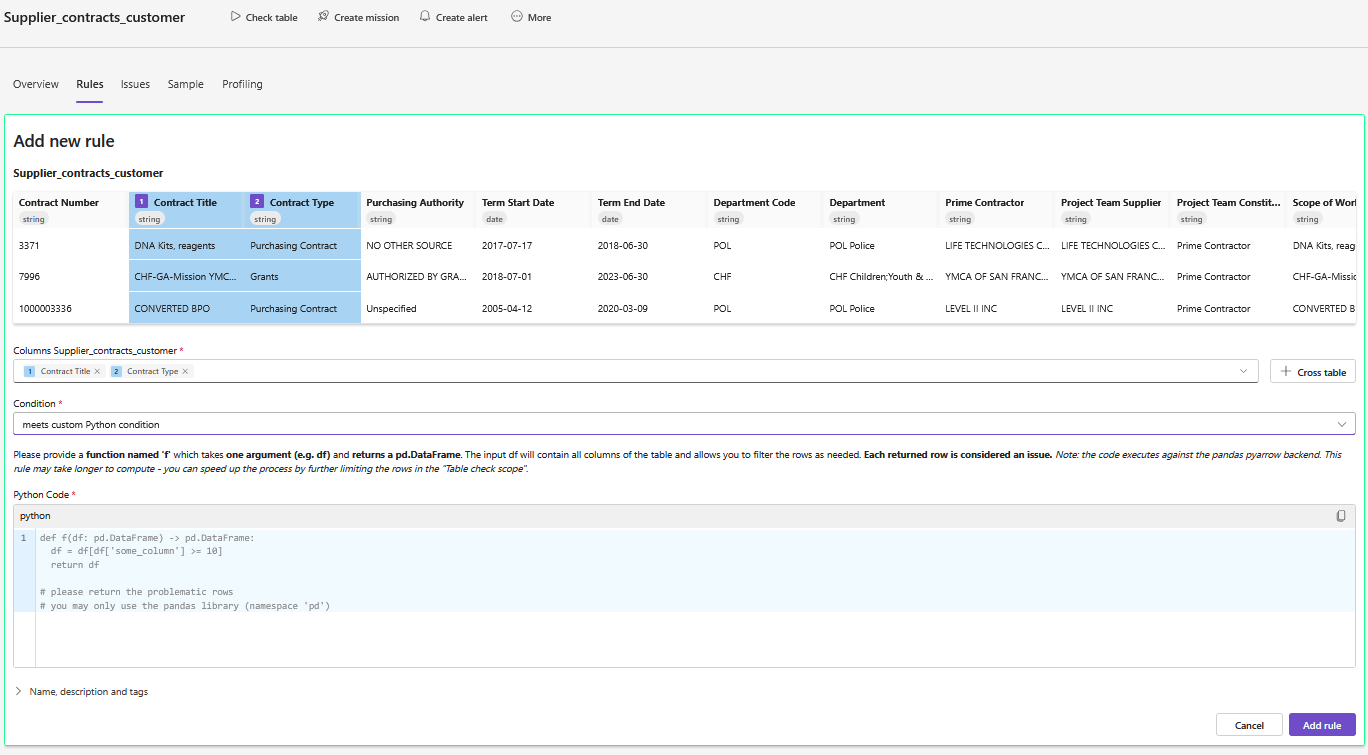 Write pandas logic to check formatting, duplication, or mapping rules.
Date-based rules
Used to check sequences or consistency across timestamp or date columns.
Two-column comparisons
After
Before
After or equal
Before or equal
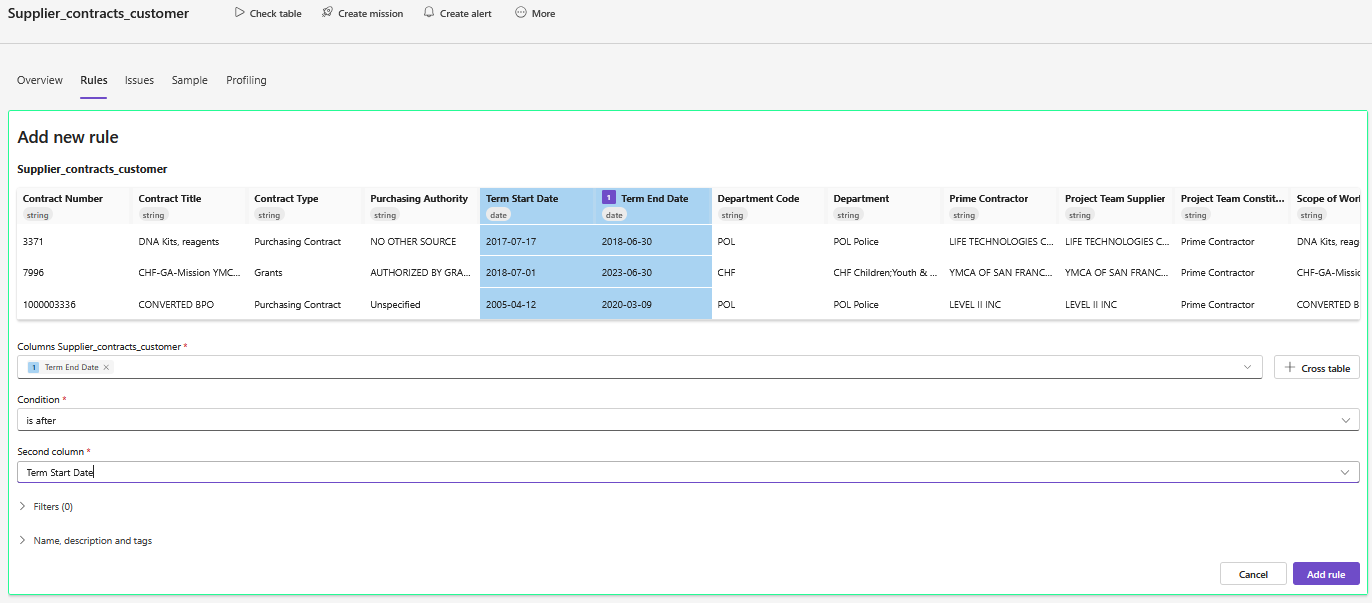 Ensures logical time progression between two date fields
Multi-column date rules
Unique
Custom SQL
Custom Python
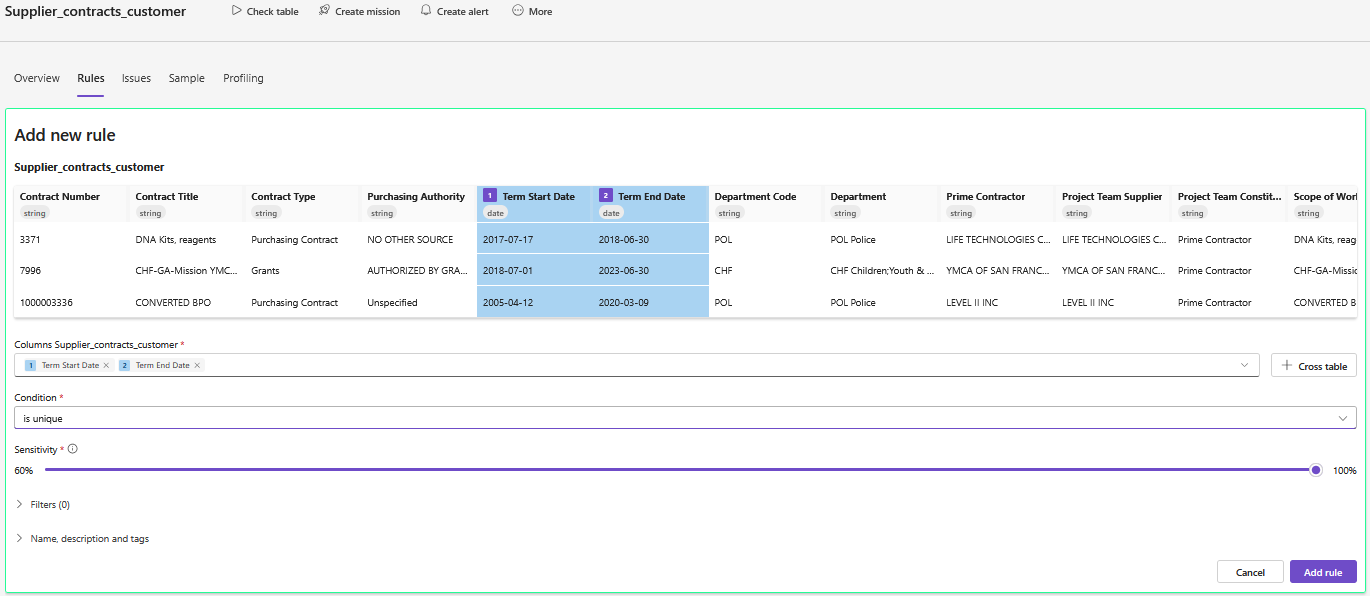 Prevent duplicate entries with the same start and end dates
Example: SQL-based date validation
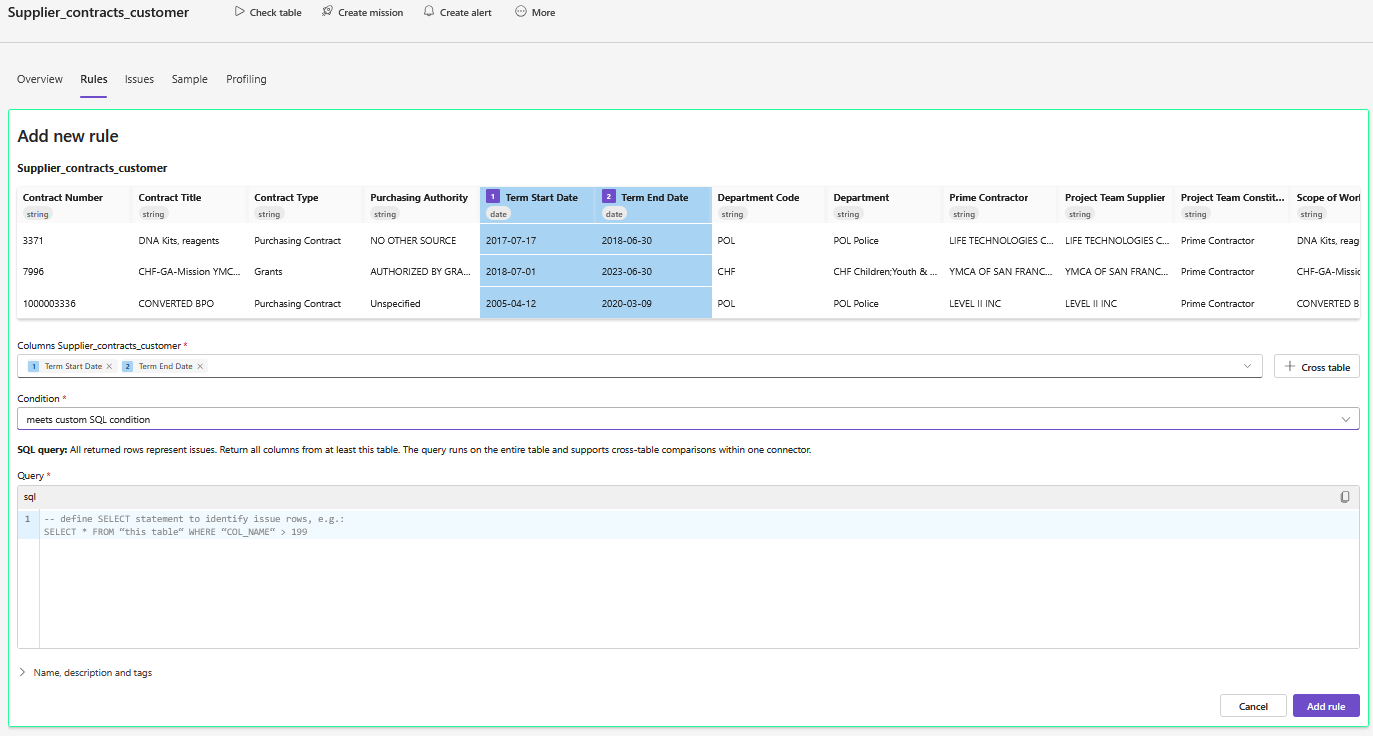 Find gaps or overlaps in booking periods or schedule windows
 Notes
Notes
SQL and Python rules return a row per failed match
You can add filters to scope the rule to specific rows or conditions
Multi-column logic is useful for validating derived fields, time sequences, or complex integrity checks