
How to apply the duplicate survivor
The duplicate survivor workflow allows you to resolve/identify ambiguous duplicates in a table. It uses an agentic approach to automatically identify the best entry (the "survivor") within each group of potential duplicates and flags the rest as duplicates.
What does it solve?
For every group of duplicates, only one entry will be marked as the survivor. Based on a "survivor strategy" defined by the user, all others will be labeled as duplicate that can be ignored/deleted.
This is what it looks like:
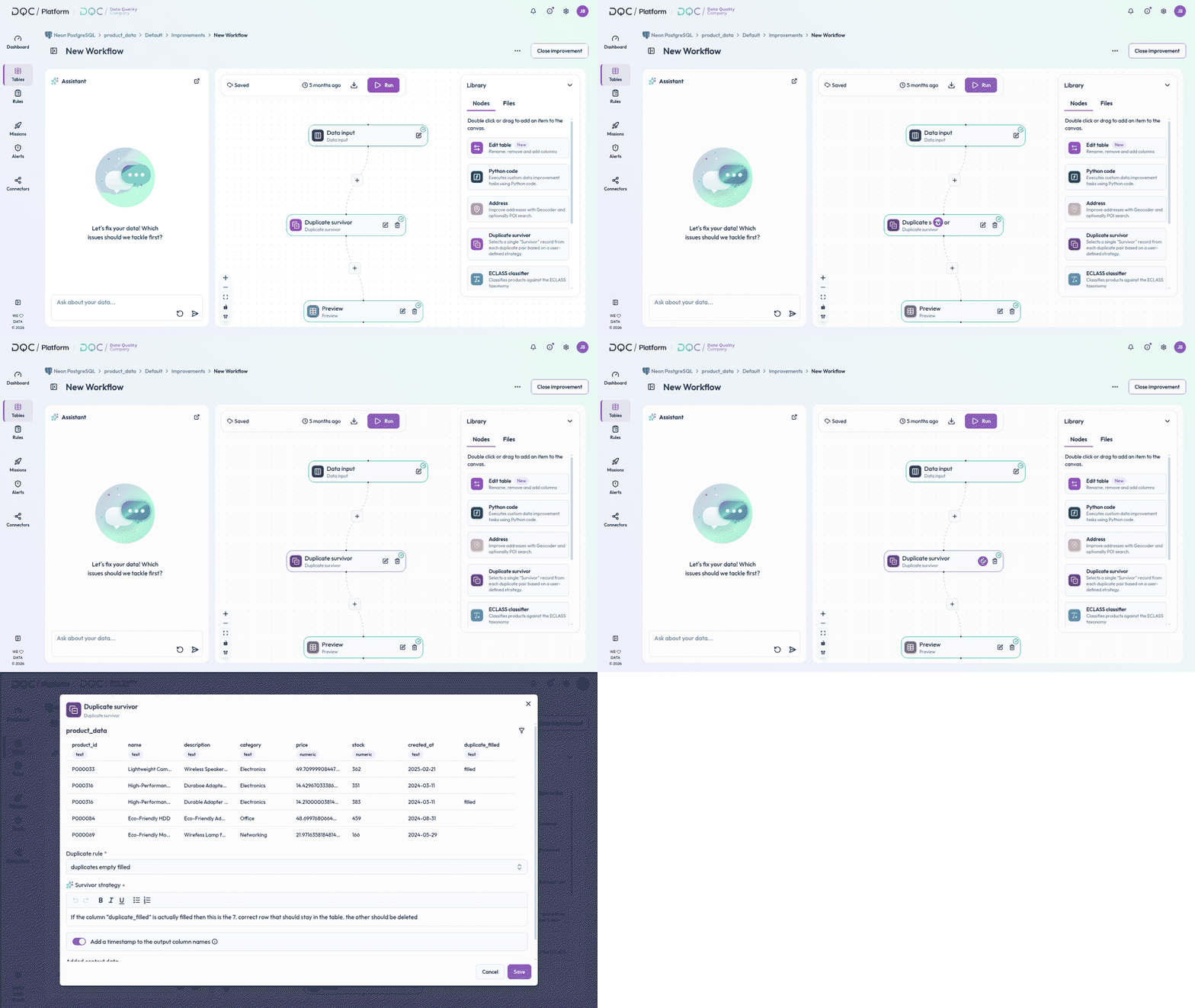
Workflow setup
There is a clear workflow that can be followed. Consider the following example:
Select file on DQC Platform (from a connector or static file)
Set up duplicate rule and conduct table check
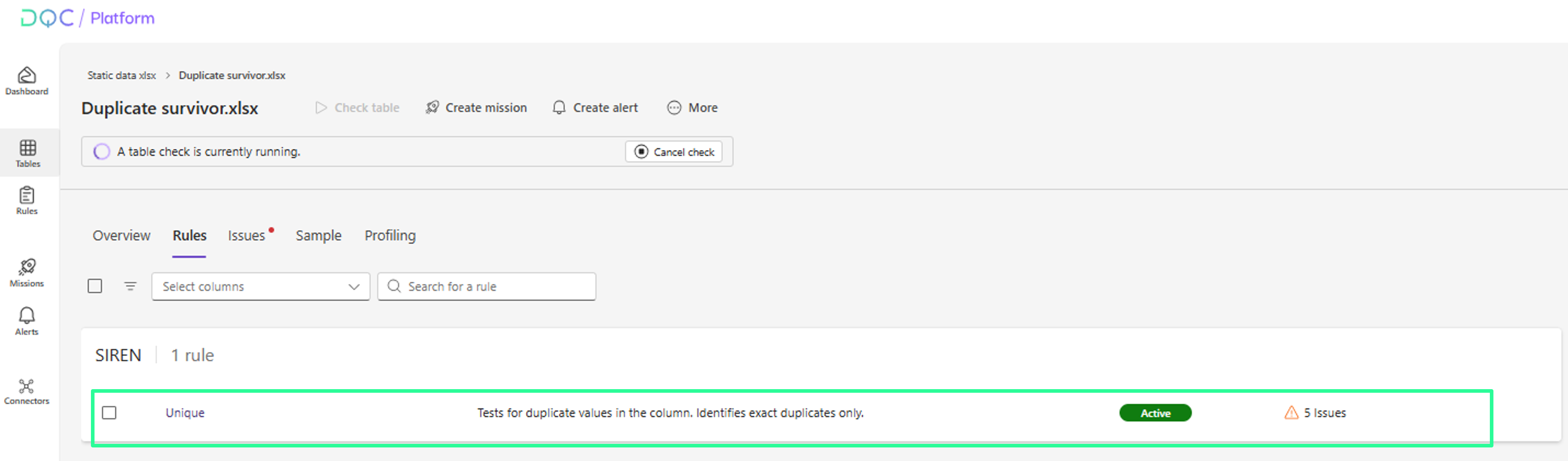
Set up a duplicate rule for the column including duplicates
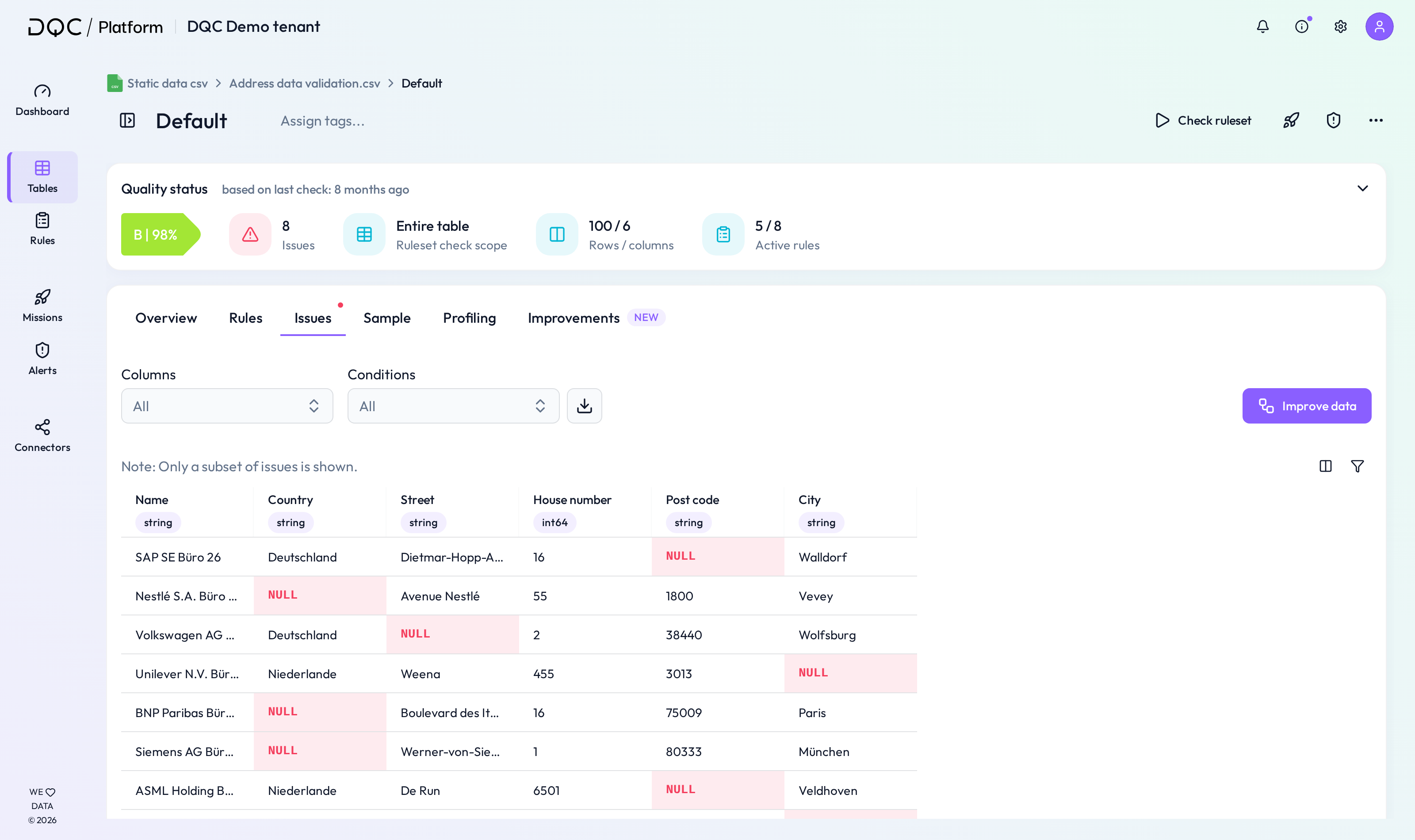
Go to “Issues" and click on “Improve data"
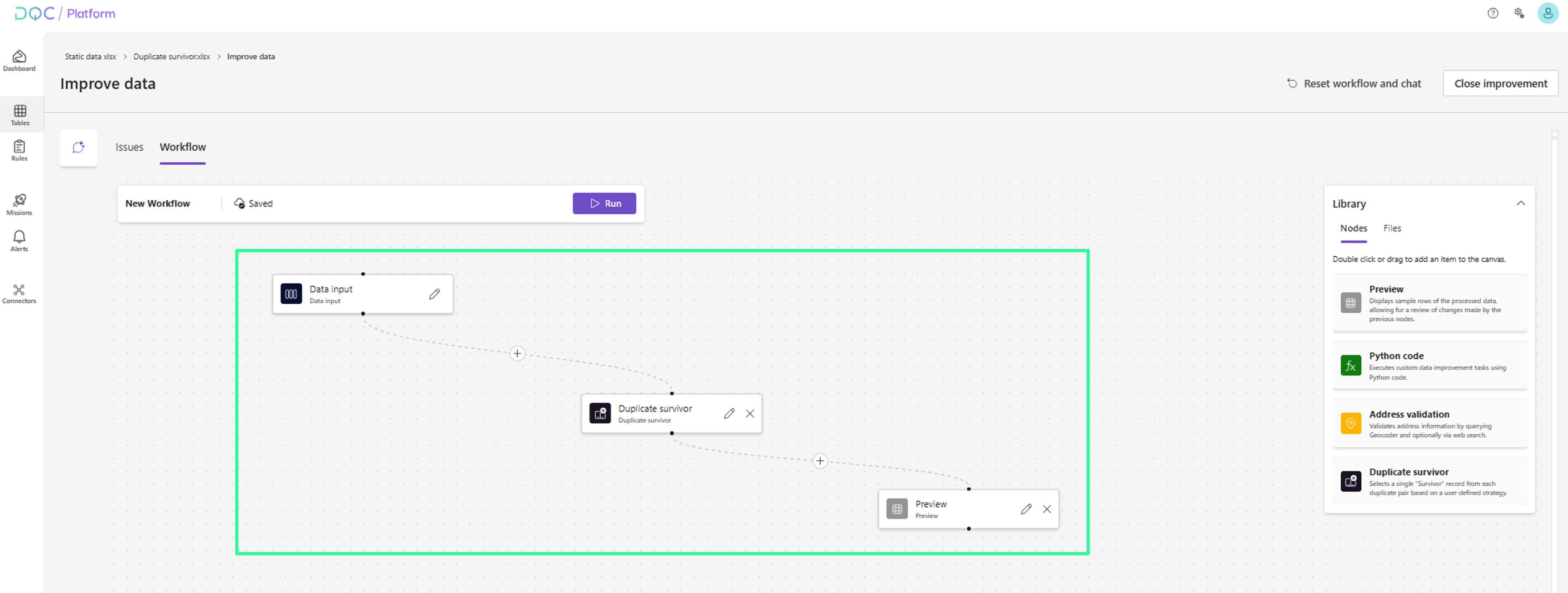
Set up workflow
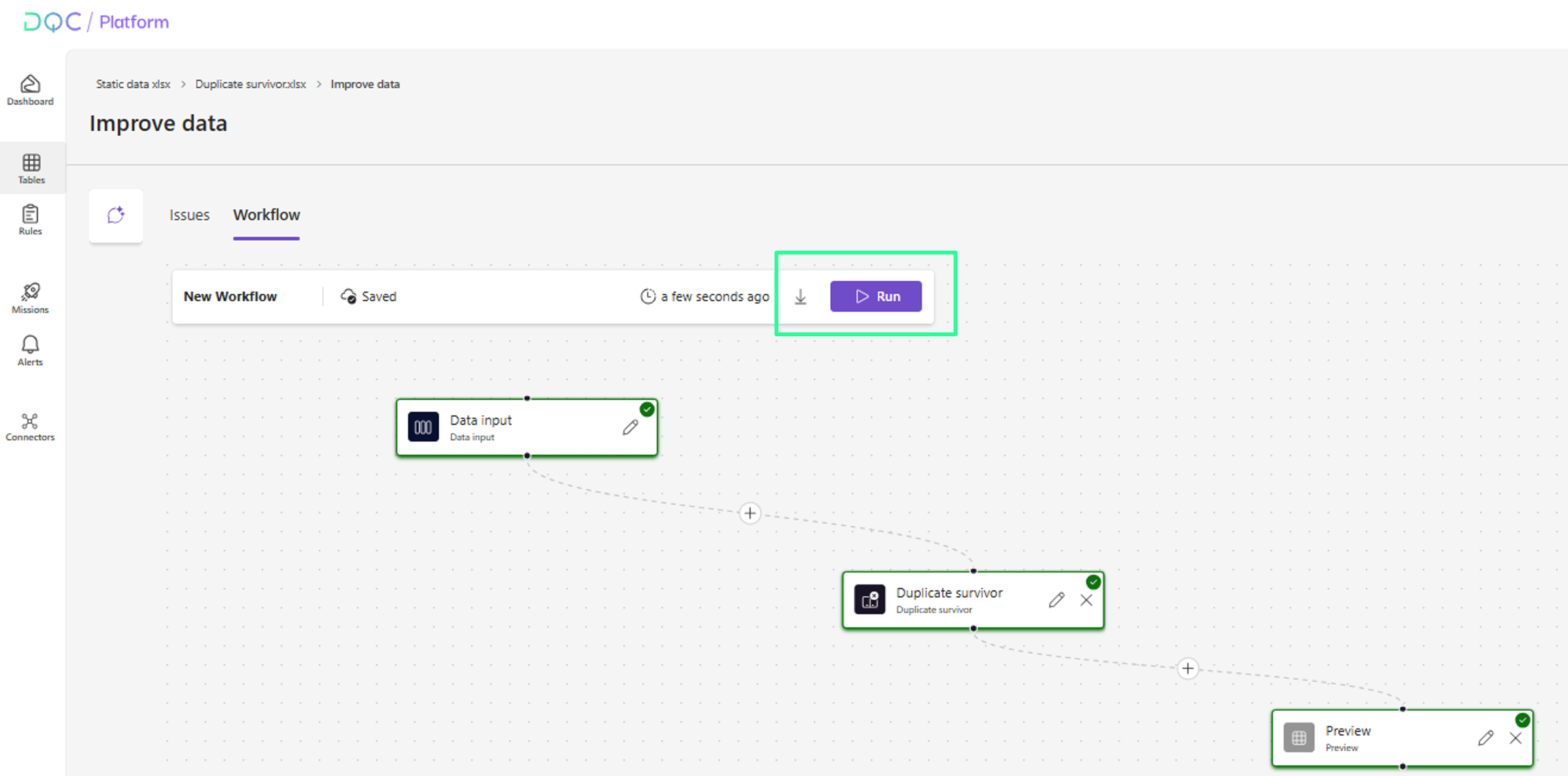
Here, you can simply set up a workflow consisting of "Data input", "Duplicate survivor" and "Preview". Just select the nodes from the nodes library and add them via drag-and-drop.
In the next step, the nodes can be specified (if needed)
Specify nodes
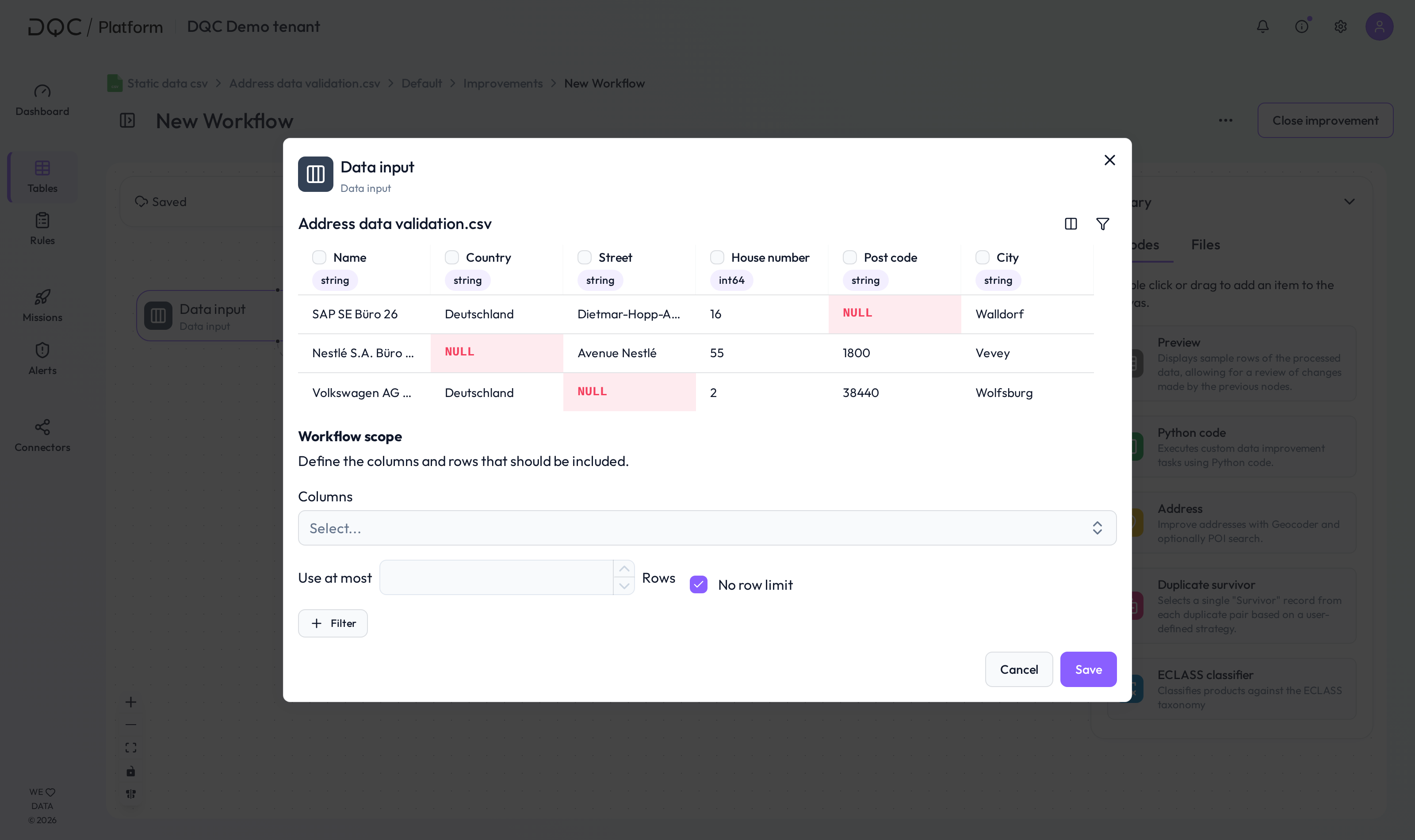
Data input node: By clicking on the pen icon, you can specify the node. Set a filter or exclude individual rows explicitly if needed.
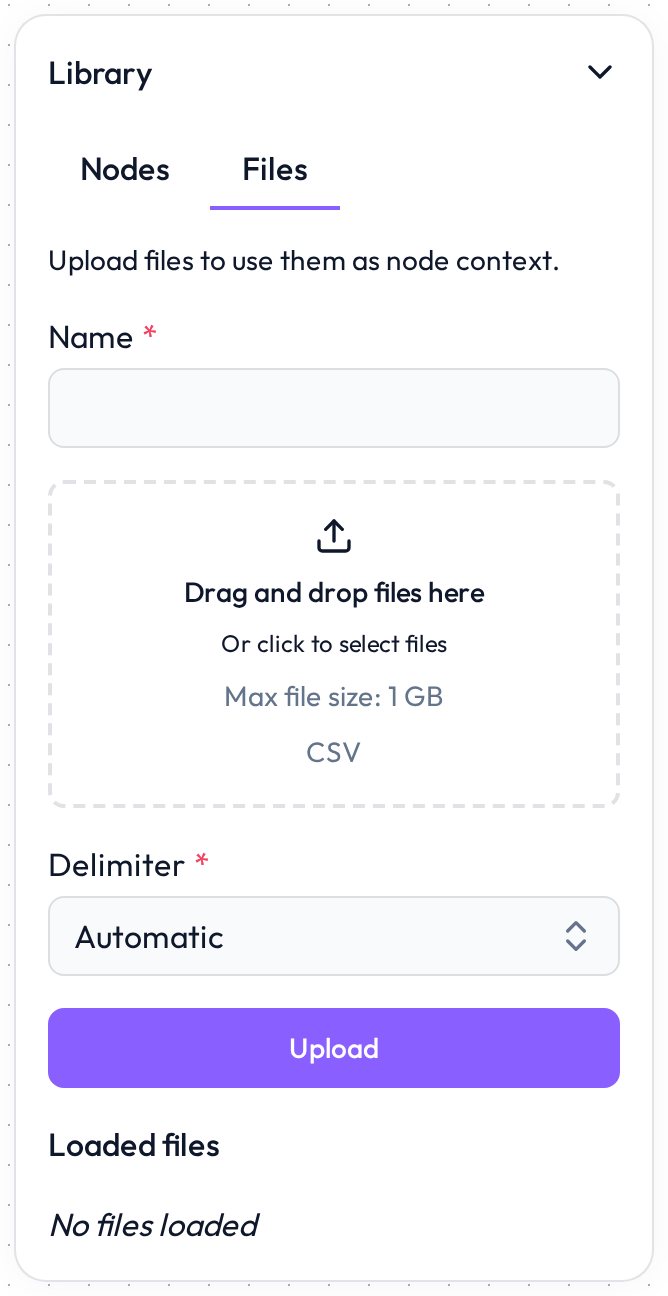
Duplicate survivor node: If relevant context information is included in a separate file, it can be added (CSV format). Just upload the file in the Library.
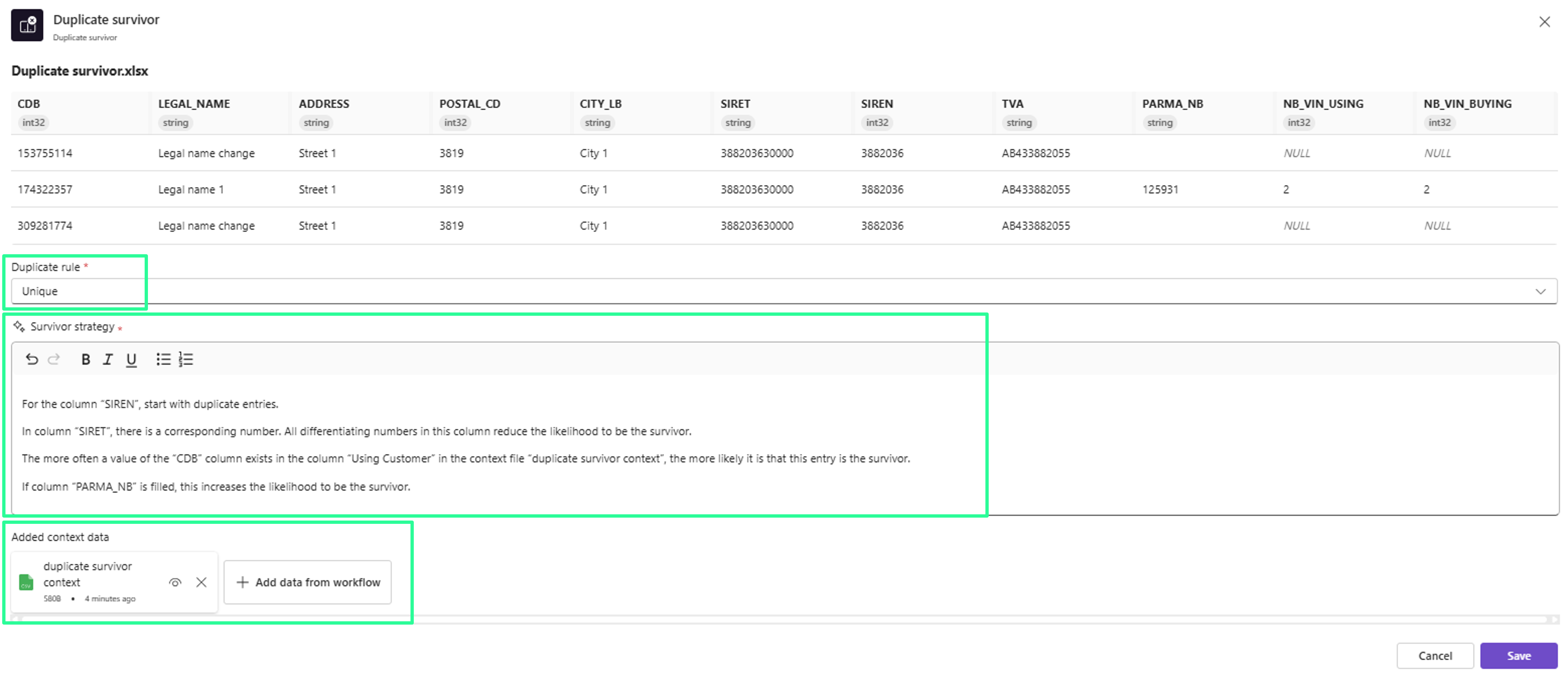
Then, specify the duplicate survivor node: Select the duplicate rule in scope and provide the survivor strategy. The strategy should explain how the duplicate survivor will be identified. Optionally, add the context data file.
Prepare results
Two options to see results: Preview node or CSV download.
For the preview node: open the node and conduct a workflow test (if the file does not include too many entries). The survivor will be shown including a confidence score.
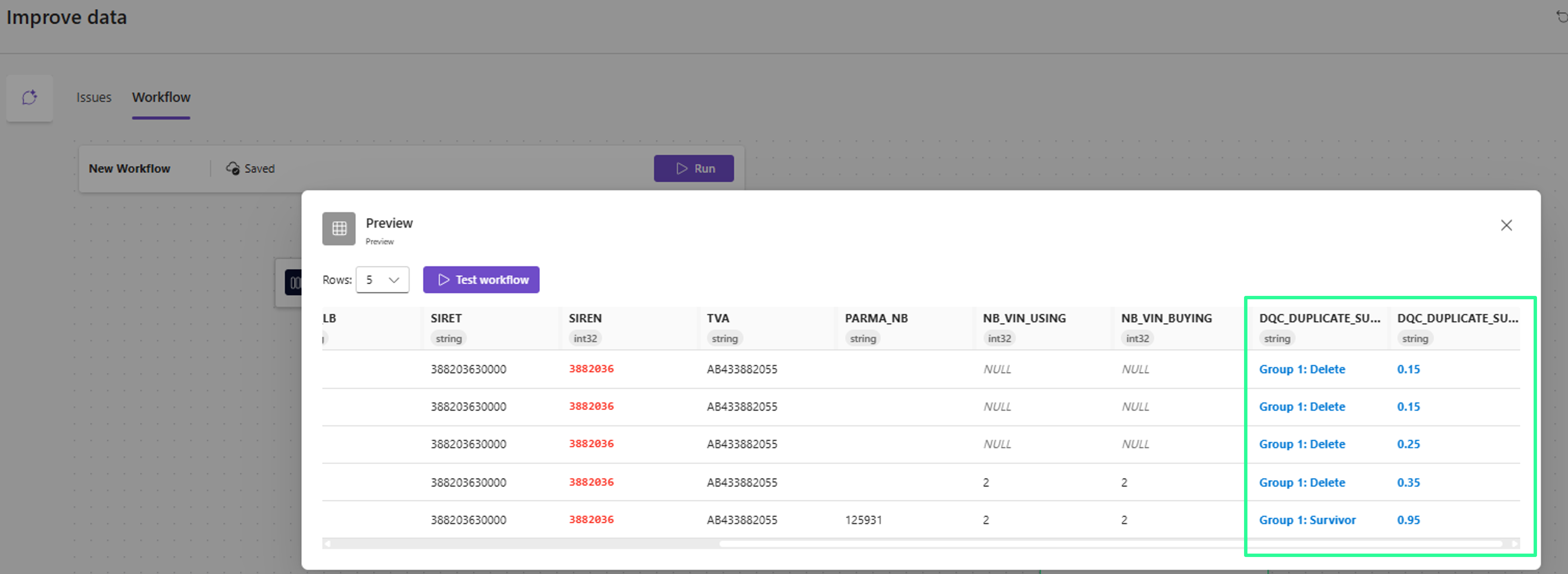
To get a CSV download with results, click on Run and then on the download button
 Notes
Notes
Ideal for data cleanup or deduplication tasks
Result table can be downloaded
Learn more: Connectors, Address improvements, Rule detail view