
Deletion of a table
Tables can be removed from the DQC Platform — but the deletion method depends on the data source type.
Static files (e.g. CSV, Parquet) → Can be deleted individually
Database tables → Must be removed by deleting the entire connector
Deleting static file tables
To delete a static file (e.g. CSV, Parquet, Excel):
Open the table
Go to the Rules, Issues, or Sample tab
Click “More” → “Delete”
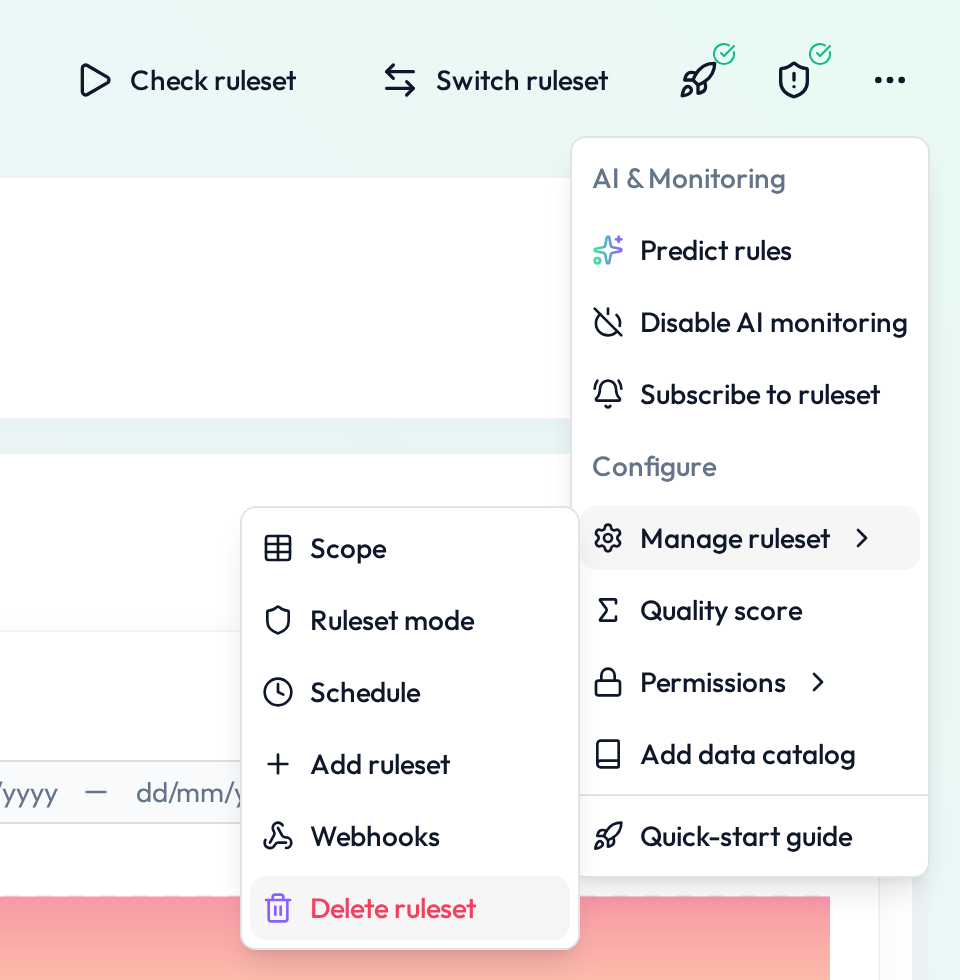 This will remove the table and all its associated rules
Deleting a table from a database connector
If the table originates from a connected database (e.g. Snowflake, Postgres):
Individual tables cannot be deleted separately.
You must delete the entire connector:
Go to Connectors
Select the connector
Click the “...” menu → “Delete”
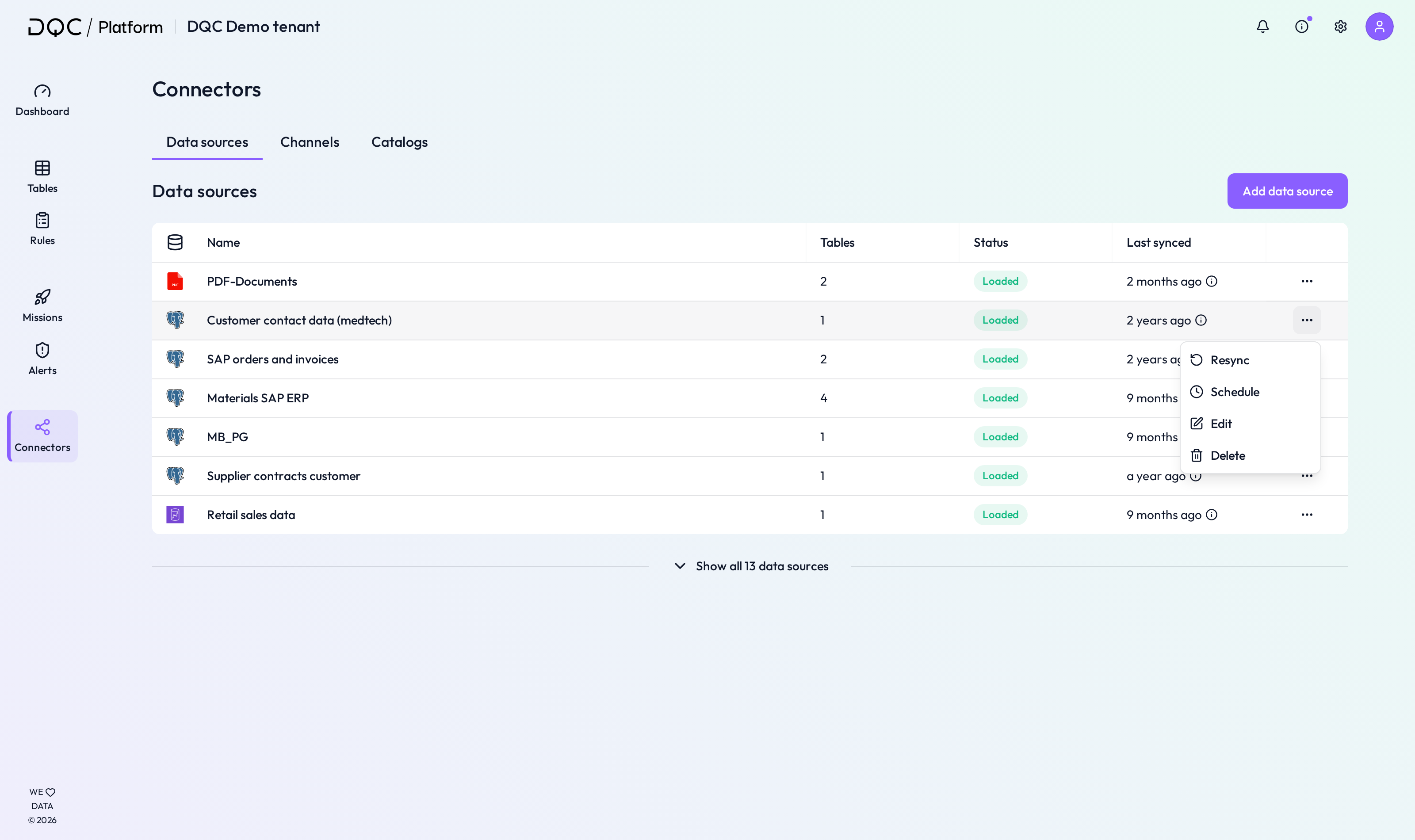 Deleting a connector removes all linked tables and rules
 Notes
Notes
Only static file tables can be deleted individually
To remove database-based tables, delete the full connector
Deleted items cannot be restored
Learn more: Connectors Screen, Rule Repository