

Single-Sign-On (SSO) – Microsoft login
The DQC Platform supports Single Sign-On (SSO) via Microsoft and Okta. This allows your organization to enable secure and convenient access via corporate identity providers.
Microsoft Azure AD – federated SSO
To enable Microsoft SSO, configure access via Azure Active Directory.
Go to the Azure AD App Gallery
Click New Enterprise Application and search for:
Data Quality AssistantSelect Data Quality Assistant by Data Q Company GmbH
In the right-side pane, click Sign up to register for your organization
Users can then access the platform using Sign in with Microsoft
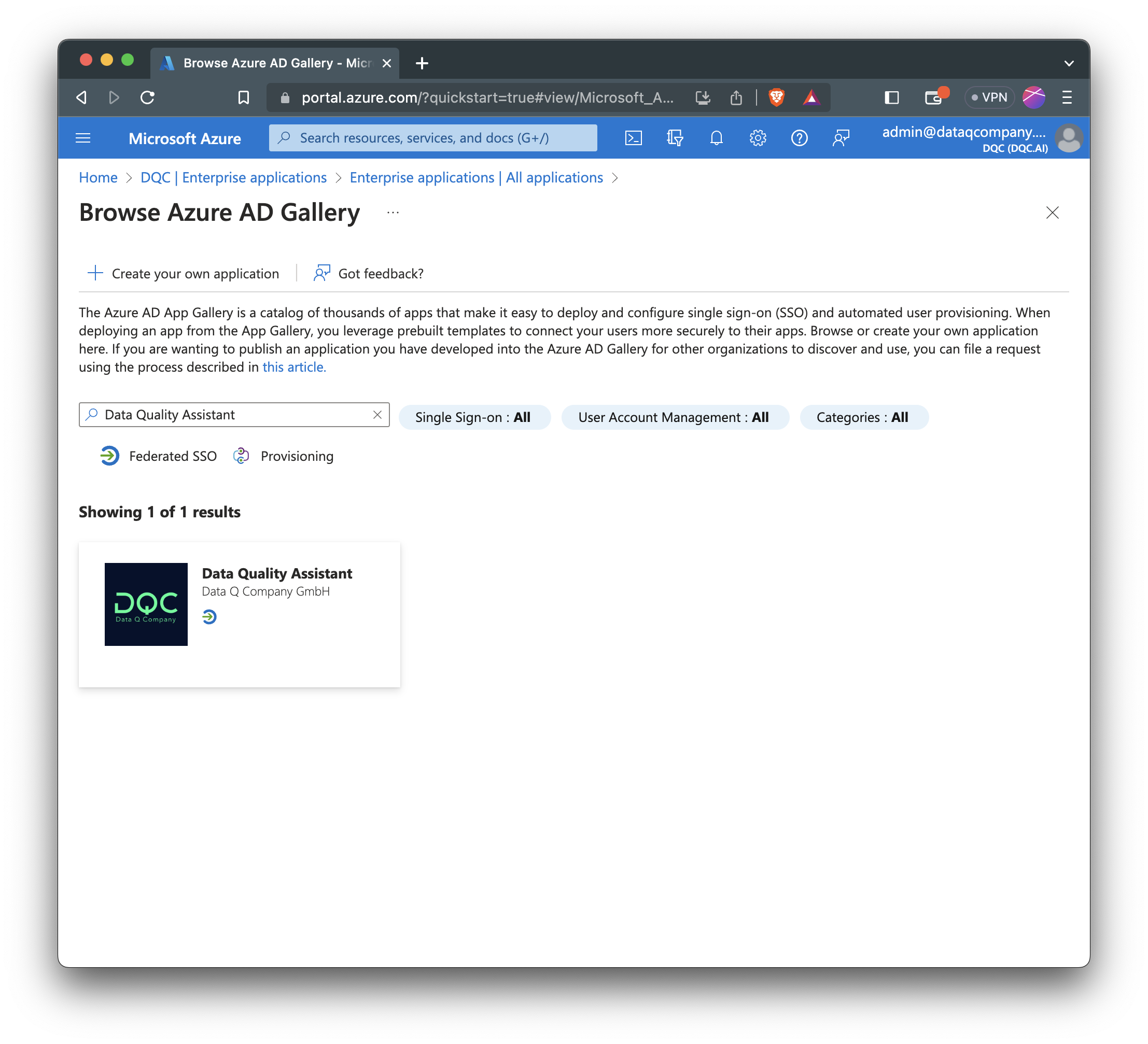 Registering the DQC Platform app in Microsoft Azure
 Important:
Currently, the Azure AD Gallery entry links to the Excel Add-in and not to the platform login.
Until resolved by Microsoft, please register directly at: https://shared.app.dqc.ai/signup
After registration, users can sign in via: https://shared.app.dqc.ai/signin → Sign in with Microsoft
Okta or other OIDC providers
You can create an Okta OIDC app integration and send us the client credentials via a secure channel. We will integrate the client ID and secret.
In the Okta Admin Console:
Applications→Create App IntegrationChoose OIDC – OpenID Connect
Choose Web Application
General Settings:
App Name:
DQC Platform by DQCRedirect URI:
https://shared.app.dqc.ai/auth/self-service/methods/oidc/callback/<your-domain>
Example:acmefor acme.org →https://shared.app.dqc.ai/auth/self-service/methods/oidc/callback/acmeOptional: Add sign-out redirect →
https://shared.app.dqc.ai/auth/self-service/login/browser
Client Credentials:
After saving, Okta provides:
Client ID
Client Secret
Please send these credentials securely to DQC.
Secure transmission of credentials
We recommend one of the following secure methods:
PGP-encrypted file
Use the public key for:
Johannes Boyne – CTO | Security @ DQCPassword-protected ZIP file
Share password separately via another channel (e.g., Teams or phone)
 Notes
Notes
SSO simplifies access and enhances security across your organization
Linking an existing user account is supported — see: Linking Your SSO Account
Learn more: User Management and Access Rights, Auto-Join for Tenants