

Auto-join: Simplify user onboarding
With auto-join enabled, new users from your organization can automatically join your DQC Platform tenant based on their email domain—no invitation required.
How it works
Go to Settings → Auto-join
Enable the toggle
Enter your email domain (e.g.,
@dqc.ai)New users registering with that domain will see a popup to join your tenant
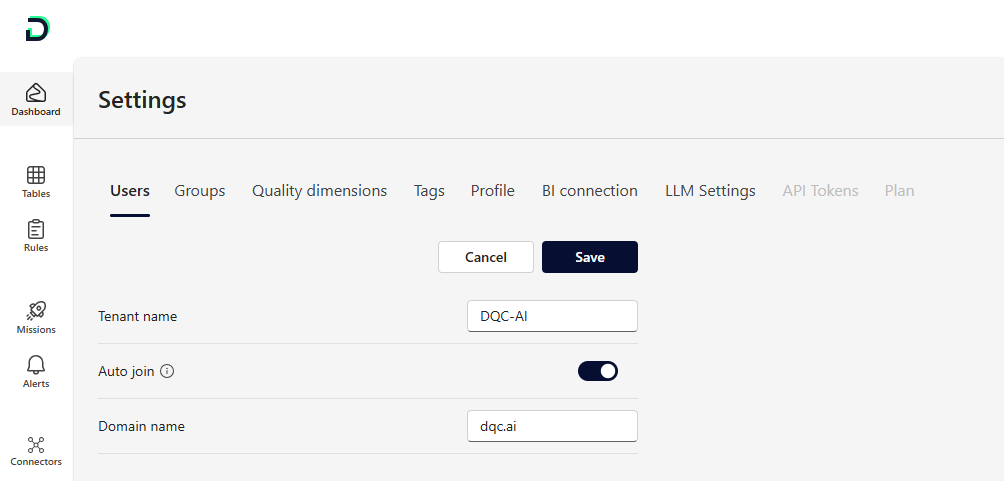 Set your organization’s domain to activate auto-join for all users with matching emails
Benefits
Immediate access for new team members
No need to send invitations manually
Domain verification ensures secure onboarding
Works well for internal onboarding at scale
 Notes
Notes
Only verified domain emails are allowed (e.g.,
name@dqc.ai)Conflicts may occur if a domain is already registered elsewhere
For help resolving domain conflicts, contact: info@dqc.ai
Learn more: Invitation of New Users, User Management and Access Rights, Overview of User Roles