

Table access permissions
Table access in the DQC Platform can be granted independently of data source (connector) permissions. This allows more precise control over who can view or edit specific tables.
How to set table permissions
Go to the Tables overview
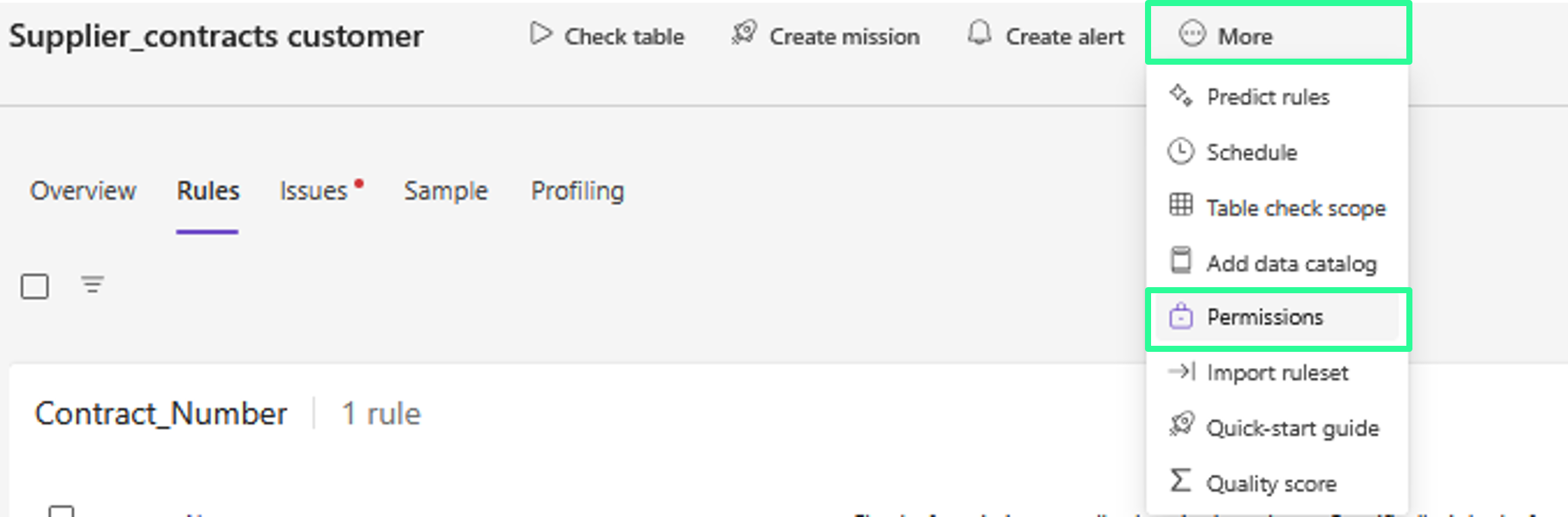
Click on "More" → "Permissions" for the relevant table
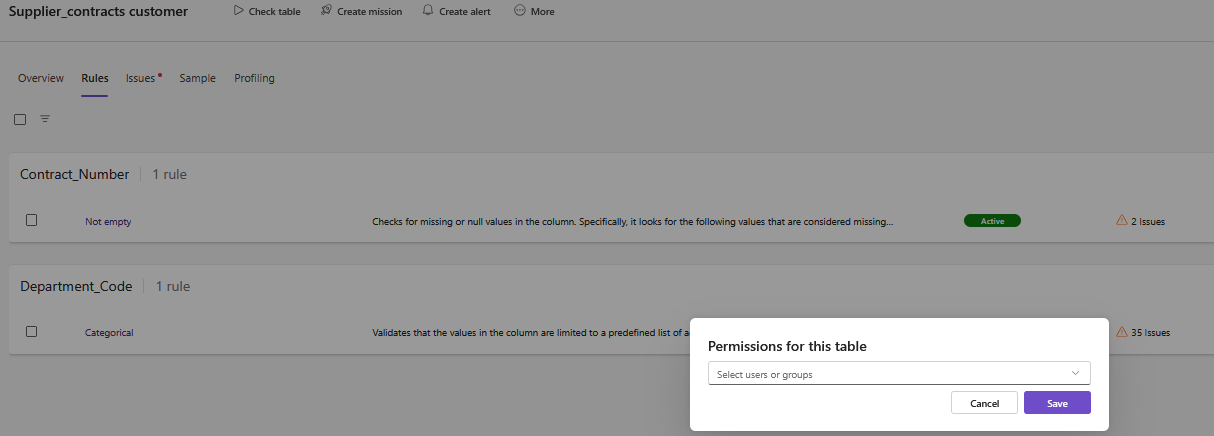
Select the users or groups who should have access
 Only Tenant Owners can manage table-level access rights
When to use table-level permissions
Grant access to only one table, without sharing the entire connector
Add exceptions for individuals who shouldn’t access the entire data source
Override default connector-level settings with fine-grained control
Relationship to connector permissions
Scenario | Access Outcome |
|---|---|
No permissions on table level → Inherits from connector |
|
Permissions exist only on table level |
|
Permissions on connector, but not on table |
|
No connector permission, but table permission exists |
|


 Notes
Notes
Only Tenant Owners can adjust table permissions
Connector and table permissions can be used together or independently
Learn more: Data Source Access Permissions, User Management and Access Rights, Overview of User Roles