

Data Source access permissions
In the DQC Platform, access to data sources (e.g., Snowflake, BigQuery) can be controlled at a granular level. You can assign permissions to individual users or user groups when setting up a connector or editing it later.
How to assign permissions
When creating or editing a data source connector:
Scroll to the Permissions section at the bottom
Add users and/or groups who should have access
If no users or groups are added → all users in the tenant will have access by default
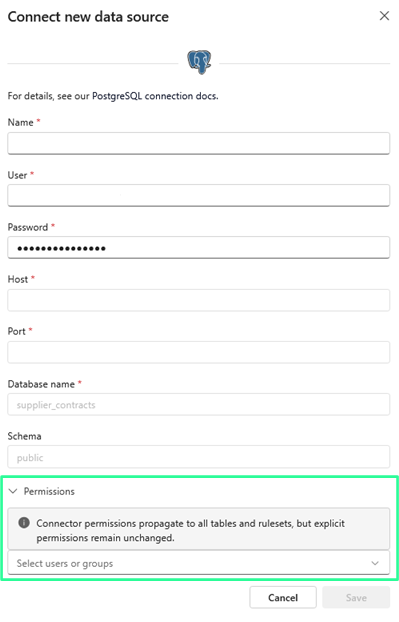 Assign access to users or groups when adding the connector
Permission logic
Case | Result |
|---|---|
No permissions defined | All users get access |
User/group is listed | They get access to all tables from this connector |
Connector permissions removed | Access to all tables is also removed — unless users have table-level access |
Relationship to table-level access
The following rules apply:
Connector-level access = Access to all underlying tables
Table-level permissions can override connector access (e.g., restrict access to a specific table even if the connector is shared)
If both connector and table permissions are defined, the more specific rule applies
Examples:
 You are on the connector → You can see all tables (if no table-specific rules exist)
- You are not on the connector but have been granted access to a specific table → You can only see that table
 You are removed from connector permissions and had no table-specific access → All access is lost
 Notes
Notes
Changes to connector permissions take effect immediately
Group-based access simplifies permission management for larger teams
Learn more: Table Access Permissions, User Management and Access Rights, Creation of Groups